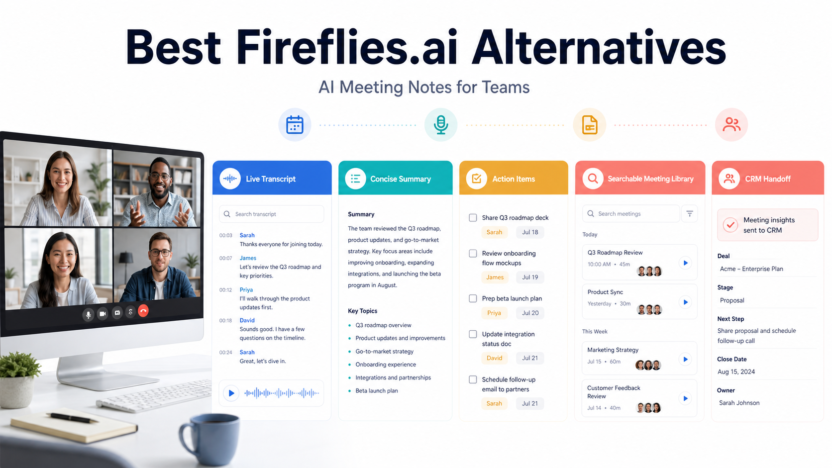
Fireflies.ai is not the only way to capture meeting transcripts and summaries. The better alternative depends on whether a team cares most about personal notes, free recording, multilingual review, revenue intelligence, CRM handoff, or administrator control. Meeting software should be evaluated as a workflow, because a transcript that nobody reviews or uses has limited value.
Quick Verdict
Otter is a practical option for live notes and team transcription. Fathom is attractive for straightforward meeting capture and summaries. tl;dv is useful for searchable meeting libraries and shared highlights. Avoma is a stronger fit for revenue teams that need coaching and conversation intelligence. Keep Fireflies when its integrations, search, and existing workflow already fit.
Best For
- Teams replacing or comparing meeting transcription systems.
- Sales, customer success, recruiting, and project teams.
- Organizations that need searchable notes and action items.
- Buyers willing to address consent and retention.
Not Best For
- Meetings where recording is prohibited or inappropriate.
- Teams that will not verify decisions or assignments.
- Organizations without a retention and access policy.
- Buyers choosing only from transcript accuracy claims.
What This Article Evaluates
This guide compares workflow fit, capture, summaries, action items, integrations, team libraries, administration, and pricing structure. It does not publish invented accuracy scores or claim that any service will interpret every speaker, accent, domain term, or noisy call correctly.
Our Evaluation Criteria
Capture workflow
The assistant should join, record, or transcribe in a way participants understand and administrators can control.
Summary quality
A useful summary separates decisions, questions, risks, and next steps rather than producing a generic paragraph.
Action follow-through
Action items should be easy to verify, assign, and move into the team's project or CRM system.
Search and sharing
Teams need controlled access to find past discussions without exposing recordings too broadly.
Integrations
Calendar, video, CRM, project, and collaboration integrations matter only when they remove real re-entry work.
Pricing and limits
Compare users, transcription hours, recordings, storage, AI features, integrations, and administrative tiers.
Key Features And Capabilities
Otter
Otter focuses on live transcription, summaries, collaboration, and meeting workflows. It can suit teams that want notes during and after calls.
Fathom
Fathom emphasizes recording, summaries, highlights, and sharing. It is often considered by individuals and teams that want a direct meeting-note workflow.
tl;dv
tl;dv supports meeting recording, searchable libraries, clips, summaries, and team review. It can be useful when insights must be reused across calls.
Avoma
Avoma combines meeting assistance with conversation intelligence and revenue-team workflows. Its broader scope may be unnecessary for a small team that only needs notes.
Fireflies.ai
Fireflies remains a valid choice for transcription, summaries, search, integrations, and team meeting knowledge. Switching only makes sense when another product solves a defined gap.
Real Use Cases
Sales discovery
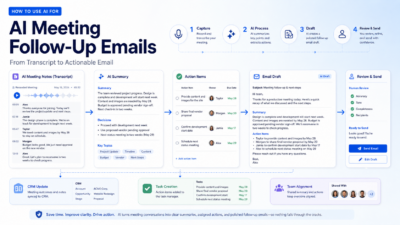
Representatives can verify customer needs, objections, commitments, and next steps before updating the CRM.
Customer onboarding
Teams can document setup decisions, responsibilities, deadlines, and unresolved questions with a clear human handoff.
Recruiting
Recruiters can maintain structured notes while respecting candidate consent, access restrictions, and retention requirements.
Project meetings
A project owner can convert verified decisions and actions into the task system rather than leaving them inside a transcript.
Research interviews
Researchers can search themes and quotes, but should return to the recording and consent terms before publishing conclusions.
Comparison Table
| Option | Best For | Main Strength | Important Limitation |
|---|---|---|---|
| Otter | Live notes and transcription | Collaborative meeting notes | Plan limits need review |
| Fathom | Simple meeting capture | Fast summaries and highlights | Team needs vary by tier |
| tl;dv | Shared meeting libraries | Search, clips, and review | Can exceed simple note needs |
| Avoma | Revenue organizations | Conversation intelligence | More complex and expensive |
| Fireflies.ai | Integrated meeting knowledge | Search and integrations | May not fit every workflow |
Pricing
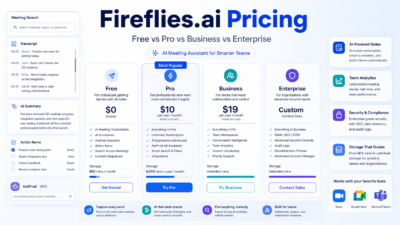
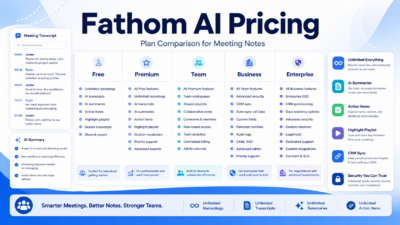
Use each vendor's official pricing page. Fireflies, Otter, Fathom, tl;dv, and Avoma package transcription, storage, users, AI features, integrations, and administration differently. Free tiers can validate capture and summary quality, but a business should model the paid tier required for team libraries, CRM integrations, retention controls, or larger usage.
Pricing last checked on June 25, 2026. Pricing may vary by billing period, region, usage, seat count, credits, or add-ons. The official pricing pages linked in this article are the authority for a purchase decision.
Pros
- Several credible workflow choices.
- Can reduce manual note preparation.
- Searchable libraries help recover decisions.
- Integrations can reduce CRM or task re-entry.
Cons And Limitations
- Consent and retention require active governance.
- Transcripts can contain material errors.
- Action items still need owner confirmation.
- Costs can rise with users, hours, or advanced analysis.
Alternatives
Teams that only need occasional notes can use native meeting-platform transcription where available. A project-management tool with meeting notes may reduce systems. Revenue teams should compare full conversation-intelligence platforms, while privacy-sensitive teams may prefer a controlled manual note workflow.
A Practical Evaluation Workflow
Step 1: Choose one real workflow
Do not evaluate software with a vague demo. Select one recurring workflow with a clear owner, real inputs, a defined output, and a known review step. A narrow pilot exposes whether the product fits daily work better than a long feature tour.
Step 2: Record the current baseline
Before introducing the tool, record how long the workflow takes, where handoffs fail, which work is repeated, and what quality checks already exist. The baseline prevents a team from confusing novelty with measurable improvement.
Step 3: Use approved, low-risk data
Start with public, synthetic, or appropriately approved information. Confirm data retention, access controls, and account permissions before using confidential customer, employee, financial, legal, or product information.
Step 4: Review every output
Assign a human reviewer. Check factual accuracy, tone, completeness, permissions, links, calculations, and whether the result actually satisfies the original task. AI assistance should shorten work without removing accountability.
Step 5: Measure the full cost
Include subscription fees, seats, credits, setup, training, integrations, review time, and the cost of correcting errors. A lower advertised price can be less economical when the workflow requires more manual cleanup.
Step 6: Decide with written criteria
At the end of the pilot, score workflow fit, output quality, ease of adoption, administration, pricing clarity, integration effort, and risk. Keep the decision record so the team can review it when plans or requirements change.
Security, Governance, And Quality Control
Start with least-privilege access, approved source data, named owners, and a written human-review rule. Confirm retention, training-data, export, deletion, and administrator controls from current vendor documentation. Never paste confidential data into a tool merely because the interface is convenient.
How To Measure Value
Measure completion time, editing time, handoff errors, adoption, administrator work, and the cost of corrections. Record the baseline before the pilot. A useful product should improve a real workflow without creating an unmanageable review or credit burden.
Common Buying Mistakes
- Choosing from a feature list without testing the real workflow.
- Ignoring permissions, data quality, and human review.
- Comparing prices without seats, credits, add-ons, and implementation.
- Treating generated output as verified fact.
- Rolling out to the whole company before a controlled pilot.
Detailed Decision Checklist
Before selecting Best Fireflies.ai Alternatives for Meeting Notes, write down the exact workflow that needs improvement. Name the person who starts the work, the information the tool receives, the output it should produce, the person who reviews that output, and the system where the approved result is stored. This prevents a purchase from becoming an open-ended experiment with no owner.
Check data readiness next. List the documents, CRM records, meeting content, contact data, task history, writing samples, or knowledge sources the workflow depends on. Mark which information is public, internal, confidential, regulated, outdated, duplicated, or missing. AI features cannot compensate for contradictory records or unclear permission boundaries. Cleaning the source material may create more value than adding another subscription.
Review the human handoff in detail. Define which actions the software may assist with, which actions need explicit approval, and which requests must always go to a qualified person. Customer complaints, employment matters, legal interpretations, financial commitments, security incidents, account exceptions, and public claims normally need a clear escalation route. A useful workflow makes that route visible instead of hiding uncertainty behind a confident answer.
Model the full cost for twelve months. Include the base subscription, members, contact or usage growth, credits, recordings, storage, integrations, implementation, training, administrator time, and periodic quality review. Add a reasonable allowance for correcting mistakes and maintaining documentation. Compare that number with the value of time saved, errors avoided, faster response, or work that becomes possible. Do not assume every automated action creates equal value.
Finally, confirm exit options. Determine how the team can export content, contacts, transcripts, tasks, documents, or configuration if the product no longer fits. Record who owns the account and billing relationship. A responsible software decision includes both adoption and a practical way to leave.
30-Day Rollout Plan
Week 1: Prepare
Choose a bounded use case and collect the approved inputs. Document current steps, time, common errors, and escalation points. Configure the smallest necessary group of users. Review authentication, roles, integrations, retention, and billing controls. Create a short acceptance checklist that defines what a usable output looks like.
Week 2: Run In Parallel
Use the new workflow alongside the existing process. Do not remove the old control before the team understands failure modes. Review every output and label the type of correction required: factual, contextual, formatting, tone, permission, missing information, or incorrect action. This produces evidence that is more useful than a general opinion about whether the AI feels impressive.
Week 3: Improve The System
Update source documents, templates, prompts, routing rules, naming conventions, or permissions based on observed problems. Remove steps that add no value. If users are bypassing the workflow, ask why before adding enforcement. The cause may be poor fit, unclear training, slow performance, missing integration, or a review process that is heavier than the original task.
Week 4: Decide
Compare the pilot with the baseline. Review time saved, correction rate, adoption, user confidence, administrator workload, and expected annual cost. Decide whether to expand, keep the workflow limited, change configuration, test an alternative, or stop. Write down the decision and assumptions. Revisit it when pricing, product capabilities, data requirements, or business volume changes.
Quality Review Questions
Use these questions during the pilot:
- Does the output answer the real task, or only produce plausible language?
- Can a reviewer trace important claims to an approved source?
- Are names, dates, prices, links, assignments, and calculations correct?
- Does the workflow expose uncertainty and provide a human escalation path?
- Can administrators see who has access and what the tool is doing?
- Are users saving time after review, or only moving work to a different step?
- Does the pricing model remain predictable at the expected volume?
- Can the result be exported and used in the team's system of record?
If the team cannot answer these questions, it is too early for a broad rollout. A smaller scope with clearer controls is usually more productive than adding more features.
Final Recommendation
Choose Otter for collaborative live notes, Fathom for a direct capture-and-summary workflow, tl;dv for shared libraries and clips, or Avoma for revenue intelligence. Keep Fireflies when it already connects cleanly to the systems your team uses. Test with several real meeting types and verify consent, summaries, action items, and exports.
Frequently Asked Questions
What is the best Fireflies alternative?
Otter, Fathom, tl;dv, and Avoma serve different workflows. The best choice depends on notes, libraries, integrations, coaching, and governance.
Is there a free alternative?
Several vendors offer free access or trials, but limits and business features change. Check official pricing pages.
Can AI meeting notes replace human notes?
They can reduce manual work, but decisions, commitments, and sensitive statements should be verified.
Which option is best for sales?
Avoma may fit revenue intelligence, while other tools can work when the need is primarily transcript and CRM handoff.
Should every meeting be recorded?
No. Use policy, participant consent, purpose, data sensitivity, and legal requirements to decide.
How do I switch tools?
Export what must be retained, define access and deletion, pilot the new workflow, then retire duplicate capture.
Related Dailytimespro Guides
Read our Fireflies.ai review, Otter.ai vs Fireflies.ai comparison, and AI meeting notes workflow.