Quick Answer
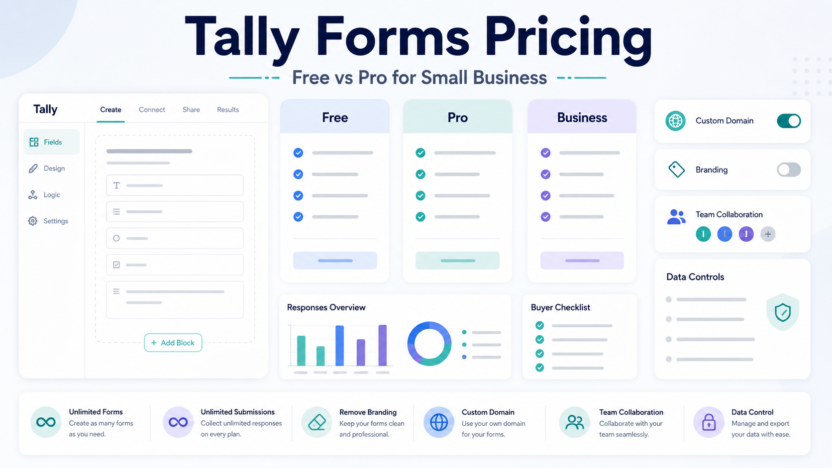
Tally forms pricing is simple compared with many form builders. Based on Tally’s official pricing information reviewed on July 1, 2026, Tally offers a Free plan, Tally Pro at $29 per month, and Tally Business at $89 per month. The Free plan is unusually capable for simple forms, while Pro is the plan most small businesses should consider when they need custom domains, branding control, team features, and more professional form workflows.
For most small businesses, the decision is not only price. It is whether Tally will handle serious customer-facing forms or just simple internal collection. If the form is public, tied to lead capture, or part of a business workflow, Pro may be easier to justify. If you only need simple forms, the Free plan may be enough.
If you are still comparing form platforms, read our Best AI Form Builders for Small Business guide and our Typeform vs Jotform comparison.
Pricing Last Checked
Pricing last checked on July 1, 2026. The prices below are based on Tally’s official pricing and help information available at the time of review.
Tally Pricing Overview
| Plan | Official price | Best for | Practical note |
|---|---|---|---|
| Free | $0 | Simple forms, early projects, internal collection | Good starting point for lightweight forms |
| Pro | $29/month | Small businesses needing more professional forms | Better for public forms, branding, and custom domains |
| Business | $89/month | Teams needing stronger business controls | Better when forms support business-critical workflows |
What Is Tally?
Tally is a simple form builder known for clean forms and a lightweight writing-style interface. It is useful for surveys, lead forms, applications, waitlists, feedback, and internal requests.
Tally is especially appealing when a team wants a form published quickly without a heavy design or development process. It is not always the right fit for complex enterprise workflows, but it can be strong for small teams that value speed.
Free Plan
The Free plan is useful for creators, startups, internal teams, and small businesses testing form ideas. It can support simple lead forms, waitlists, surveys, and contact forms.
The Free plan is best when the form is low-risk and does not need advanced business controls. A founder can use it to validate a signup form, collect early feedback, or run a simple survey before committing to a paid plan.
Pro Plan
Tally Pro is listed at $29 per month. This is the plan small businesses should evaluate when forms become part of a professional workflow. Pro is more relevant when branding, custom domains, team collaboration, or more polished public forms matter.
For example, a service business using Tally for quote requests may want a cleaner branded experience. A course creator using Tally for applications may want a more professional form link. A marketing team collecting leads may want better control over the experience.
Business Plan
Tally Business is listed at $89 per month. It is more relevant when forms support a business-critical workflow and the team needs stronger controls. A company handling high-volume forms, client intake, or operational submissions may consider Business if the Pro plan is not enough.
Small teams should not jump to Business only because it exists. Start with the workflow: who owns the form, how many responses arrive, where submissions go, and what controls are required.
How to Choose
Choose Free if the form is simple, low-risk, and does not need a professional domain or advanced controls. Choose Pro if the form is public-facing, tied to lead capture, or part of a professional customer workflow. Choose Business if forms are operationally important and require stronger team or business controls.
Real Use Cases
Lead capture
A small agency can use Tally for a lead form that collects service needs, budget range, timeline, and contact details. If the form is public and central to sales, Pro may be worth evaluating.
Customer feedback
A SaaS team can collect product feedback, categorize responses, and export submissions for review. AI or spreadsheet tools can later summarize themes.
Applications and intake
Course creators, coaches, and service businesses can use Tally for applications, onboarding, and client intake forms.
Internal requests
Teams can use Tally for simple IT requests, content requests, reimbursement intake, or approval forms. If the workflow gets more complex, connect it to a database or automation tool.
Pros and Cons
| Pros | Cons |
|---|---|
| Simple pricing structure | Less broad than large enterprise form platforms |
| Free plan is useful for simple forms | Complex approval workflows may need another tool |
| Clean form-building experience | Business controls may require paid plan |
| Good fit for small teams and creators | Not always ideal for payment-heavy operations |
Alternatives
| Tool | Best for | Main difference |
|---|---|---|
| Typeform | Polished conversational forms | More experience-led |
| Jotform | Broad business forms and payments | More template and workflow coverage |
| Fillout | Modern no-code forms | Strong form-to-database fit |
| Formstack | Business workflow forms | More operations and compliance oriented |
Final Recommendation
Tally Free is a strong starting point for simple forms. Tally Pro is the most relevant plan for small businesses that need a professional public form experience. Tally Business is better for teams that rely on forms as an operational system.
Choose based on the form’s importance. A casual survey can stay free. A lead form, customer intake form, or business-critical request form deserves a more serious plan review.
FAQs
How much does Tally cost?
Based on official Tally pricing reviewed on July 1, 2026, Tally offers Free at $0, Pro at $29 per month, and Business at $89 per month.
Is Tally Free enough?
Tally Free can be enough for simple forms, early projects, internal collection, and low-risk surveys.
When should I upgrade to Tally Pro?
Upgrade when forms are public-facing, tied to business results, need more professional branding, or require features beyond the Free plan.
Is Tally better than Typeform?
Tally is simpler and often more lightweight. Typeform is stronger when a polished conversational experience is the priority.
Is Tally better than Jotform?
Tally is cleaner for simple forms. Jotform is broader for payments, templates, and operational form workflows.
Does Tally publish pricing?
Yes. Tally publishes pricing information on its official pricing and help pages. Pricing last checked on July 1, 2026.