Quick Verdict
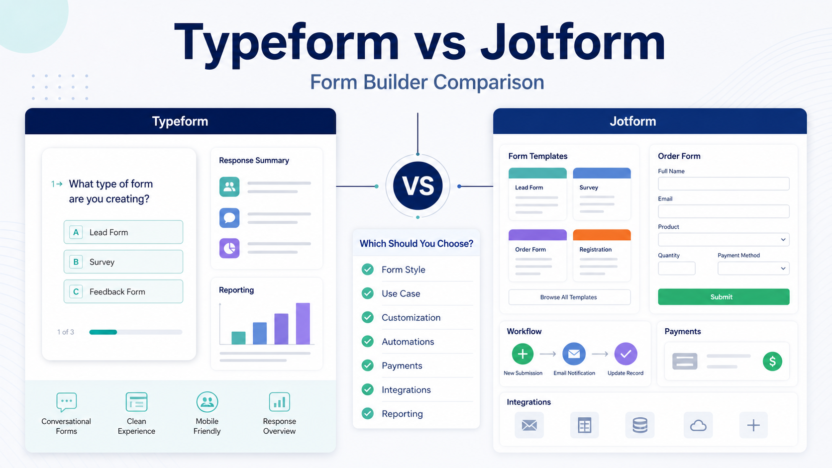
Choose Typeform if your priority is a polished conversational form experience for lead capture, surveys, quizzes, and customer feedback. Choose Jotform if your priority is broad form coverage, practical business templates, payment forms, order forms, approvals, and internal request workflows.
The difference is not simply design. Typeform is usually stronger when the respondent experience matters most. Jotform is usually stronger when the business needs many form types and operational use cases. A small business choosing between them should start with the job the form must perform after someone clicks submit.
For a broader category view, see our Best AI Form Builders for Small Business guide.
Best For
| Tool | Best for |
|---|---|
| Typeform | Conversational lead forms, surveys, quizzes, feedback forms, onboarding questions, and brand-sensitive forms |
| Jotform | Order forms, payment forms, registrations, applications, approvals, support intake, and broad business templates |
Not Best For
Typeform is not ideal if you need the widest possible range of operational forms, payment workflows, and template categories. Jotform is not ideal if your main goal is a highly polished one-question-at-a-time form experience.
Comparison Table
| Category | Typeform | Jotform |
|---|---|---|
| Main positioning | Conversational forms | Broad form builder |
| Best fit | Experience-focused forms | Practical business forms |
| Lead capture | Strong for polished lead flows | Strong for many lead form formats |
| Surveys | Strong respondent experience | Strong template and distribution options |
| Payments | Available depending on setup | Strong fit for order and payment forms |
| Approvals | Useful for simple workflows | Stronger for operational workflows |
| Templates | Focused and polished | Broad template coverage |
| Small business fit | Marketing, research, feedback | Operations, payments, applications |
| Official source | Typeform | Jotform |
What Typeform Does Better
Typeform is strongest when the form itself is part of the brand experience. A lead form, quiz, or survey can feel more engaging when it asks one clear question at a time. This is useful for marketers, founders, consultants, and agencies that want the form to feel less like paperwork.
In a typical small business workflow, Typeform works well for lead qualification, customer research, post-purchase surveys, event feedback, and onboarding questionnaires. The key is to keep the form concise. A polished interface does not fix a form with too many unnecessary questions.
What Jotform Does Better
Jotform is stronger when the business needs many kinds of forms: order forms, applications, support tickets, registrations, payment forms, internal requests, and approvals. It is practical for teams that need form coverage across departments.
A service business could use Jotform for quote requests, client intake, payment collection, and document uploads. A support team could use it for structured issue intake. An operations team could use it for internal requests and approvals.
Pricing Notes
Pricing last checked on July 1, 2026. Typeform publishes current plan information on its official pricing page. Jotform publishes current plan information on its official pricing page. Buyers should compare response limits, users, branding, payments, file uploads, integrations, and workflow features on the official pages before choosing.
Use Case Guidance
Lead generation
Use Typeform when the form is part of a high-touch brand experience. Use Jotform when the lead form needs more practical fields, uploads, payments, or operational routing.
Customer surveys
Use Typeform when survey experience and completion feel are important. Use Jotform when survey collection is one part of a broader business form workflow.
Support intake
Use Jotform when the support form needs structured categories, file uploads, and workflow routing. Typeform can still work for simple feedback and satisfaction surveys.
Quote requests
Jotform is often more practical for quote requests that need multiple fields, files, service categories, and internal handoff. Typeform can work when the quote request is short and conversational.
Pros and Cons
| Tool | Pros | Cons |
|---|---|---|
| Typeform | Polished respondent experience, strong for surveys and lead forms, good for brand-sensitive flows | May be less practical for complex operational forms |
| Jotform | Broad template coverage, payments and business workflows, useful across departments | Can feel broader and less focused than Typeform |
Which One Should You Choose?
Choose Typeform if you care most about how the form feels to the respondent. Choose Jotform if you care most about what the form does for the business after submission. That single question usually decides the choice.
Use both only if the boundary is clear. For example, Typeform can handle top-of-funnel lead research, while Jotform handles operational order forms or document-heavy requests.
Common Mistakes
The first mistake is choosing a form builder only by design. A form also needs routing, reporting, ownership, and follow-up.
The second mistake is collecting too much information too early. Lead forms should be short unless the user has strong intent.
The third mistake is skipping privacy review. Forms can collect customer data, files, billing details, and sensitive requests.
Final Recommendation
Typeform is the better choice for polished conversational forms and experience-led surveys. Jotform is the better choice for practical business forms, payments, applications, and operational workflows. Small businesses should choose based on the workflow after submission, not just the first screen of the form.
FAQs
Is Typeform better than Jotform?
Typeform is better for polished conversational forms. Jotform is better for broad business form coverage and practical workflows.
Which is better for lead capture?
Typeform is often better for polished lead qualification. Jotform is better when lead capture needs uploads, payments, or detailed routing.
Which is better for payments?
Jotform is usually the stronger fit for order forms and payment-heavy workflows, but buyers should confirm current payment features and limits from the official pricing pages.
Can small businesses use both?
Yes, if the use cases are distinct. Use Typeform for experience-led surveys and Jotform for operational forms.
Which is easier to use?
Both are approachable, but Typeform may feel simpler for conversational forms while Jotform may be more practical for varied business form needs.
Does pricing change the decision?
Yes. Compare response limits, seats, branding, payments, file uploads, and integrations from the official pricing pages before choosing.