Quick Answer
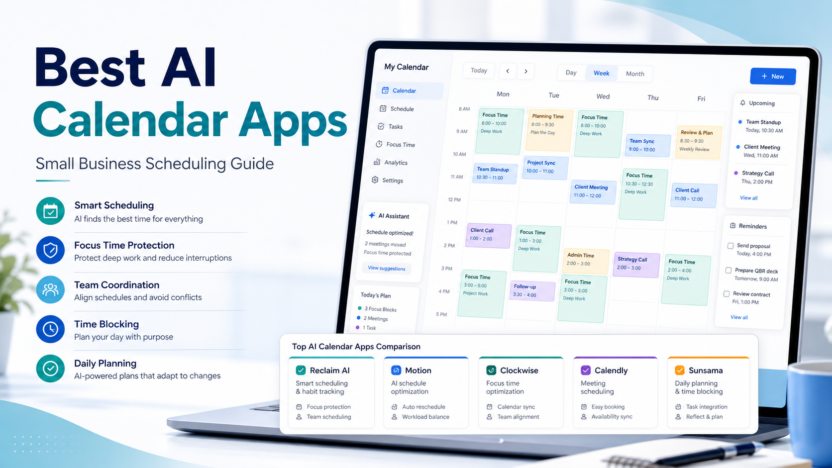
The best AI calendar app depends on the scheduling problem. Reclaim AI is strong for protecting focus time, Motion is useful for task scheduling, Clockwise helps teams create better focus blocks, Calendly remains a strong booking-link tool, and Sunsama is better for intentional daily planning.
Motion vs Reclaim AI best Reclaim AI alternatives AI meeting notes workflow
Evaluation Criteria
| Criteria | Why it matters |
|---|---|
| Ease of setup | Small teams need value without a long implementation project. |
| AI usefulness | AI features should reduce manual planning, writing, searching, or follow-up work. |
| Pricing clarity | The buyer should understand where free, paid, and team plans differ. |
| Integrations | The tool should fit the calendars, meeting apps, CRM, and productivity stack already in use. |
| Team workflow | Owners, permissions, handoffs, and review rules matter more than flashy automation. |
| Value for money | The paid plan should solve a recurring business problem. |
Quick Comparison
| Tool | Best for | Main strength | Limitation | Official source |
|---|---|---|---|---|
| Reclaim AI | AI time blocking | focus time, habits, tasks, and smart scheduling | it is more planner than simple booking page | Reclaim AI |
| Motion | AI task scheduling | combining tasks and calendar planning | it can be heavier than a simple booking tool | Motion |
| Clockwise | team focus time | calendar optimization for teams | fit depends on team calendar behavior | Clockwise |
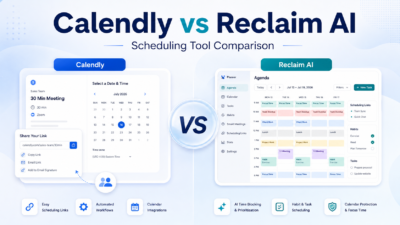
| Calendly | booking links | simple external scheduling | it is not a complete AI day planner | Calendly |
| Sunsama | daily planning | intentional task planning and calendar review | less focused on sales booking | Sunsama |
1. Reclaim AI
Reclaim AI is best for ai time blocking. In a typical small business workflow, it helps with protecting focus blocks and fitting work around meetings. The main strength is focus time, habits, tasks, and smart scheduling, while the main limitation is that it is more planner than simple booking page.
Use it when your team needs a practical way to handle weekly planning and calendar defense. Do not treat the AI features as a replacement for review rules, permissions, or clear ownership.
2. Motion
Motion is best for ai task scheduling. In a typical small business workflow, it helps with turning task lists into calendar plans. The main strength is combining tasks and calendar planning, while the main limitation is that it can be heavier than a simple booking tool.
Use it when your team needs a practical way to handle daily task planning. Do not treat the AI features as a replacement for review rules, permissions, or clear ownership.
3. Clockwise
Clockwise is best for team focus time. In a typical small business workflow, it helps with making more uninterrupted work blocks. The main strength is calendar optimization for teams, while the main limitation is that fit depends on team calendar behavior.
Use it when your team needs a practical way to handle team calendar optimization. Do not treat the AI features as a replacement for review rules, permissions, or clear ownership.
4. Calendly
Calendly is best for booking links. In a typical small business workflow, it helps with letting customers and prospects book available times. The main strength is simple external scheduling, while the main limitation is that it is not a complete ai day planner.
Use it when your team needs a practical way to handle external appointment booking. Do not treat the AI features as a replacement for review rules, permissions, or clear ownership.
5. Sunsama
Sunsama is best for daily planning. In a typical small business workflow, it helps with planning daily priorities with calendar context. The main strength is intentional task planning and calendar review, while the main limitation is that less focused on sales booking.
Use it when your team needs a practical way to handle personal productivity planning. Do not treat the AI features as a replacement for review rules, permissions, or clear ownership.
Real Use Cases
Sales demos
A sales team can use booking links for prospects while using AI calendar tools to protect prep time before calls.
Service appointments
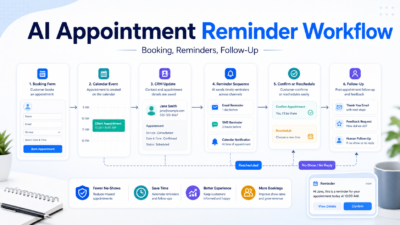
A service business can combine scheduling pages with reminders and calendar blocks so staff know what is coming next.
Founder planning
A founder can use AI time blocking to protect deep work while still accepting customer calls.
Pricing Notes
Pricing last checked on July 7, 2026. The official vendor pages above are the source for current plan names, free plan availability, and team or enterprise packaging. For a small business, the practical pricing question is not only the monthly fee. It is whether the paid plan removes enough manual coordination, meeting cleanup, reporting, or missed follow-up to justify rollout.
Pros And Cons
Pros
- Helps small teams standardize repeated work.
- Reduces manual coordination when the workflow is clear.
- Gives teams a better starting point than blank calendars, notes, or spreadsheets.
- Can improve consistency when humans still review final outputs.
Cons
- AI features do not remove the need for ownership.
- Some tools overlap, so buying too many creates confusion.
- Team adoption depends on training and clear rules.
- Free plans can be useful but may not include the collaboration controls a business needs.
Final Recommendation
Choose the tool that matches your repeated workflow, not the one with the longest feature list. Start with one real process, assign an owner, review the output for two weeks, and only then expand to more users.
FAQs
What should a small business test first?
Test one real workflow with real calendars, notes, customers, or meetings. Avoid judging a tool from a demo alone.
Are AI tools safe to use for business workflows?
They can be useful when permissions, human review, and data handling are clear. Sensitive workflows need extra review.
Should every team member get a paid seat?
Usually no. Start with the people who own the workflow, then expand if usage is consistent.
What is the biggest mistake?
The biggest mistake is buying AI software before defining the process it is supposed to improve.