
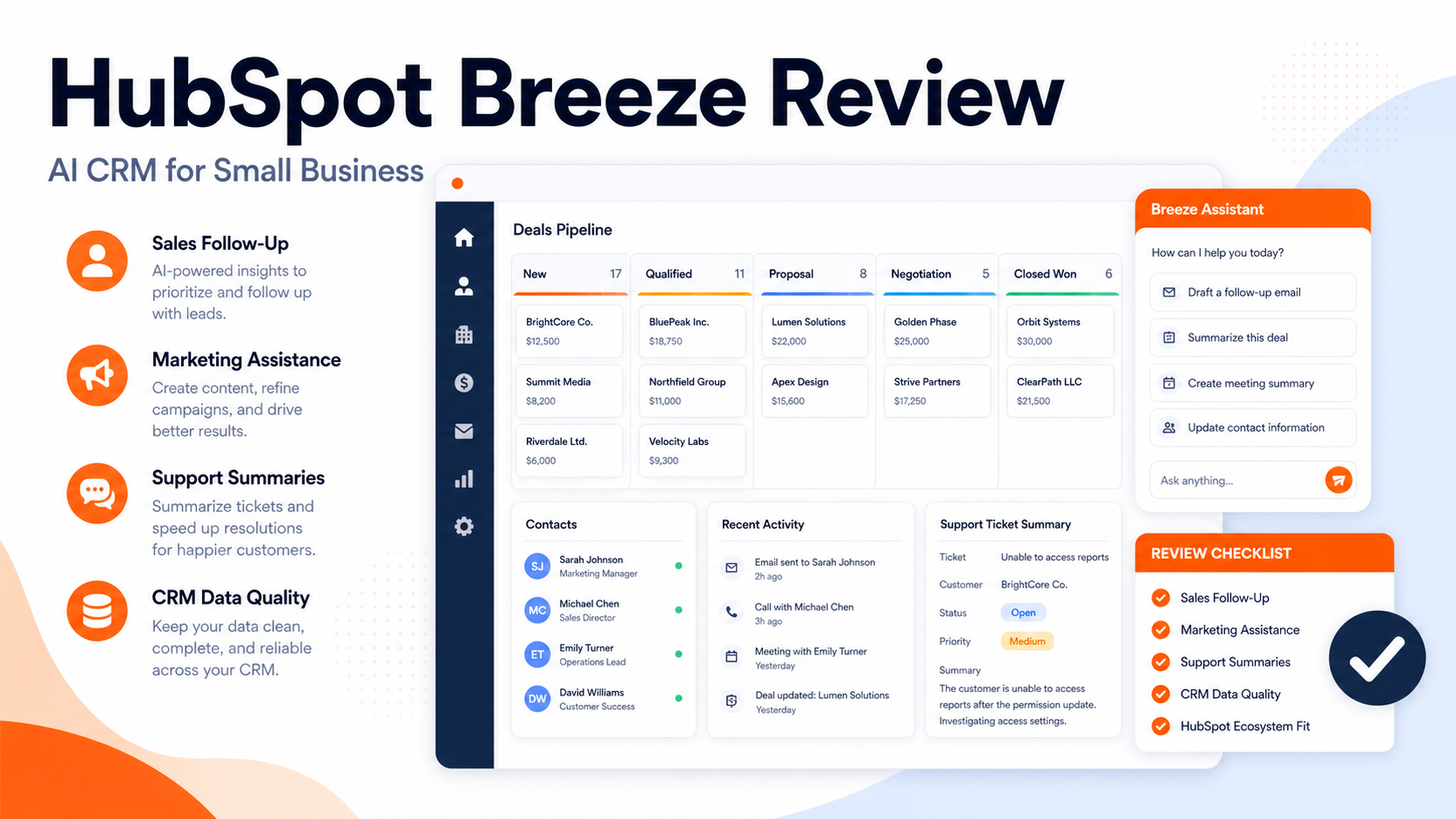
Quick Verdict
HubSpot Breeze is worth considering if your small business already uses HubSpot or wants CRM, marketing, sales, and service data in one place with AI assistance layered on top. It is not the best choice if you only need a standalone chatbot, a simple email assistant, or a lightweight contact database.
HubSpot Breezeis HubSpot's AI offering across its customer platform. The strongest reason to consider it is context: AI becomes more useful when it can work with CRM records, marketing content, sales activity, service tickets, and company data. The tradeoff is that Breeze makes the most sense inside the HubSpot ecosystem.
For related CRM buying context, see our Best AI Sales Prospecting Tools and Best AI Data Enrichment Toolsguides.
Best For
| Fit | Why |
|---|---|
| Existing HubSpot users | Breeze can work inside the customer platform rather than a disconnected tool |
| Small teams consolidating CRM and marketing | One platform can reduce handoff friction |
| Sales and service teams | AI can support prospecting, content, support, and customer workflows |
| Teams that want governed CRM context | Centralized data is easier to manage than scattered AI prompts |
Not Best For
HubSpot Breeze is not best for teams that want the cheapest possible CRM, teams that do not want to use HubSpot, or teams that need a highly specialized AI product outside CRM, marketing, sales, or service workflows.
Our Evaluation Criteria
This review evaluates HubSpot Breeze by CRM fit, setup effort, AI workflow coverage, pricing clarity, integrations, support workflow, data context, content use cases, and value for small teams.
What Is HubSpot Breeze?
HubSpot Breeze is the AI layer across HubSpot's customer platform. HubSpot positions Breeze around AI assistance, AI agents, and customer platform workflows. For a small business, the practical question is not whether the AI is interesting. The question is whether HubSpot has the customer data and workflow context needed to make the AI useful.
In a typical small business workflow, a sales team could use HubSpot for contact records, lead activity, email follow-up, pipeline stages, and reporting. AI assistance can then help draft messages, summarize context, support customer interactions, or accelerate content work. The more complete the CRM data, the more useful the AI layer can become.
Key Features to Evaluate
CRM-context AI assistance
AI is more useful when it is grounded in customer data. HubSpot's advantage is that sales, marketing, service, and content activity can live in one platform. Teams should review which Breeze capabilities are included in their HubSpot plan before buying.
Sales workflow support
Sales teams can benefit from AI when it reduces repetitive work: drafting outreach, summarizing contact context, preparing follow-ups, and helping reps focus on the next useful action. If your sales data is incomplete, the AI layer will have less context.
Marketing and content support
Marketing teams may use HubSpot AI features to support content creation, campaign preparation, social posts, landing pages, and email work. The important quality gate is human review. AI copy still needs brand, offer, audience, and compliance checks.
Service workflow support
Support teams can use AI assistance for response drafting, ticket context, knowledge base workflows, and customer handoff. A SaaS team could use this for onboarding questions, billing questions, product support, and escalation notes.
Data and governance
For small businesses, the hidden value is governance. A single CRM platform can reduce fragmented prompts, copied customer data, and disconnected tools.
Pricing
Pricing last checked on July 11, 2026. Pricing may vary by region, billing cycle, usage, seats, add-ons, or sales agreement when the vendor lists custom pricing. HubSpot publishes product and plan information on its official pricing pages. Breeze availability and AI-related features can depend on HubSpot product hub, plan level, and purchased seats or add-ons. Buyers should check the official HubSpot pricing and product pages for the exact included features.
Because HubSpot is a broad platform, do not judge Breeze in isolation. Compare the total cost of CRM, marketing, sales, service, content, and AI features your team actually needs.
Practical Use Cases
Lead research and follow-up
A small sales team could use HubSpot records to prepare follow-up emails based on lifecycle stage, recent activity, and deal context. The rep should still check accuracy before sending.
Marketing campaign preparation
A marketer could use AI support to draft campaign copy, then edit it for brand voice, proof, offer clarity, and compliance.
Customer support context
A support team could summarize prior customer interactions before replying to a ticket. This can reduce repeated questions and improve handoff.
CRM cleanup and enrichment support
Teams can use AI assistance alongside structured CRM hygiene rules. If your data is messy, start with fields, ownership, and lifecycle definitions before expecting AI to fix the workflow.
Pros and Cons
| Pros | Cons |
|---|---|
| AI is tied to a real customer platform | Best value requires commitment to HubSpot |
| Useful across marketing, sales, and service | Pricing and availability can vary by HubSpot plan |
| Strong fit for CRM-centered workflows | Not a standalone specialist tool |
| Good for teams consolidating tools | Setup quality depends on CRM data quality |
| Can reduce repetitive content and follow-up work | Human review is still required |
Alternatives
| Tool | Best for | Main strength | Limitation |
|---|---|---|---|
| Salesforce Agentforce | Larger CRM and enterprise workflows | Deep Salesforce ecosystem | More complex for small teams |
| Intercom Fin | Customer support automation | Support-focused AI agent | Not a full CRM platform |
| Apollo.io | Sales prospecting | Prospecting database and engagement | Not a full marketing/service CRM |
| Clay | Data enrichment and outbound workflows | Flexible enrichment | Requires workflow design |
Who Should Choose HubSpot Breeze?
Choose HubSpot Breeze if your team wants AI inside a broader customer platform and is willing to keep CRM data clean. Avoid it if you want a narrow point solution, if your team does not plan to use HubSpot deeply, or if you need exact AI features that are not included in your current plan.
Final Recommendation
HubSpot Breeze is strongest for small businesses that want AI tied to CRM, marketing, sales, and service workflows. It is weaker as a standalone AI purchase. Start by deciding whether HubSpot is your customer platform. If yes, Breeze may be a useful layer. If no, compare narrower tools for sales prospecting, support automation, or data enrichment first.
FAQs
What is HubSpot Breeze?
HubSpot Breeze is HubSpot's AI offering across its customer platform, supporting AI assistance and workflows across customer-facing functions.
Is HubSpot Breeze good for small business?
It can be useful for small businesses that already use HubSpot or want one platform for CRM, marketing, sales, and service work.
Does HubSpot Breeze replace sales reps?
No. It can support drafting, summarizing, and workflow assistance, but sales judgment, relationship management, and offer strategy still need humans.
Is pricing public?
HubSpot publishes official plan information, but exact Breeze access can depend on product hub, plan level, and current HubSpot packaging.
What are the best alternatives?
Salesforce Agentforce, Intercom Fin, Apollo.io, and Clay are common alternatives depending on whether the need is CRM AI, support automation, prospecting, or enrichment.
What should small teams check before buying?
Check CRM data quality, required hubs, plan level, seat costs, AI feature availability, support needs, and whether the team will actually work inside HubSpot daily.
Setup Considerations
HubSpot Breeze will be more useful when the underlying HubSpot setup is clean. Before evaluating AI features, review lifecycle stages, deal stages, required fields, owner assignment, duplicate contacts, email templates, support pipelines, and reporting definitions. AI assistance built on messy CRM data can produce confusing summaries and weak follow-up suggestions.
Small teams should start with one or two workflows. For example, sales follow-up and support ticket summarization are easier to evaluate than a broad "use AI everywhere" rollout. Pick a workflow, define the expected output, and decide who reviews it.
Evaluation Criteria for Small Businesses
| Criterion | What to check |
|---|---|
| CRM context | Does the team keep enough customer data in HubSpot for AI to be useful? |
| Plan fit | Are the needed AI features included in the current HubSpot products and plan? |
| Review process | Who approves AI-generated emails, content, or customer-facing answers? |
| Data hygiene | Are lifecycle stages, deal fields, and ownership rules clean? |
| Workflow adoption | Will reps, marketers, and support staff actually work inside HubSpot? |
Common Mistakes
The biggest mistake is buying AI before fixing CRM hygiene. If contacts are duplicated, lifecycle stages are inconsistent, or deal notes are missing, AI cannot reliably summarize the business context.
The second mistake is treating Breeze as a standalone writing assistant. Its value should come from being close to CRM data, customer interactions, and HubSpot workflows.
The third mistake is skipping human review. AI can draft a sales email or summarize a ticket, but a person should check tone, accuracy, customer context, and promises before anything important is sent.
Better Buying Questions
Ask whether HubSpot is already the center of your customer work. Ask which team will use Breeze first. Ask which repetitive task will be measured: faster follow-up, cleaner ticket summaries, better campaign drafts, or improved CRM updates. Ask whether the AI feature is included in the plan you are actually buying. These questions are more useful than asking whether Breeze is "good" in the abstract.
Limitations
HubSpot Breeze is tied to the HubSpot ecosystem. That is a strength when HubSpot is your operating platform and a limitation when your team works mostly elsewhere. Smaller teams should also watch total platform cost, onboarding effort, and the discipline required to keep CRM data clean.
Practical Decision Questions
Before choosing a tool or workflow, answer these questions in writing. Who owns the process? What information must be captured? Which step currently creates delay? Which fields or records must stay accurate? Which integrations are required on day one? Which outputs need human review before they reach a customer, vendor, or employee? These questions prevent the team from buying software for a vague problem.
Small teams should also decide what they will not automate. The highest-risk parts of the process should keep human review: legal terms, payment decisions, customer promises, pricing changes, security-sensitive data, and anything that could create financial or reputation risk. AI should reduce repetitive work, not remove accountability.
Rollout Plan for a Small Team
Start with one workflow, one owner, and one success measure. A practical rollout can be as simple as this:
| Week | Focus | Output |
|---|---|---|
| Week 1 | Map the current process | List steps, owners, tools, and failure points |
| Week 2 | Configure the first workflow | Build the smallest useful version |
| Week 3 | Run with real work | Compare results with the old process |
| Week 4 | Fix gaps | Adjust templates, permissions, fields, and handoffs |
| Month 2 | Expand carefully | Add one more use case only after the first works |
This slower rollout is usually better than a broad launch. It gives the team enough evidence to know whether the tool improves work or simply adds another place to update.
What to Review After 30 Days
After the first month, review adoption, time saved, quality of outputs, errors, exceptions, and whether employees trust the workflow. If people bypass the tool, find out why. The problem may be missing integrations, too many required fields, unclear ownership, or weak training.
Also review cost. AI and automation tools often look affordable at the first seat or starter plan, then become expensive when usage, add-ons, seats, or higher-tier features are required. The right question is not only monthly price. The right question is whether the workflow removes enough manual effort, rework, and missed follow-up to justify the operational cost.
Governance Notes
Every AI-assisted business workflow needs basic governance. Define who can change templates, who can approve outputs, who can invite users, who can export data, and who reviews sensitive information. This matters even for small teams because AI tools often touch customer records, internal tasks, meeting notes, invoices, contracts, or sales information.
Keep a simple review cadence. Once a month, check whether the workflow still reflects the way the team works. Remove unused automations, update stale templates, archive old projects, and review permission levels. A lightweight governance habit prevents the tool from becoming a confusing collection of old experiments.
Bottom Line for Small Businesses
The best tool is not always the tool with the most AI features. The best tool is the one that makes a specific workflow clearer, faster, and easier to review. If a feature does not improve ownership, quality, speed, or decision-making, treat it as optional. Start narrow, prove value, and expand only after the first workflow is reliable.
Leave a Reply