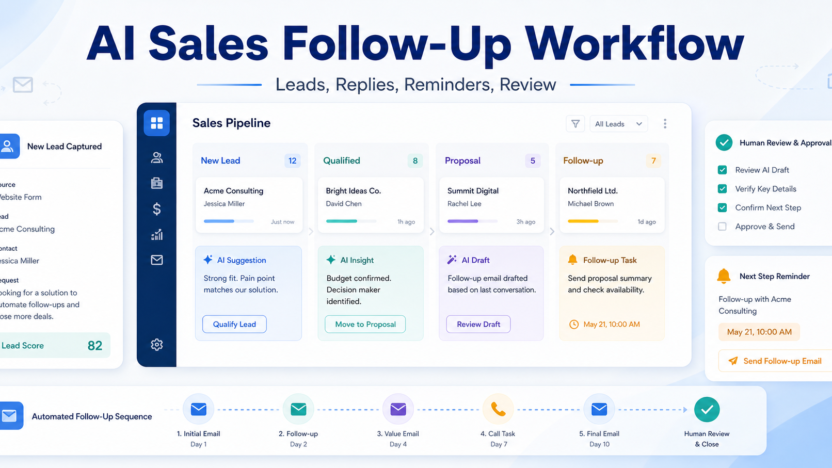
Most small businesses do not lose sales because they lack ambition. They lose sales because follow-up is inconsistent. A lead fills out a form, someone replies late, the call notes stay in one person’s head, and the next message starts from scratch. An AI sales follow-up workflow fixes that by giving your CRM a clearer rhythm: capture the lead, summarize the context, recommend the next action, draft the response, and remind the owner before the opportunity goes cold.
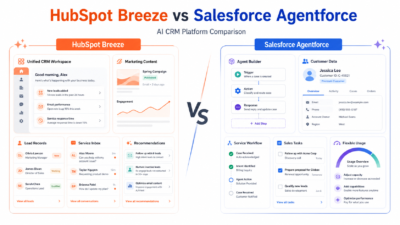
Modern CRM platforms are adding AI directly into sales work. HubSpot Breeze brings AI into HubSpot’s customer platform. Pipedrive AI Sales Assistant focuses on recommendations and sales guidance inside the pipeline. Zoho CRM Zia supports CRM assistance, predictions, and productivity features. The workflow below is tool-agnostic, but those products show the kind of AI tasks small teams can now use without building a custom system.
The Follow-Up Workflow
| Stage | What AI does | What the sales owner does |
|---|---|---|
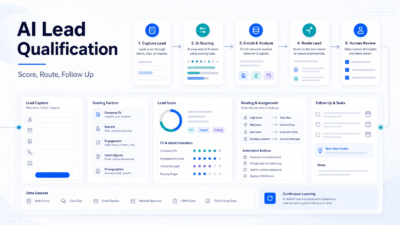
| Lead capture | Summarizes source, company, and request | Confirms the lead is real |
| Qualification | Suggests likely need and urgency | Accepts, edits, or rejects qualification |
| First response | Drafts a short reply | Personalizes and sends |
| Next step | Creates a reminder or task | Chooses timing and channel |
| Review | Flags stale opportunities | Decides whether to revive or close |
Define Your Lead Stages First
AI cannot fix a confusing pipeline. Before adding AI, define the stages a lead can move through. A simple small-business setup might use new lead, contacted, qualified, proposal sent, negotiation, won, lost, and nurture. Each stage should have one owner and one next action.
This matters because AI works best with structured context. If every rep uses different names for the same stage, the AI assistant cannot reliably summarize progress or recommend what comes next. If the pipeline is clean, AI can become useful very quickly.
The best starting point is your current CRM. Do not create a new spreadsheet unless the CRM is unusable. The follow-up workflow should live where customer history already lives.
Use AI For The Repetitive Parts
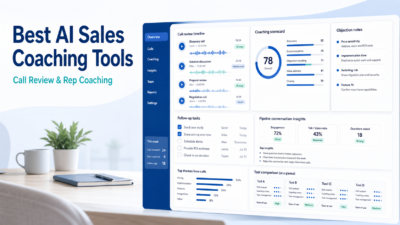
AI is strongest at summarizing calls, drafting follow-up notes, turning a meeting outcome into a task, and spotting stalled deals. It should not decide whether to pressure a customer, promise a discount, or make claims about delivery timelines without review.
A practical setup is to let AI draft three things after each meaningful interaction: a CRM note, a customer-facing follow-up, and the next internal task. The sales owner then reviews all three. This saves time without turning your outreach into generic automation.
After a discovery call, AI can summarize the buyer’s pain points, list open questions, and draft a message that says what was discussed and what happens next. The rep should then add relationship details: the buyer’s wording, timeline, constraints, and any promise made on the call.
Create Follow-Up Rules By Lead Type
Not every lead deserves the same cadence. A warm referral should not receive the same message as a cold form submission. Group leads into simple types: inbound demo request, referral, existing customer expansion, abandoned proposal, and long-term nurture.
For each type, define the first response window, default channel, next task, and maximum number of follow-ups. AI can draft the content, but your rules set the boundaries.
A good small-business cadence might look like this: same-day response for high-intent leads, two follow-ups in the first week, one value-based follow-up the next week, then a polite close-the-loop message. The exact cadence depends on your market, but the principle is universal: AI should support a clear sales process, not create endless noise.
Keep The Human Voice
The easiest way to make AI follow-up perform badly is to send messages that sound polished but empty. Small businesses win when communication feels specific. Before sending any AI-assisted reply, check whether it mentions the actual problem, the real next step, and the buyer’s context.
Avoid long emails. Most follow-up should be short, useful, and easy to answer. If a prospect asked about implementation timing, answer that question first. If they asked for a comparison, send the comparison. If they asked for a proposal, do not bury the proposal under paragraphs of AI enthusiasm.
For related CRM selection, see best AI CRM tools for small business. For broader automation planning, see AI marketing workflow for small business.
Measure The Workflow
Track response time, follow-up completion rate, stale opportunities, booked calls, proposal acceptance, and closed-won rate. If the AI workflow increases activity but lowers quality, tighten the review process. If it improves consistency but creates repetitive copy, create better prompt templates.
The strongest signal is not how many messages AI drafts. It is whether good leads receive timely, relevant follow-up and whether the team has better visibility into the pipeline.
FAQ
What is an AI sales follow-up workflow?
It is a structured process that uses AI to summarize lead context, draft follow-up messages, create tasks, and flag stale opportunities while humans approve important sales decisions.
Is this only for large sales teams?
No. Small businesses often benefit more because a few missed follow-ups can have a large revenue impact.
Can AI send follow-up messages automatically?
It can in some systems, but human approval is safer for relationship-sensitive sales conversations.
What should AI never decide alone?
AI should not approve discounts, make delivery promises, change contract terms, or handle sensitive customer objections without a human.
Which CRM AI tool should I use?
Start with the CRM you already use. HubSpot, Pipedrive, and Zoho all offer AI features, but the right choice depends on your existing pipeline.
How many follow-ups should a lead receive?
Use a cadence that fits the buyer’s intent. High-intent leads deserve fast follow-up; low-intent leads may move into nurture sooner.
Should I mention that AI helped draft the email?
Usually the important issue is accuracy and respect. Make sure the message is truthful, specific, and reviewed by a human.
How do I keep messages from sounding generic?
Require every message to mention the buyer’s stated problem, the actual next step, and one piece of specific context.
What metrics matter most?
Response time, completed follow-ups, meeting bookings, proposal movement, stale deals, and closed-won rate matter more than message volume.
What is the main limitation?
AI can summarize incomplete CRM data poorly. If reps do not log useful notes, AI follow-up quality drops.
Final Decision
Use this workflow if your team already has the core business process in place and wants AI to remove drafting, summarizing, sorting, and follow-up friction. Do not use it as a substitute for human review, legal approval, customer-sensitive judgment, or final publishing decisions. The best setup is simple: one source of truth, one review owner, a short list of approved prompts, and a weekly check of what the AI helped create.