Quick Answer
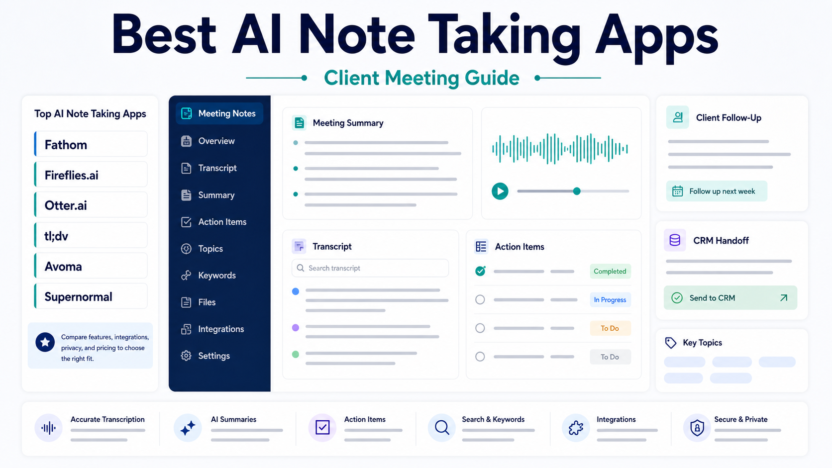
The best AI note taking app depends on the meeting workflow. Fathom is strong for quick summaries, Fireflies.ai is useful for searchable team meeting records, Otter.ai is practical for live notes, tl;dv fits sales and customer calls, and Avoma is stronger for revenue meeting workflows.
Fathom review Fireflies.ai alternatives AI meeting notes workflow
Evaluation Criteria
| Criteria | Why it matters |
|---|---|
| Ease of setup | Small teams need value without a long implementation project. |
| AI usefulness | AI features should reduce manual planning, writing, searching, or follow-up work. |
| Pricing clarity | The buyer should understand where free, paid, and team plans differ. |
| Integrations | The tool should fit the calendars, meeting apps, CRM, and productivity stack already in use. |
| Team workflow | Owners, permissions, handoffs, and review rules matter more than flashy automation. |
| Value for money | The paid plan should solve a recurring business problem. |
Quick Comparison
| Tool | Best for | Main strength | Limitation | Official source |
|---|---|---|---|---|
| Fathom | meeting summaries | fast meeting notes and highlights | fit depends on meeting platform and workflow | Fathom |
| Fireflies.ai | team meeting search | transcription and searchable meeting records | teams still need review rules | Fireflies.ai |
| Otter.ai | live notes | transcripts and live meeting notes | accuracy varies by audio and speaker clarity | Otter.ai |
| tl;dv | sales and customer calls | call recording and CRM-friendly notes | best value depends on sales workflow | tl;dv |
| Avoma | revenue meetings | conversation intelligence and coaching workflows | may be more than a very small team needs | Avoma |
1. Fathom
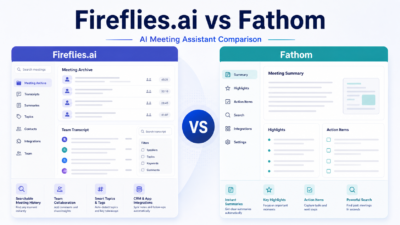
Fathom is best for meeting summaries. In a typical small business workflow, it helps with capturing calls and turning them into summaries. The main strength is fast meeting notes and highlights, while the main limitation is that fit depends on meeting platform and workflow.
Use it when your team needs a practical way to handle client call notes. Do not treat the AI features as a replacement for review rules, permissions, or clear ownership.
2. Fireflies.ai
Fireflies.ai is best for team meeting search. In a typical small business workflow, it helps with recording meetings and finding decisions later. The main strength is transcription and searchable meeting records, while the main limitation is that teams still need review rules.
Use it when your team needs a practical way to handle team meeting memory. Do not treat the AI features as a replacement for review rules, permissions, or clear ownership.
3. Otter.ai
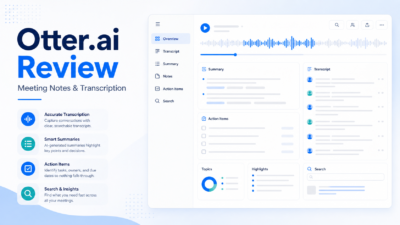
Otter.ai is best for live notes. In a typical small business workflow, it helps with capturing live conversations and action items. The main strength is transcripts and live meeting notes, while the main limitation is that accuracy varies by audio and speaker clarity.
Use it when your team needs a practical way to handle meeting transcription. Do not treat the AI features as a replacement for review rules, permissions, or clear ownership.
4. tl;dv
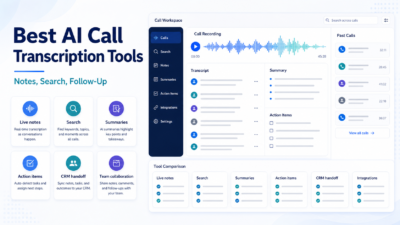
tl;dv is best for sales and customer calls. In a typical small business workflow, it helps with turning calls into clips, notes, and follow-ups. The main strength is call recording and crm-friendly notes, while the main limitation is that best value depends on sales workflow.
Use it when your team needs a practical way to handle sales call review. Do not treat the AI features as a replacement for review rules, permissions, or clear ownership.
5. Avoma
Avoma is best for revenue meetings. In a typical small business workflow, it helps with reviewing calls and extracting follow-up tasks. The main strength is conversation intelligence and coaching workflows, while the main limitation is that may be more than a very small team needs.
Use it when your team needs a practical way to handle customer-facing meeting workflows. Do not treat the AI features as a replacement for review rules, permissions, or clear ownership.
Real Use Cases
Client discovery calls
A consultant can use AI notes to capture pain points, scope, objections, and follow-up tasks.
Customer success handoffs
A SaaS team can summarize onboarding calls and route next steps to the account owner.
Sales coaching
Managers can review call summaries and transcripts without relying only on memory.
Pricing Notes
Pricing last checked on July 7, 2026. The official vendor pages above are the source for current plan names, free plan availability, and team or enterprise packaging. For a small business, the practical pricing question is not only the monthly fee. It is whether the paid plan removes enough manual coordination, meeting cleanup, reporting, or missed follow-up to justify rollout.
Pros And Cons
Pros
- Helps small teams standardize repeated work.
- Reduces manual coordination when the workflow is clear.
- Gives teams a better starting point than blank calendars, notes, or spreadsheets.
- Can improve consistency when humans still review final outputs.
Cons
- AI features do not remove the need for ownership.
- Some tools overlap, so buying too many creates confusion.
- Team adoption depends on training and clear rules.
- Free plans can be useful but may not include the collaboration controls a business needs.
Final Recommendation
Choose the tool that matches your repeated workflow, not the one with the longest feature list. Start with one real process, assign an owner, review the output for two weeks, and only then expand to more users.
FAQs
What should a small business test first?
Test one real workflow with real calendars, notes, customers, or meetings. Avoid judging a tool from a demo alone.
Are AI tools safe to use for business workflows?
They can be useful when permissions, human review, and data handling are clear. Sensitive workflows need extra review.
Should every team member get a paid seat?
Usually no. Start with the people who own the workflow, then expand if usage is consistent.
What is the biggest mistake?
The biggest mistake is buying AI software before defining the process it is supposed to improve.