Claude Code and GitHub Copilot can both help developers understand repositories, edit files, run commands, and complete multi-step coding work. The important difference is where each product places its center of gravity.
Quick verdict: choose Claude Code when you want a terminal-first coding agent that can investigate a local repository, plan a change, edit across files, run tests, and stay close to your command-line workflow. Choose GitHub Copilot when you want a broader assistant across inline completions, IDE chat, terminal work, pull requests, code review, GitHub issues, and cloud agent sessions. For teams already organized around GitHub, Copilot is usually the easier platform-wide choice. For developers who prefer to drive complex repository work from a terminal or supported IDE, Claude Code is often the more focused fit.
Neither is automatically better for every developer. The right choice depends on whether your daily bottleneck is deep local implementation or assistance across the entire GitHub development lifecycle.
Claude Code vs GitHub Copilot at a Glance
| Area | Claude Code | GitHub Copilot |
|---|---|---|
| Best for | Terminal-led repository work and complex local tasks | Broad assistance across IDEs, GitHub, CLI, reviews, and cloud agents |
| Main interface | Terminal, supported IDEs, and desktop workflows | IDE extensions, GitHub.com, Copilot CLI, GitHub Copilot app, and mobile |
| Inline code completion | Not its primary product experience | A core Copilot capability |
| Multi-file agent work | Strong local, repository-aware workflow | Available in IDE agent mode, CLI, the Copilot app, and cloud agent |
| Pull request workflow | Can help prepare changes locally; GitHub integrations are available | Native issues, pull requests, reviews, comments, and GitHub policies |
| Model approach | Claude models through Anthropic access | Multiple supported models plus purpose-built Copilot experiences |
| Individual entry price | Claude Pro is $20 monthly or $17 monthly with annual billing | Free tier; Copilot Pro is $10 monthly |
| Main limitation | Usage is shared across Claude and Claude Code on subscription plans | Plan, model, agent, and AI-credit rules can take time to understand |
Pricing was last checked on September 25, 2026, using official Anthropic and GitHub pages. Pricing and included usage may vary by plan, billing method, organization policy, model, and add-ons.
Best For and Not Best For
Claude Code is best for
- Developers who work primarily in a terminal and want an agent to inspect, edit, and validate a repository.
- Engineers handling changes that span several files, tests, build commands, or configuration layers.
- Teams that want project instructions, tool permissions, hooks, and MCP connections around a focused coding agent.
- Developers who already pay for Claude Pro or Max and want Claude Code included in the same subscription.
Claude Code is not the clearest first choice if your main need is lightweight inline completion while typing, centrally managed GitHub-native pull request review, or a free coding plan.
GitHub Copilot is best for
- Developers who want inline suggestions and chat inside their normal editor.
- GitHub-centered teams that want AI assistance from issue assignment through pull request review.
- Organizations that need seat management, policy controls, repository instructions, and GitHub-native administration.
- Developers who value multiple models and several working surfaces under one Copilot plan.
GitHub Copilot may be more product than you need if you only want a focused terminal agent for one local repository. Its growing mix of plans, AI credits, agents, clients, and organizational policies also requires careful setup.
Our Evaluation Criteria
This comparison uses criteria that matter in a real development workflow rather than treating feature count as the only measure.
1. Coding workflow fit: how naturally the tool fits editing, terminal, issue, and pull request work. 2. Repository context: how well the product can inspect related files and follow project instructions. 3. Agent capability: whether it can plan, edit, run commands, validate work, and iterate. 4. Review and collaboration: support for pull requests, comments, team policies, and human approval. 5. Setup and control: installation, permissions, customization, and administration. 6. Pricing clarity: what an individual or team actually needs to buy and what usage constraints remain. 7. Value for money: whether the workflow benefit justifies the plan for the intended user.
This is a source-based evaluation of documented capabilities and pricing. Actual output quality will vary with repository structure, task definition, model selection, context, and the developer's review process.
Key Features of Claude Code
Terminal-first repository work
Claude Code opens an interactive coding session from a project directory. That matters because it makes the repository, shell, and current task the center of the experience. A developer can ask it to trace a bug, inspect a feature, propose a plan, change multiple files, run a test command, and explain the result without moving the work into a separate browser-only conversation.
Anthropic documents native installation options for macOS, Windows, and Linux, with terminal use as the standard workflow. It also supports VS Code-family editors and JetBrains IDEs, so terminal-first does not mean terminal-only.
Multi-step implementation
Claude Code is designed for tasks larger than one completion. A typical request might involve locating the relevant modules, understanding data flow, editing application code, updating tests, and running validation. The developer can steer the work, review proposed commands, or use a planning mode before changes begin.
This approach is useful when the difficult part is not producing a code snippet but connecting several parts of an existing system correctly.
Project instructions and permissions
Teams can give Claude Code persistent project context and control which tools are allowed. This is valuable in repositories with specific test commands, coding conventions, sensitive directories, or required review steps. Permission settings should still be conservative: an AI coding agent can make broad changes quickly, so its access should match the task.
MCP and external tools
Claude Code supports Model Context Protocol connections. A team can connect approved external systems when the coding task needs issue data, documentation, databases, or another controlled tool. MCP expands what the agent can reach, but it also increases the need for careful permission and data-governance decisions.
Subscription and API access options
Claude Code is available through Claude Pro, Max, Team, Enterprise, or Anthropic Console access. Subscription usage and API usage are different billing paths. Anthropic warns that an `ANTHROPIC_API_KEY` environment variable can cause Claude Code to use API billing instead of the user's Claude subscription, so developers should confirm which account is active before a long coding session.
Key Features of GitHub Copilot
Inline suggestions and IDE chat
Inline completion remains one of Copilot's clearest advantages. It can suggest code while a developer types, while chat can explain files, propose changes, and answer questions without leaving a supported editor. GitHub supports Copilot in several development environments, including VS Code, Visual Studio, JetBrains IDEs, Eclipse, and Xcode, although exact feature availability differs by client.
For developers who want frequent, small assistance throughout the day, inline suggestions can create value without turning every change into an agent session.
Agent modes and Copilot CLI
Copilot now extends beyond completion. Agent workflows can inspect a repository, edit files, run commands, and validate changes. Copilot CLI brings that behavior into the terminal, while the GitHub Copilot app can coordinate sessions across local repositories, worktrees, and cloud environments.
This makes Copilot a broader competitor to dedicated coding agents. The practical difference is that Copilot combines these agent workflows with its established editor and GitHub surfaces.
GitHub-native cloud agent
GitHub's cloud agent can take work from an issue or prompt, create changes on a branch, and open a pull request for human review. A team can then comment and ask the agent to iterate. This is useful for bounded maintenance tasks, documentation changes, small features, test additions, or dependency work that fits a pull request workflow.
Cloud delegation is not a reason to skip review. GitHub's own documentation tells users to review and validate agent output before merging.
Copilot code review
Copilot can review pull requests and provide comments or suggested changes. Paid plans include code review, subject to plan and policy rules. Organizations can customize review behavior with repository instructions, shared `AGENTS.md` guidance, and skills. Automatic review can also be configured through GitHub rules and policies.
This is a meaningful advantage for teams that want AI assistance at the collaboration layer, not just during local implementation.
Organization controls
Copilot Business and Enterprise provide organization-focused controls such as seat assignment, policy management, and usage administration. The exact controls and model access differ by plan. For a company, these administrative capabilities may matter more than which model gives the strongest response to a single coding prompt.
Real Use Cases
Fixing a bug that crosses several files
In a typical software workflow, a developer may have an API error that begins in request validation, passes through a service layer, and appears in a frontend state. Claude Code is a natural fit when the developer wants one local session to trace that flow, inspect related files, modify code, run focused tests, and summarize the final diff.
Copilot can also handle multi-file work through agent mode or CLI. It becomes especially attractive if the developer also relies on inline suggestions during manual edits and wants the finished change reviewed inside GitHub.
Implementing a GitHub issue
A small SaaS team could use Copilot's cloud agent to assign a well-scoped issue, let the agent create a pull request, and then review its changes. This keeps the work visible in the same system where requirements, branches, checks, comments, and approvals already live.
Claude Code is a strong alternative when the engineer wants to implement the issue locally, interactively steer architectural choices, and verify behavior against a local development environment before pushing a branch.
Refactoring a mature codebase
For a broad refactor, the useful workflow is usually: map the affected code, define invariants, change one slice at a time, run tests, and inspect the diff. Claude Code's focused repository session suits this pattern well. Copilot's agent tools can also support it, while Copilot code review adds a second layer of feedback after the pull request is opened.
Neither product should be asked to perform an unbounded refactor with no test strategy. Break the task into reviewable stages and require passing checks at each stage.
Writing tests and documentation
Both tools can draft unit tests, update integration tests, explain behavior, and improve documentation. Copilot has an advantage for developers who want suggestions as they type. Claude Code is attractive when the task requires first understanding several modules and then updating tests and documentation together.
Pull request review
GitHub Copilot has the clearer native advantage here. Reviews live on the pull request, can include suggested changes, and can be configured through GitHub. Claude Code can inspect a branch or diff locally and help a developer prepare a review, but it does not replace the collaborative convenience of a review system embedded directly into GitHub.
Claude Code vs GitHub Copilot: Detailed Comparison
Coding experience
Claude Code feels like delegating a repository task to an agent working beside the developer in the shell. GitHub Copilot feels like a collection of assistance modes distributed across the editor, terminal, GitHub website, app, and cloud. Developers who prefer one concentrated agent workflow may favor Claude Code. Developers who want AI present throughout many parts of their day may favor Copilot.
Context and customization
Both products can use repository instructions and can connect to tools through MCP-related workflows. The deciding factor is less about whether customization exists and more about where the team wants to maintain it. Claude Code's project configuration fits a tool-driven local workflow. Copilot's repository and organization instructions fit teams that want rules applied across GitHub reviews, agents, and supported clients.
Collaboration
Copilot wins for GitHub-native collaboration. Issue assignment, cloud pull requests, review comments, code suggestions, and policy controls are part of the same platform. Claude Code is strongest before that collaboration layer: understanding and implementing work locally with direct terminal access.
Model choice
Claude Code gives developers access to Claude models according to their account and plan. Copilot provides a selection of supported models, with availability depending on plan and feature. More model choice is useful, but it can complicate cost and usage decisions. Teams should establish a default model policy based on task sensitivity, latency, and budget.
Safety and human control
Both tools can read files, propose edits, and run commands, which means both require human supervision. Review command prompts, protect secrets, use branch isolation, keep tests meaningful, and inspect diffs before merging. Repository permissions and organization policies should be treated as engineering controls, not one-time setup details.
Pricing Comparison
Claude Code pricing
Anthropic's individual Pro plan costs $20 per month, or an effective $17 per month when billed annually at $200. It includes Claude Code alongside the Claude apps. The Max 5x plan costs $100 per month, while Max 20x costs $200 per month. Anthropic says Pro and Max usage is shared across Claude and Claude Code. Users can also enable additional usage credits or use Anthropic Console API billing at published API rates.
The free Claude plan does not include Claude Code. Team and Enterprise options are available for organizations, with terms and controls that differ from consumer plans.
GitHub Copilot pricing
GitHub lists Copilot Free at $0, Copilot Pro at $10 per month, Copilot Pro+ at $39 per month, and Copilot Max at $100 per month for individuals. For organizations, Copilot Business is $19 per granted seat per month, and Copilot Enterprise is $39 per granted seat per month.
GitHub's plans include different AI-credit allowances, models, agents, and controls. Paid usage can continue beyond included allowances when enabled, at the official credit rate. Code completions and next-edit suggestions remain unlimited on paid plans according to GitHub's current plan documentation.
| Buyer | Claude Code option | GitHub Copilot option | Practical note |
|---|---|---|---|
| Trying AI coding at no cost | No Claude Code access on Free | Copilot Free | Copilot has the clearer free entry point |
| Individual developer | Claude Pro: $20 monthly or $17 monthly annual equivalent | Copilot Pro: $10 monthly | Copilot costs less; Claude Pro also covers the broader Claude app |
| Heavy individual use | Max 5x: $100; Max 20x: $200 | Pro+: $39; Max: $100 | Compare included usage and preferred models, not price alone |
| Organization | Team or Enterprise terms | Business: $19/seat; Enterprise: $39/seat | Compare governance, identity, policy, and usage reporting |
Pricing may vary based on plan, usage, billing cycle, region, organization policy, or add-ons. Use the official pricing pages to confirm the latest terms before purchasing.
Pros and Cons
Claude Code pros
- Focused terminal-first workflow for repository-level tasks.
- Strong fit for multi-file implementation, debugging, and validation.
- Works in supported IDEs as well as the terminal.
- Supports project instructions, permissions, hooks, and MCP connections.
- Included with Claude Pro and Max subscriptions.
Claude Code cons
- No free-plan access to Claude Code.
- Shared subscription usage can run out during intensive coding work.
- Not centered on inline completion or GitHub-native pull request review.
- API credentials can switch billing paths if account configuration is not checked.
GitHub Copilot pros
- Strong inline completion and broad IDE coverage.
- Native connection to GitHub issues, pull requests, reviews, and policies.
- Free tier and lower-priced Pro plan for individuals.
- Multiple agent surfaces, including IDE, CLI, app, and cloud.
- Organization plans include centralized administration.
GitHub Copilot cons
- Feature availability differs by plan, client, model, and organization policy.
- AI-credit accounting adds another cost dimension beyond the seat price.
- The number of overlapping surfaces can make setup and governance less simple.
- Cloud-agent output still requires careful human review before merge.
Alternatives to Consider
| Alternative | Best for | Main strength | Limitation |
|---|---|---|---|
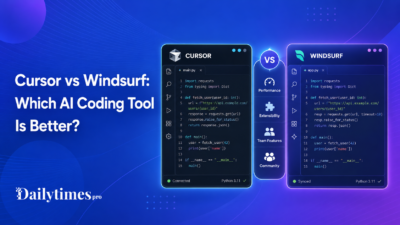
| Cursor | Developers who want an AI-focused code editor | Integrated chat, editing, and agent workflows | Requires adopting or adding another editor workflow |
| Windsurf | Developers seeking an agent-oriented IDE | Codebase-aware editing in a dedicated environment | Workflow fit depends on editor preference |
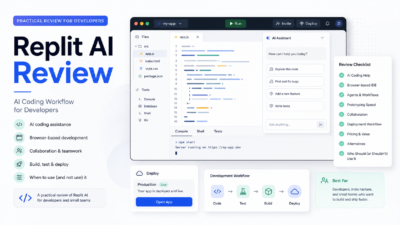
| Replit Agent | Browser-based building and deployment | Moves from prompt to hosted application in one platform | Less suited to every mature local repository |
| Qodo or CodeRabbit | Teams focused on code review | Specialized pull request review workflows | Not a complete replacement for implementation agents |
Our Cursor pricing guide helps estimate the cost of another editor-centered option. For a broader shortlist, see the best Cursor alternatives. Developers considering a browser-first platform can read our Replit Agent review, while teams prioritizing reviews may find the Qodo vs CodeRabbit comparison useful.
Final Recommendation
Choose Claude Code if your ideal AI coding workflow begins with opening a terminal in a repository and assigning a substantial, inspectable task. It is particularly well suited to developers who want the agent to reason across files, run local commands, and iterate under direct supervision.
Choose GitHub Copilot if you want one subscription to support inline coding, IDE conversations, agent work, terminal assistance, cloud task delegation, and pull request review. It is the stronger default for organizations that already use GitHub as the center of development and need policy or seat management.
For an individual developer deciding on cost, Copilot Pro has the lower entry price and a free trial path through Copilot Free. Claude Pro makes more sense when you also value the broader Claude product and prefer Claude Code's terminal-led experience. A team should run the same small, representative task through both products, measure review effort and completion quality, and choose the workflow that reduces real engineering time without weakening review standards.
FAQs
Is Claude Code better than GitHub Copilot?
Claude Code is often the better fit for focused terminal-based repository work. GitHub Copilot is often better for broad assistance across inline completion, IDEs, GitHub pull requests, reviews, and cloud agents. The best product depends on where you want AI integrated.
Does Claude Code have a free plan?
No. Anthropic's official setup documentation says Claude Code requires Pro, Max, Team, Enterprise, Console, or supported third-party platform access. The free Claude plan does not include Claude Code.
Can GitHub Copilot work from the terminal?
Yes. Copilot CLI supports terminal-based assistance and agent workflows. Feature availability and usage rules depend on the user's plan and any organization policies.
Can both tools edit multiple files and run tests?
Yes. Both offer agent workflows that can inspect a repository, edit files, and run validation commands. Developers should review proposed commands, inspect diffs, and independently verify tests before accepting changes.
Which is cheaper for an individual developer?
GitHub Copilot has the lower entry price: Copilot Free costs $0 and Copilot Pro costs $10 per month. Claude Code access begins with Claude Pro at $20 monthly or an effective $17 monthly with annual billing. Included usage and broader product value should also be considered.
Which is better for pull request reviews?
GitHub Copilot has the stronger native pull request review workflow because comments, suggested changes, automatic review policies, and agent follow-up live directly in GitHub. Claude Code can still help inspect a diff locally before a pull request is submitted.