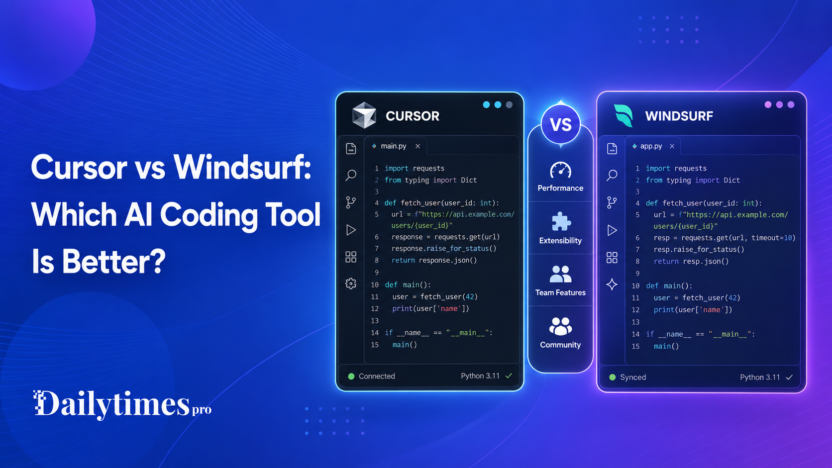
Cursor vs Windsurf is one of the most useful comparisons for developers who want AI help inside their coding workflow. Both tools are built for software development, both focus on AI-assisted coding, and both can help with tasks such as understanding code, editing files, and moving faster through repetitive development work.
The right choice depends on how you like to work. Cursor is positioned as an AI coding agent for building software, with official documentation covering agent mode, rules, MCP, skills, CLI, models, and team setup. Windsurf has recently been connected to Devin Desktop branding, with the official Devin page stating that Desktop is the new name for Windsurf and that existing Windsurf plans and pricing stay the same.
Quick Verdict
Cursor is a better fit if you want an AI-first coding environment with strong documentation around agents, rules, CLI workflows, and team administration. Windsurf, now presented through Devin Desktop messaging, may be a better fit if you already use Windsurf and want continuity in that workflow. Developers should compare both tools using current official pricing pages, editor support, team requirements, and the way each product fits their daily coding habits.
Cursor vs Windsurf: Quick Comparison
| Comparison Point | Cursor | Windsurf / Devin Desktop |
|---|---|---|
| Product type | AI coding agent and code editor workflow | AI coding editor/workflow now connected to Devin Desktop branding |
| Best for | Developers who want agentic coding features and documented team workflows | Existing Windsurf users and developers evaluating the Devin Desktop transition |
| Documentation | Official Cursor docs cover agent mode, rules, MCP, skills, CLI, models, and team setup | Devin page points users to docs and explains Windsurf/Desktop naming transition |
| Pricing | Cursor pricing should be checked on the official pricing page before buying | Devin says current Windsurf plan and pricing stay the same, but users should verify current details |
| Team features | Cursor pricing page lists team billing/admin features for Teams | Team or enterprise details should be checked from official Devin/Windsurf sources |
What Is Cursor?
Cursor is an AI coding tool built around the idea of using an AI agent to help developers build software. Its official website describes Cursor as a coding agent for building ambitious software. Cursor also provides official documentation for agent mode, rules, MCP servers, skills, CLI usage, models, and team or enterprise setup.
That matters because developers usually need more than a chat box. A useful AI coding tool should fit into the real coding workflow: reading project files, editing code, following project rules, helping with commands, and supporting repeatable team practices.
Cursor is especially interesting for developers who want an editor-centered AI workflow instead of copying code back and forth between a chatbot and their IDE.
What Is Windsurf?
Windsurf has been known as an AI coding editor. The current official Devin Desktop page says Desktop is the new name for Windsurf and notes that existing Windsurf plan and pricing details stay the same. It also says Windsurf for JetBrains continues to be available.
That makes the naming slightly confusing for people searching for Windsurf today. If you are comparing Cursor vs Windsurf, you should check the current official Devin/Windsurf pages before making a decision, especially if your decision depends on editor support, plan limits, or team features.
For practical purposes, many users still search for Windsurf because that is the product name they remember. But the official source language now points users toward Devin Desktop, so the comparison should be understood in that context.
Feature Comparison
Cursor and Windsurf both serve developers, but the safest way to compare them is by workflow rather than hype.
Cursor’s official documentation highlights areas such as agents, project rules, MCP servers, skills, CLI, models, and team setup. These features suggest that Cursor is designed for developers who want structured AI assistance inside a software project.
For Windsurf, the most important verified point is the product transition. The official Devin Desktop page states that Desktop is the new name for Windsurf and that current plans and pricing stay the same. That is useful for existing users, but new buyers should still review the official documentation and pricing before choosing it.
In short, Cursor currently has clearer public product positioning around agentic coding workflows. Windsurf may still be attractive for users who already like its editor experience or want to follow the Devin Desktop direction.
Pricing Comparison
Pricing can change, so this section should be treated as a starting point, not a final buying decision.
Cursor has an official pricing page, and the page lists team-oriented features for Teams, including centralized team billing and administration. If you are buying for a company, that is the page to check before choosing a plan.
For Windsurf, the official Devin Desktop page says current plans and pricing stay exactly the same, including legacy Windsurf Enterprise plans. It does not mean every user should rely on old pricing screenshots or third-party comparisons. Always confirm the current plan details from the official source before buying.
Ease of Use
Ease of use depends on how you prefer to code.
Cursor may feel natural if you want an AI coding tool that is tightly connected to code editing and project-level agent workflows. Its documentation is helpful for developers who want to understand rules, CLI options, team setup, and how the agent fits into a project.
Windsurf may feel familiar to users who already used it before the Devin Desktop transition. The safest recommendation is to try the current official product experience and compare it with Cursor on the same type of project.
Best Use Cases
Choose Cursor If
- You want an AI-first coding editor workflow.
- You care about documented agent features, rules, CLI, and team setup.
- You want a tool positioned clearly around AI coding assistance.
- You are evaluating AI coding tools for a team and need administration features.
Choose Windsurf / Devin Desktop If
- You already use Windsurf and want continuity.
- You are interested in the Devin Desktop direction.
- You need to check whether current Windsurf support fits your editor setup.
- You want to compare the latest Devin/Windsurf experience against Cursor before switching.
Pros and Cons
Cursor Pros
- Clear official positioning as an AI coding agent.
- Official documentation covers advanced developer workflows.
- Team-oriented pricing information is available on the official pricing page.
- Useful for developers who want project-aware AI assistance.
Cursor Cons
- Pricing and limits should be checked carefully before committing.
- It may require workflow adjustment if you already use a different editor setup.
- Some teams may need to test it with real projects before deciding.
Windsurf / Devin Desktop Pros
- Existing Windsurf users have continuity according to the official Devin page.
- Current Windsurf plan and pricing are stated to remain the same during the naming transition.
- Windsurf for JetBrains is still referenced as available on the official Devin page.
Windsurf / Devin Desktop Cons
- Naming can be confusing for new users searching for Windsurf.
- Buyers should verify current docs, pricing, and product direction from official pages.
- Some comparison details may change as Devin Desktop evolves.
Which One Should You Choose?
Choose Cursor if you want a clearly documented AI coding agent workflow and you are evaluating tools based on coding assistance, team setup, and project-level AI features.
Choose Windsurf or Devin Desktop if you already like the Windsurf workflow or want to follow the Devin product direction. Before switching, check the latest official pages to confirm pricing, supported editors, and plan details.
For most developers, the best approach is simple: test both tools on the same coding task. Use a real project, compare how each tool reads context, suggests changes, handles multi-file edits, and fits into your daily workflow.
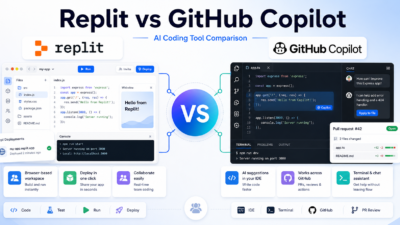
If you are comparing coding environments beyond editor-first tools, the Replit vs GitHub Copilot comparison guide is the closest next read, while app-builder teams may also find Lovable vs Bolt comparison useful.
Final Verdict
Cursor vs Windsurf is not only a feature checklist. It is a workflow decision.
Cursor currently has a stronger public documentation trail around agentic coding, project rules, CLI, and team workflows. Windsurf remains relevant, but users should understand the Devin Desktop transition and verify current official details before deciding.
If you are choosing today, start with Cursor if you want a clearly documented AI coding agent experience. Consider Windsurf or Devin Desktop if you already use Windsurf or want to evaluate the updated Devin-branded direction.
FAQs
Is Cursor better than Windsurf?
Cursor may be better if you want a clearly documented AI coding agent workflow. Windsurf may still fit users who prefer its existing editor experience or want the Devin Desktop direction.
Is Windsurf now Devin Desktop?
The official Devin Desktop page says Desktop is the new name for Windsurf. Users should check official Devin/Windsurf pages for the latest naming, downloads, and plan details.
Does Cursor have team features?
Cursor’s official pricing page lists team-focused features such as centralized team billing and administration. Teams should verify current plan details on the official pricing page before buying.
Should beginners use Cursor or Windsurf?
Beginners should choose the tool that feels easier on a real project. Cursor may be easier to evaluate because its official documentation explains agent, rules, CLI, and team workflows.
Can I rely on old Windsurf pricing pages?
No. The official Devin page says current Windsurf plans and pricing stay the same during the transition, but pricing can change. Always check the official source before buying.