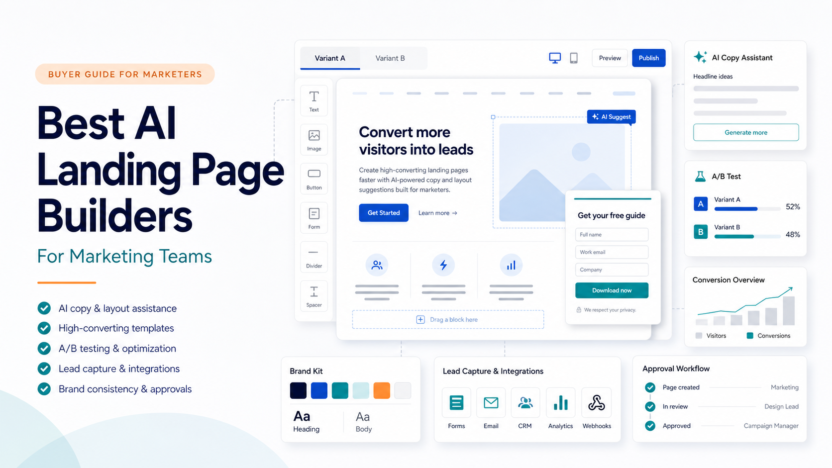
Marketing teams do not need another generic page builder. They need a landing page workflow that can move from campaign idea to published page, form capture, testing, approval, and reporting without slowing the team down. The best AI landing page builders help with parts of that workflow, but they are not all built for the same job.
Quick Answer
Unbounce is the strongest fit when conversion testing and campaign pages are the priority. Leadpages is simpler for small teams that want landing pages and lead capture without a heavy system. Instapage is better for teams that need more optimization and post-click campaign control. Framer is useful when design quality and fast publishing matter. Lovable is not a classic landing page builder, but it can help product-minded teams prototype app-like landing experiences.
Best For
- Marketing teams running paid campaigns, lead magnets, and webinar pages.
- Agencies that need repeated campaign pages with approval workflow.
- Founders who need landing pages before a full website build.
- Content teams that need forms, testing, and clean publishing.
Not Best For
- Teams that only need a simple blog or brochure site.
- Businesses with no traffic source or campaign plan.
- Teams that need a full CRM rather than a page builder.
- Anyone expecting AI to replace offer strategy, copy review, or conversion analysis.
Our Evaluation Criteria
The tools were evaluated by campaign workflow fit, page-building speed, AI assistance, form and lead capture, testing features, integrations, pricing clarity, collaboration, limits, and value for small marketing teams. This article uses official product and pricing information, not hands-on testing.
Comparison Table
| Tool | Best For | Main Strength | Limitation | Official Pricing Snapshot |
|---|---|---|---|---|
| Unbounce | Conversion campaigns | Landing pages, A/B testing, AI copy, Smart Traffic | Higher cost than simple page tools | Starter $22/mo annually, Build $74/mo annually, Experiment $112/mo annually, Optimize $187/mo annually |
| Leadpages | Simple lead capture | Fast pages, forms, unlimited traffic and leads | Less advanced campaign optimization | Standard $37/mo shown on official pricing page |
| Instapage | Post-click optimization | Unlimited pages/conversions/contacts and optimization plans | More expensive entry point | Create $79/mo annually, Optimize $159/mo annually, Convert custom |
| Framer | Design-led landing pages | High-quality visual site building and AI credits | Less campaign-specific than Unbounce or Instapage | Basic $10/mo, Pro $30/mo, Enterprise custom |
| Lovable | App-like prototypes | AI-assisted product and app creation | Not a dedicated landing page testing platform | Free plan includes build credits; paid plan details should be read from official page before purchase |
Pricing last checked on June 24, 2026.
Tool Overviews
Unbounce
Unbounce is built for marketers and agencies that need landing pages, A/B testing, Smart Traffic, AI copywriting, templates, integrations, forms, and conversion-focused workflows. Its official pricing page lists plan tiers for Starter, Build, Experiment, Optimize, Concierge, and Agency. The key decision is whether your team needs testing and optimization enough to justify the higher spend.
In a typical small business workflow, Unbounce fits paid search pages, webinar registration pages, campaign-specific offers, lead magnets, and service landing pages. A marketer can publish pages without waiting for a developer, then route leads into an email platform or CRM.
Leadpages
Leadpages is a simpler path for teams that need landing pages and lead capture without a large optimization platform. Its official pricing page lists Standard at $37 USD/month and shows landing pages, unlimited traffic and leads, one custom domain, integrations, A/B testing, sales and payments, and monetization-related features.
Leadpages is best for founders, coaches, creators, and small service teams that want pages up quickly. It may be less compelling for teams that need advanced experimentation, personalization, or high-volume campaign management.
Instapage
Instapage positions itself as an AI-powered digital marketing platform for acquiring, engaging, and growing customers. Its official plans page lists Create, Optimize, and Convert. Create is shown at $79 per month annually, Optimize at $159 per month annually, and Convert as custom. All plans include unlimited pages, unlimited conversions, and unlimited contacts.
Instapage is strongest when the team cares deeply about post-click experience and optimization. It is less attractive if the business only needs a few simple forms and does not have enough traffic to learn from testing.
Framer
Framer is better understood as a design-led website builder with AI credits, CMS, hosting, SEO, and fast publishing. Its pricing page lists Basic at $10/month, Pro at $30/month, and Enterprise as custom. Framer is useful for landing pages that need polished design and fast iteration, especially for startups and product marketers.
The tradeoff is that Framer is not a dedicated landing page optimization suite. If the team needs campaign testing and lead-volume workflows, a conversion platform may be a better fit.
Lovable
Lovable is not a conventional landing page builder. It is more useful when a founder or product team wants to create an app-like prototype or product experience. Its official pricing page says starting to build is free and that the free plan includes daily build credits, monthly Cloud credits, and credits for AI features built into user apps.
Lovable belongs in this discussion only for teams whose landing page is close to a product demo or interactive MVP. It is not the right first choice for routine lead-generation campaigns.
Real Use Cases
Paid Search Landing Pages
A small marketing team could use Unbounce or Instapage to create campaign-specific landing pages for paid search. The workflow should include message match, form testing, thank-you page behavior, CRM routing, and conversion review.
Webinar And Lead Magnet Pages
Leadpages is often enough for webinar signups, ebook downloads, waitlists, and simple lead capture. The important part is not only page design. The team also needs a follow-up email sequence and a clean handoff to sales or support.
Startup Launch Pages
Framer works well when visual polish and speed matter. A startup can create a launch page, waitlist page, or product announcement quickly. If the campaign becomes performance-heavy, the team may later move the highest-value pages into a dedicated testing platform.
Product Prototype Pages
Lovable can help when the page needs to feel closer to a product prototype than a static landing page. This is useful for early product validation, but final claims and user flows still need review.
Common Mistakes
The first mistake is choosing the tool with the most AI features instead of the tool that fits the campaign workflow. The second is buying an expensive optimization platform before the business has enough traffic to learn from tests. The third is treating landing page AI copy as final copy. Offers, claims, legal wording, testimonials, and pricing must still be reviewed.
Final Recommendation
Choose Unbounce if conversion testing, AI copy, and campaign optimization are central. Choose Leadpages if the team needs straightforward landing pages and lead capture. Choose Instapage if post-click optimization is important and the budget supports it. Choose Framer if design quality and fast publishing matter more than campaign experimentation. Consider Lovable only for product-like prototypes.
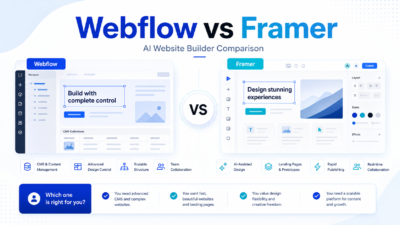
For related context, see our Webflow vs Framer comparison and AI marketing workflow guide.
FAQs
What is the best AI landing page builder for marketing teams?
Unbounce is the strongest fit when campaign optimization and A/B testing matter. Leadpages is simpler for small teams. Instapage is stronger for post-click optimization. Framer is better for design-led pages.
Do AI landing page builders replace marketers?
No. AI can assist with copy, layouts, and page variations, but marketers still need to define the offer, audience, traffic source, testing plan, and final claims.
Which tool is cheapest?
Among the tools compared, Framer has a low site-plan entry price and Leadpages has a straightforward small-business plan. Price alone should not decide the tool because campaign features and limits vary.
Does every landing page need A/B testing?
No. A/B testing is most useful when the page receives enough relevant traffic. Low-traffic teams should focus first on offer clarity, message match, and lead follow-up.
Can Framer be used for landing pages?
Yes. Framer can be a strong fit for polished launch pages, startup pages, and design-led campaigns. It is less specialized for conversion testing than Unbounce or Instapage.
Is Lovable a landing page builder?
Not in the traditional sense. Lovable is more useful for app-like prototypes and product experiences, so it fits only specific landing page use cases.
What should a small business test first?
Test the headline, offer, form length, call to action, traffic source match, and follow-up process before obsessing over design details.
Should agencies use a dedicated platform?
Agencies often benefit from Unbounce or Instapage because repeatable campaign pages, approvals, variants, and client separation matter more at scale.
Implementation Checklist
Before buying, map one real campaign from ad or email to landing page, form, thank-you page, CRM update, and follow-up email. Then test each tool against that campaign. Check whether the tool supports your page volume, expected traffic, integrations, team workflow, and approval process.
How To Choose By Team Type
Small business owners should start with the simplest tool that supports the actual campaign. If the goal is a single ebook download or webinar signup, Leadpages may be enough. If the business is spending money on ads every week, Unbounce or Instapage can become more valuable because testing, traffic handling, and optimization matter more.
Agencies should think differently. A tool that works for one internal page may not work for many clients. Agencies need repeatable templates, client separation, review steps, predictable pricing, and clean handoff. They should also check whether the tool can support different domains, campaign types, and approval workflows without creating administrative clutter.
Startup teams should separate launch pages from growth pages. A launch page needs speed and polish. A growth page needs testing, forms, analytics, and follow-up. Framer may be excellent for the first job, while Unbounce or Instapage may be stronger for the second.
What Matters More Than AI
AI assistance is useful, but it is not the main reason a landing page converts. The offer, audience, traffic source, headline, proof, form length, page speed, and follow-up workflow matter more. AI can draft copy and layouts, but it cannot know whether your offer is compelling or whether the lead handoff works.
Before choosing a tool, write down the campaign goal. Is the page collecting demo requests, trial signups, event registrations, newsletter subscribers, or ecommerce leads? Each goal changes the form, copy, layout, integrations, and success metric. A good landing page builder supports that whole path instead of only producing a nice-looking page.
Practical Buying Checklist
Check how many landing pages you expect to publish each month, how many visitors those pages may receive, whether you need A/B testing, whether leads must sync to a CRM, whether the page needs custom scripts, and who approves copy before launch. Also check whether the tool handles mobile layouts cleanly, because many paid campaigns send a large share of traffic from mobile.
If your team cannot answer these questions yet, start with a cheaper or simpler plan and run a real campaign. Upgrade only when you hit clear limits such as traffic volume, testing needs, integration gaps, or collaboration issues.
When To Avoid A Dedicated Landing Page Builder
Avoid a separate landing page platform if your existing website builder already handles the job well. For example, a team using Webflow, WordPress, or Framer may not need another tool for simple campaign pages. Add a dedicated platform only when the marketing workflow needs testing, lead routing, traffic limits, or campaign management that the main website stack does not handle.
Final Selection Notes
If two tools look similar, choose the one your team will actually maintain. Landing pages fail when ownership is unclear. Assign one owner for copy, one owner for design, one owner for tracking, and one owner for lead follow-up. The software is only one part of that system.