Canva AI pricing is really a Canva plan decision. The question is not only whether AI features exist, but whether Free, Pro, Teams, Business, or Enterprise gives your workflow the right mix of design assets, brand control, collaboration, storage, and AI-assisted creation.
Quick Answer
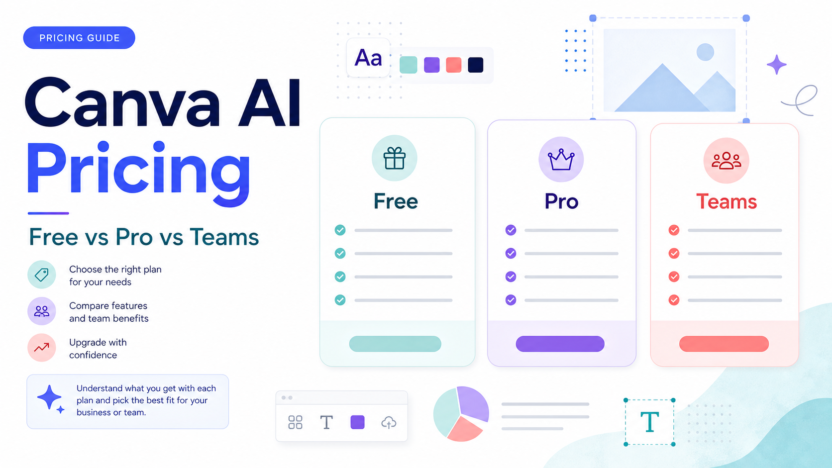
Canva Free is best for light personal design and basic testing. Canva Pro is usually the fit for solo creators and small business owners who need more premium design tools. Canva Teams or Canva Business is more relevant when several people need shared brand assets, approvals, and collaboration. Enterprise is for larger organizations with advanced management needs.
Best For
- Creators comparing Free and Pro.
- Small businesses choosing between Pro and team plans.
- Marketing teams evaluating AI design workflows.
- Agencies deciding whether Canva is enough for client content production.
Not Best For
- Teams that need a full professional design stack for complex brand systems.
- Users who only need one or two occasional graphics.
- Businesses that need advanced creative review outside Canva.
- Teams expecting AI design to replace brand strategy or designer review.
Pricing Snapshot
Canva's public pricing pages may vary by region and plan path. Canva's own public resources list Canva Free at US$0/year for one person, Canva Pro at US$120/year for one person, and Canva Teams at US$100/year for one person in one official Canva resource. Canva's pricing page and business billing pages should be used for the current checkout price for your account and region.
Pricing last checked on June 24, 2026.
Plan Comparison
| Plan | Best For | Main Value | Limitation |
|---|---|---|---|
| Free | Casual design | Basic design access and templates | Limited premium assets and brand controls |
| Pro | Solo creators and small businesses | More premium creative workflow features | Single-user fit may not solve team governance |
| Teams / Business | Small teams | Collaboration, brand, and team workflow | Pricing depends on seats and plan path |
| Enterprise | Large organizations | Governance and advanced needs | Sales process and higher complexity |
What Canva AI Adds
Canva AI is most useful when design work happens repeatedly: social graphics, presentations, simple videos, ads, thumbnails, product visuals, content repurposing, and brand-aligned templates. AI can help ideate, rewrite, generate design directions, or speed small tasks. It does not guarantee brand-safe output.
Real Use Cases
Social Media Content
A small marketing team could use Canva AI features to draft social post visuals, resize creative, prepare thumbnails, and create simple campaign variations. A human should still check brand fit, copy accuracy, and platform rules.
Presentations
Canva is useful for pitch decks, internal reports, sales enablement slides, and webinar decks. AI can help with first drafts, but teams should review data, claims, and visual consistency.
Brand Kits And Templates
Teams benefit when brand assets are centralized. Instead of every employee making one-off visuals, the team can work from approved templates and brand controls.
Small Business Marketing
A local business could use Canva for menus, flyers, ads, email graphics, and basic videos. The upgrade decision depends on how often premium assets, brand kits, and team collaboration are needed.
When Free Is Enough
Free is enough when you create occasional graphics, do not need premium assets, do not manage a team, and can work within basic templates. It is also enough for testing whether Canva fits your workflow before upgrading.
When Pro Makes Sense
Pro is worth considering when one person creates a lot of marketing assets, needs more creative flexibility, uses brand assets frequently, or wants a smoother design workflow than the free plan provides.
When Teams Or Business Makes Sense
A team plan is more useful when multiple people create content and the business needs shared templates, brand consistency, review habits, and collaboration. The value is not only AI. It is reducing inconsistent design work across the company.
Common Mistakes
The first mistake is upgrading because of one AI feature without checking whether the full plan fits the workflow. The second is letting every team member generate off-brand visuals. The third is relying on AI-generated creative without checking spelling, claims, layout, accessibility, and brand rules.
Alternatives
| Tool | Best For | Main Strength | Limitation |
|---|---|---|---|
| Canva | General marketing design | Easy templates and team creative workflow | Not a full pro design replacement |
| Adobe Express | Brand-friendly lightweight design | Adobe ecosystem fit | Different workflow from Canva |
| Figma | Product and interface design | Collaborative design systems | More complex for casual marketers |
| VistaCreate | Social graphics | Simple creative templates | Smaller ecosystem than Canva |
Final Recommendation
Use Canva Free if your design needs are occasional. Choose Pro if one person creates frequent marketing assets. Choose Teams or Business if brand consistency and collaboration matter. For larger organizations, Enterprise is the route to evaluate. The strongest buying signal is repeated design work, not curiosity about AI.
For related content, see our Canva AI vs Adobe Firefly comparison and Gamma vs Canva AI guide.
FAQs
Is Canva AI free?
Some Canva features can be explored on free access, but paid plans are usually relevant when premium assets, brand workflows, and team collaboration matter.
How much does Canva Pro cost?
A public Canva resource lists Canva Pro at US$120/year for one person. Checkout pricing can vary by region and plan path, so use the official Canva pricing page for your account before purchase.
What is Canva Teams best for?
Canva Teams or Business is best when multiple people need brand assets, templates, collaboration, and more controlled creative workflows.
Is Canva AI worth paying for?
It can be worth it if your team repeatedly creates marketing visuals and benefits from faster drafts, brand assets, and collaboration. It is less useful for occasional one-off graphics.
Can Canva replace a designer?
No. Canva can help non-designers create solid marketing assets, but brand strategy, advanced design systems, and high-stakes creative still need skilled review.
Which plan should small businesses choose?
Start with Free if needs are light. Choose Pro for a solo creator or owner. Choose a team plan when several people create and approve assets.
Does Canva pricing vary?
Yes. Canva pricing and plan availability can vary by account, region, billing path, and business plan. Always confirm inside the official Canva checkout flow.
What should teams test before upgrading?
Test brand kit usage, template workflow, AI-assisted drafts, approval habits, export needs, storage, and whether team members actually use the shared workflow.
Implementation Notes
Run a one-month design audit. Count how many assets the team creates, who creates them, how often brand fixes are needed, and where approval slows down. If Canva reduces repeated design friction, a paid plan may make sense.
How To Estimate Canva Value
Canva pricing should be judged against repeated design work. Count how many assets the team creates each month: social posts, ad graphics, presentation slides, thumbnails, flyers, short videos, and client materials. Then estimate how much time is spent finding templates, resizing designs, fixing brand issues, and getting approval.
If Canva reduces repeated design friction, a paid plan can be valuable even if the team still uses professional designers for high-stakes creative. If the team only creates a few simple images each quarter, Free may be enough.
What AI Changes In The Buying Decision
AI features make Canva more useful for ideation, first drafts, copy variations, visual concepts, and quick layout exploration. They do not remove the need for brand judgment. A small business should still check spelling, claims, image suitability, accessibility, and whether the asset matches the offer.
For teams, the bigger value may be shared workflow rather than AI alone. Brand kits, templates, shared folders, and approval habits can reduce inconsistent content across departments. AI is useful when it supports that system instead of creating random assets.
Free vs Pro vs Teams Decision
Free is the right starting point when design needs are light and the user wants to test the interface. Pro is more relevant when one person creates frequent assets and needs more creative flexibility. Teams or Business makes sense when multiple people need shared brand assets, collaboration, and a cleaner workflow.
The upgrade decision should be based on bottlenecks. If the bottleneck is lack of templates, premium creative assets, or frequent resizing, Pro may help. If the bottleneck is inconsistent brand output across people, a team plan may be more relevant.
Agency And Client Workflow Notes
Agencies should be careful with Canva AI. It can speed drafts, but clients still expect brand accuracy. Agencies should maintain approved templates, lock critical brand elements when possible, and separate draft exploration from client-approved assets. AI output should not be sent directly to clients without review.
When To Avoid Upgrading
Avoid upgrading if nobody owns the design workflow. A paid plan cannot fix unclear messaging, weak offers, or unapproved brand rules. Start by cleaning up templates, naming conventions, asset folders, and approval responsibilities. Then upgrade when the plan unlocks a workflow the team will actually use.
How To Compare Canva With Alternatives
Compare Canva against alternatives by job, not by feature list. If the team creates social graphics and presentations, Canva is often convenient. If the team creates product interfaces, Figma may be a better fit. If the team needs lightweight Adobe ecosystem work, Adobe Express may be worth comparing. The right tool depends on the asset type and review workflow.
Canva's strength is accessibility. Non-designers can create usable marketing assets quickly. Its limitation is that ease of use can also create inconsistent output when brand rules are weak. A team plan helps only when the team actually maintains templates, brand assets, and approval habits.
Budget Planning
Budget planning should include seats, design volume, approval time, asset reuse, and whether Canva replaces other tools. If a team already pays for a design stack, Canva may be an additional convenience rather than a full replacement. If the team has no design workflow, Canva can become the central creative workspace.
For solo users, the question is simpler: do premium assets, brand controls, and workflow features save enough time to justify Pro? For teams, the question is whether collaboration reduces rework and off-brand creative.
Governance For Teams
Teams should define who can create templates, who can approve brand assets, and who can publish final creative. AI features make governance more important because drafts can be created quickly. Without review, a team can produce many assets that look polished but contain weak copy, wrong claims, or inconsistent branding.
Practical Upgrade Test
Before upgrading broadly, run a practical test. Create a social campaign, a presentation, a flyer, and one short video. Track how long each asset takes, how many edits are needed, and whether the final creative follows the brand. If the paid workflow saves time and improves consistency, the upgrade has a stronger case.
Final Buying Advice
Do not buy Canva AI access only because AI is available. Buy the plan that solves the actual production problem: solo design speed, team consistency, asset management, or organization-level governance. If no clear bottleneck exists, stay on Free until the need is visible.