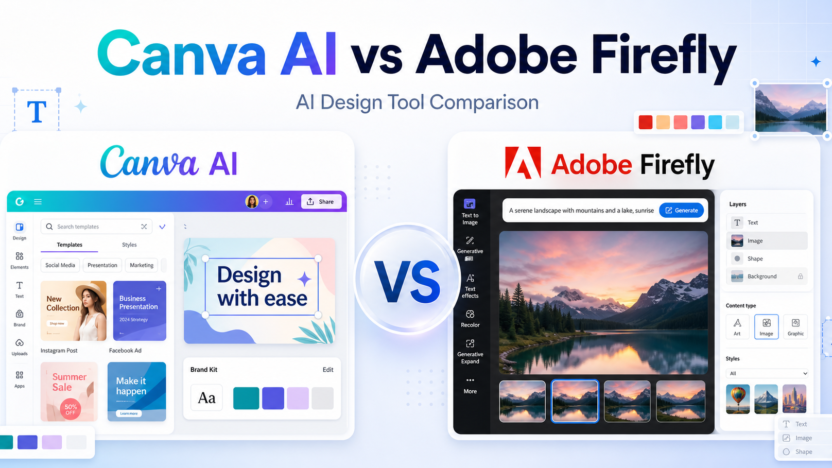
Canva Ai Vs Adobe Firefly is a design-focused comparison for marketers, creators, small businesses, and creative teams choosing between template-led AI design and Adobe generative AI tools. The right choice depends on the work you need to finish, the amount of control you want, the level of technical skill on your team, and how often you will rely on paid features.
This comparison uses official product positioning and pricing pages as the safest source of truth. You can review Canva AI on its official website and check Canva AI plans on the official pricing page. You can also review Adobe Firefly on its official website and check Adobe Firefly plans from the official pricing page.
The short version: Canva AI is usually better for fast marketing designs, social graphics, presentations, and business content. Adobe Firefly is usually better for creators who want deeper generative image control and plan to work inside Adobe?s creative tools. The better tool is not the one with the loudest feature list. It is the one that matches your daily workflow and reduces the amount of cleanup you need after the AI output.
Quick Verdict
Choose Canva AI if your work matches these needs: social media graphics, marketing templates, presentations and documents. Choose Adobe Firefly if your work matches these needs: generative image creation, creative asset exploration, Adobe Creative Cloud workflows. If your budget allows, compare both with the same small project before committing to a paid plan.
For most buyers, the cleanest decision is to start with the tool that removes the biggest bottleneck. If your bottleneck is social media graphics, Canva AI deserves the first look. If your bottleneck is generative image creation, Adobe Firefly deserves the first look.
Canva AI vs Adobe Firefly: Quick Comparison
| Comparison Point | Canva AI | Adobe Firefly |
|---|---|---|
| Main workflow | Canva AI helps users create finished designs through Canva?s template-led workspace. | Adobe Firefly focuses on generative creative assets and Adobe-connected image workflows. |
| Best audience | Marketers, small businesses, content creators, educators, and teams producing everyday visuals. | Designers, illustrators, creative teams, and Adobe users exploring generative image work. |
| Ease for beginners | Very beginner-friendly because templates and layouts guide the process. | Beginner-friendly for image generation, but deeper workflows benefit from design experience. |
| Creative control | Strong for layout, brand assets, and fast finished graphics. | Strong for generative image direction and creative exploration. |
| Writing support | Useful for design copy, presentations, documents, and marketing content. | More focused on visual generation than full business document creation. |
| Research support | Not a research tool; verify factual claims before publishing. | Not a research tool; verify factual claims before publishing. |
| Coding or technical help | Not intended for coding workflows. | Not intended for coding workflows. |
| Templates or starting points | A major strength because Canva is built around templates and easy design starts. | More asset-generation focused, especially for users bringing results into Adobe tools. |
| Collaboration fit | Strong for teams sharing brand kits, social graphics, and presentations. | Strong for creative teams already working with Adobe assets and workflows. |
| Business use | Excellent for everyday brand content and quick campaigns. | Excellent for campaign visuals, creative concepts, and image generation. |
| Learning curve | Low for most users. | Low for basic prompts, medium for polished creative workflows. |
| Pricing risk | AI access and premium design features depend on current Canva plan details. | Generative credits and Adobe plan access depend on current Adobe plan details. |
| Best free-plan use | Creating simple AI-assisted designs and testing Canva?s AI workflow. | Trying Firefly image generation and visual experiments. |
| Paid-plan value | Best when teams need brand kits, premium assets, and repeated design output. | Best when users already rely on Adobe apps or need frequent generative image work. |
| Main limitation | Less specialized for deep generative image control than dedicated creative tools. | Less template-led for everyday business graphics than Canva. |
What Is Canva AI?
Canva AI is part of Canva?s design workflow and is closely tied to templates, brand assets, presentations, social graphics, docs, and quick visual production. In this comparison, Canva AI matters because it gives users a particular way to move from an idea to useful output. That output might be a draft, design, app, research structure, or workflow depending on the tool category.
The main advantage of Canva AI is fit. It is strongest when a user can describe the desired outcome clearly and when the product?s default workflow matches the user?s work style. A tool can be powerful and still be the wrong choice if every result needs heavy correction.
Canva AI is best evaluated with a real task, not a vague demo prompt. A good test is to give it one project that resembles your everyday work, review how much manual cleanup remains, and then compare that effort against the subscription cost.
What Is Adobe Firefly?
Adobe Firefly is Adobe?s generative AI family for creating and editing visual assets, with a strong connection to Adobe?s creative ecosystem. That positioning makes Adobe Firefly useful for a different type of buyer. Some users want the fastest possible first draft. Others want more control, broader features, or a workspace that connects with the tools they already use.
The main advantage of Adobe Firefly is that it can be a stronger fit when the user?s workflow lines up with its product design. If a team already thinks in the same way the tool works, adoption becomes easier and the final output usually needs less explanation.
Like Canva AI, Adobe Firefly should be tested with a realistic project. Avoid judging either tool only by social media clips, old screenshots, or one impressive demo. AI products move quickly, and plan limits can shift without old third-party posts being updated.
Feature Comparison
Output quality
For output quality, Canva AI works best when the user wants social media graphics and can guide the tool with specific instructions. Adobe Firefly works best when the user wants generative image creation and is comfortable shaping the result inside its workflow.
The practical question is not whether Canva AI or Adobe Firefly can complete a task once. The practical question is which one gives repeatable results after five, ten, or twenty similar tasks. Repeatability matters more than novelty when a tool becomes part of daily work.
Speed
For speed, Canva AI works best when the user wants social media graphics and can guide the tool with specific instructions. Adobe Firefly works best when the user wants generative image creation and is comfortable shaping the result inside its workflow.
The practical question is not whether Canva AI or Adobe Firefly can complete a task once. The practical question is which one gives repeatable results after five, ten, or twenty similar tasks. Repeatability matters more than novelty when a tool becomes part of daily work.
Control
For control, Canva AI works best when the user wants social media graphics and can guide the tool with specific instructions. Adobe Firefly works best when the user wants generative image creation and is comfortable shaping the result inside its workflow.
The practical question is not whether Canva AI or Adobe Firefly can complete a task once. The practical question is which one gives repeatable results after five, ten, or twenty similar tasks. Repeatability matters more than novelty when a tool becomes part of daily work.
Collaboration
For collaboration, Canva AI works best when the user wants social media graphics and can guide the tool with specific instructions. Adobe Firefly works best when the user wants generative image creation and is comfortable shaping the result inside its workflow.
The practical question is not whether Canva AI or Adobe Firefly can complete a task once. The practical question is which one gives repeatable results after five, ten, or twenty similar tasks. Repeatability matters more than novelty when a tool becomes part of daily work.
Learning curve
For learning curve, Canva AI works best when the user wants social media graphics and can guide the tool with specific instructions. Adobe Firefly works best when the user wants generative image creation and is comfortable shaping the result inside its workflow.
The practical question is not whether Canva AI or Adobe Firefly can complete a task once. The practical question is which one gives repeatable results after five, ten, or twenty similar tasks. Repeatability matters more than novelty when a tool becomes part of daily work.
Scalability
For scalability, Canva AI works best when the user wants social media graphics and can guide the tool with specific instructions. Adobe Firefly works best when the user wants generative image creation and is comfortable shaping the result inside its workflow.
The practical question is not whether Canva AI or Adobe Firefly can complete a task once. The practical question is which one gives repeatable results after five, ten, or twenty similar tasks. Repeatability matters more than novelty when a tool becomes part of daily work.
Export or handoff
For export or handoff, Canva AI works best when the user wants social media graphics and can guide the tool with specific instructions. Adobe Firefly works best when the user wants generative image creation and is comfortable shaping the result inside its workflow.
The practical question is not whether Canva AI or Adobe Firefly can complete a task once. The practical question is which one gives repeatable results after five, ten, or twenty similar tasks. Repeatability matters more than novelty when a tool becomes part of daily work.
Reliability
For reliability, Canva AI works best when the user wants social media graphics and can guide the tool with specific instructions. Adobe Firefly works best when the user wants generative image creation and is comfortable shaping the result inside its workflow.
The practical question is not whether Canva AI or Adobe Firefly can complete a task once. The practical question is which one gives repeatable results after five, ten, or twenty similar tasks. Repeatability matters more than novelty when a tool becomes part of daily work.
Best Use Cases for Canva AI
Social Media Graphics
Canva AI is a strong fit for social media graphics because its workflow supports users who want to move quickly without rebuilding every step manually. This is especially useful when the task is repeated often and the user can provide clear instructions.
A sensible way to test this use case is to prepare one realistic brief, run it through Canva AI, and measure the amount of editing, checking, or technical cleanup required before the result is ready to use.
Marketing Templates
Canva AI is a strong fit for marketing templates because its workflow supports users who want to move quickly without rebuilding every step manually. This is especially useful when the task is repeated often and the user can provide clear instructions.
A sensible way to test this use case is to prepare one realistic brief, run it through Canva AI, and measure the amount of editing, checking, or technical cleanup required before the result is ready to use.
Presentations And Documents
Canva AI is a strong fit for presentations and documents because its workflow supports users who want to move quickly without rebuilding every step manually. This is especially useful when the task is repeated often and the user can provide clear instructions.
A sensible way to test this use case is to prepare one realistic brief, run it through Canva AI, and measure the amount of editing, checking, or technical cleanup required before the result is ready to use.
Brand Kits For Small Teams
Canva AI is a strong fit for brand kits for small teams because its workflow supports users who want to move quickly without rebuilding every step manually. This is especially useful when the task is repeated often and the user can provide clear instructions.
A sensible way to test this use case is to prepare one realistic brief, run it through Canva AI, and measure the amount of editing, checking, or technical cleanup required before the result is ready to use.
Quick Business Visuals
Canva AI is a strong fit for quick business visuals because its workflow supports users who want to move quickly without rebuilding every step manually. This is especially useful when the task is repeated often and the user can provide clear instructions.
A sensible way to test this use case is to prepare one realistic brief, run it through Canva AI, and measure the amount of editing, checking, or technical cleanup required before the result is ready to use.
Best Use Cases for Adobe Firefly
Generative Image Creation
Adobe Firefly is a strong fit for generative image creation because its workflow is better aligned with users who need that type of control or output. It may not be the simplest option for every buyer, but it can be the better option when the project demands its strengths.
A useful test is to run the same project brief through Adobe Firefly, compare the result with Canva AI, and ask which output is closer to production-ready after a normal amount of review.
Creative Asset Exploration
Adobe Firefly is a strong fit for creative asset exploration because its workflow is better aligned with users who need that type of control or output. It may not be the simplest option for every buyer, but it can be the better option when the project demands its strengths.
A useful test is to run the same project brief through Adobe Firefly, compare the result with Canva AI, and ask which output is closer to production-ready after a normal amount of review.
Adobe Creative Cloud Workflows
Adobe Firefly is a strong fit for Adobe Creative Cloud workflows because its workflow is better aligned with users who need that type of control or output. It may not be the simplest option for every buyer, but it can be the better option when the project demands its strengths.
A useful test is to run the same project brief through Adobe Firefly, compare the result with Canva AI, and ask which output is closer to production-ready after a normal amount of review.
More Controlled Visual Experimentation
Adobe Firefly is a strong fit for more controlled visual experimentation because its workflow is better aligned with users who need that type of control or output. It may not be the simplest option for every buyer, but it can be the better option when the project demands its strengths.
A useful test is to run the same project brief through Adobe Firefly, compare the result with Canva AI, and ask which output is closer to production-ready after a normal amount of review.
Designers Who Already Use Adobe Tools
Adobe Firefly is a strong fit for designers who already use Adobe tools because its workflow is better aligned with users who need that type of control or output. It may not be the simplest option for every buyer, but it can be the better option when the project demands its strengths.
A useful test is to run the same project brief through Adobe Firefly, compare the result with Canva AI, and ask which output is closer to production-ready after a normal amount of review.
Pros and Cons
Canva AI Pros
- Good fit for social media graphics.
- Approachable for users who match its core workflow.
- Can reduce setup time when the brief is clear.
- Useful for repeated work in its strongest category.
Canva AI Cons
- May still require review before business-critical use.
- Paid value depends on real usage volume.
- Not every impressive demo reflects everyday results.
- Users should verify current pricing and terms.
Adobe Firefly Pros
- Good fit for generative image creation.
- Useful when users want its specific workflow style.
- Can be more suitable for teams already aligned with its ecosystem.
- Worth testing for projects that need its strongest capabilities.
Adobe Firefly Cons
- May have a steeper learning curve for some users.
- May be more than casual users need.
- Plan limits should be checked before buying.
- Outputs still need human review.
Which One Should You Choose?
Choose Canva AI if your work mainly involves social media graphics, marketing templates, presentations and documents, brand kits for small teams. It will make more sense when you want the simplest path from a clear request to a useful result and when the tool?s defaults match your expectations.
Choose Adobe Firefly if your work mainly involves generative image creation, creative asset exploration, Adobe Creative Cloud workflows, more controlled visual experimentation. It will make more sense when you need the product?s specific workflow, stronger control in its category, or better alignment with your existing process.
For teams, the decision should include more than features. Consider who will own the tool, who will review output, how often it will be used, whether results can be exported or handed off, and how much training is required before the team gets consistent value.
For presentation-focused design work, our Gamma vs Canva AI comparison comparison is the closest related read; if your design assets become video content, see Synthesia vs HeyGen comparison as well.
Final Verdict
Canva AI is usually better for fast marketing designs, social graphics, presentations, and business content. Adobe Firefly is usually better for creators who want deeper generative image control and plan to work inside Adobe?s creative tools. That does not make the other tool weak. It means the best choice depends on the job. AI tools are most valuable when they remove a specific bottleneck rather than adding another app to manage.
If you are unsure, start with the free or lowest-risk option, run one real project in Canva AI, run the same project in Adobe Firefly, and compare the result by quality, time saved, cleanup required, and total cost. That practical test will tell you more than a feature checklist.
FAQs
Is Canva AI better than Adobe Firefly?
Canva AI is better if your priority is social media graphics. Adobe Firefly is better if your priority is generative image creation. The best choice depends on workflow fit, budget, and the type of output you need.
Is Adobe Firefly better than Canva AI?
Adobe Firefly can be better for users who need generative image creation or prefer its product workflow. Canva AI may still be better for users who want social media graphics.
Does Canva AI have a free plan?
Check the official Canva AI pricing page because free access, included features, and usage limits can change. Do not rely on old screenshots or third-party pricing posts.
Does Adobe Firefly have a free plan?
Check the official Adobe Firefly pricing page because free access, included features, and usage limits can change. Plan details should be verified before subscribing.
Which tool is better for beginners?
Canva AI may be easier for beginners whose work matches social media graphics. Adobe Firefly may be easier for beginners whose work matches generative image creation. The interface matters less than whether the workflow feels natural.
Which tool is better for teams?
Teams should choose the tool that matches their review process, collaboration needs, budget, and output standards. A team should test the same real project in both tools before rolling one out widely.
Can I use both Canva AI and Adobe Firefly?
Yes. Many users combine tools when each one handles a different part of the workflow. The risk is paying for overlapping subscriptions without using both enough to justify the cost.
Which tool gives better output quality?
Output quality depends on the task, prompt quality, plan limits, source material, and how carefully a human reviews the result. Run a realistic task in both tools before deciding.
Are Canva AI and Adobe Firefly safe for business work?
Business users should review official privacy, security, and data-use terms before adding confidential material. This article does not replace a legal, security, or procurement review.
What is the fastest way to choose between Canva AI and Adobe Firefly?
Pick one real project, run it in both tools, compare cleanup time and final quality, then check current official pricing. The winner is the tool that gives the best useful output for the lowest ongoing friction.