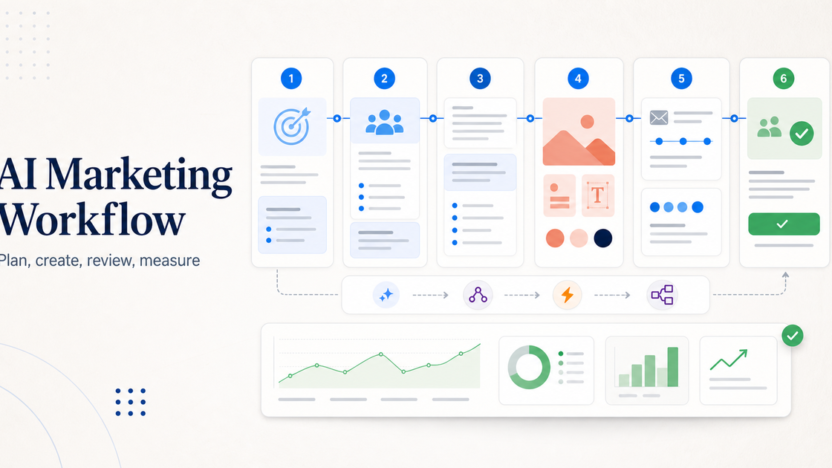
An AI marketing workflow helps a small business turn one idea into a usable campaign without losing control of the message. The workflow should not be "ask AI for content and publish whatever comes out." A better process starts with a goal, gathers customer context, creates campaign assets, reviews everything against the brand, schedules the work, measures performance, and improves the next cycle.
The simplest strong workflow uses five roles: ChatGPT for planning and draft support, Canva AI for visual assets, Mailchimp or another email platform for campaigns, Buffer for social scheduling, and an automation tool such as Zapier or Make when handoffs become repetitive. You do not need all of those tools on day one. You need a repeatable process that makes marketing easier without creating low-quality AI content.
If your marketing workflow connects to customer follow-up, our best AI CRM tools for small business guide can help you choose where leads and contacts should live. If your team also needs support workflows, read the AI customer support workflow.
Quick Workflow Summary
| Step | Purpose | Recommended Tool Role |
|---|---|---|
| 1. Define campaign goal | Decide what the campaign must achieve | Planning doc or ChatGPT |
| 2. Collect customer context | Gather audience, offer, objections, and proof | CRM, notes, research docs |
| 3. Draft message angles | Create several possible campaign directions | ChatGPT for ideation |
| 4. Create visual assets | Turn approved direction into usable designs | Canva AI |
| 5. Build email flow | Create launch, nurture, or follow-up emails | Mailchimp with Intuit AI features |
| 6. Schedule social posts | Repurpose campaign ideas into channel posts | Buffer AI Assistant |
| 7. Review and approve | Check accuracy, brand voice, and claims | Human editor |
| 8. Measure and improve | Compare performance and update next cycle | Analytics, CRM, campaign reports |
1. Start With One Campaign Goal
The workflow starts by choosing one campaign goal. That goal might be more demo bookings, more email signups, more product trials, more local appointments, or more repeat purchases. If the goal is vague, AI output becomes vague.
Write the goal in one sentence:
- Get more demo requests from small business owners.
- Bring past customers back with a seasonal offer.
- Turn website visitors into email subscribers.
- Promote a new service to existing customers.
- Reuse one webinar into email and social content.
This sounds basic, but it prevents the biggest AI marketing mistake: generating random content before deciding what the content needs to accomplish.
2. Collect Customer Context Before Prompting AI
AI tools work better when they have context. Before writing prompts, collect the useful facts:
- Target audience
- Main offer
- Customer pain points
- Objections
- Proof points
- Brand tone
- Products or services included
- Deadline or campaign window
- Channels to use
- Follow-up action
Do not give AI private customer data unless your tools, permissions, and policies allow it. Use summarized, non-sensitive context where possible. A small business can usually get strong results from customer personas, offer details, and approved examples without uploading sensitive records.
3. Use ChatGPT For Planning And Draft Options
ChatGPT for Business is useful for campaign planning, message angles, draft outlines, customer objections, and content repurposing. OpenAI describes business plans as giving teams access to advanced models, tools, and capabilities, including agents and shared workflows.
Use ChatGPT to create options, not final truth. Ask for three campaign angles, then review them like a marketer:
- Which angle is clearest?
- Which claim is safest?
- Which idea matches the customer problem?
- Which version sounds most like the brand?
- Which call to action is specific?
Avoid asking for "a full campaign" in one prompt. Break the work into planning, positioning, draft copy, email subject lines, social variations, and review checks.
4. Create Visual Assets With Canva AI
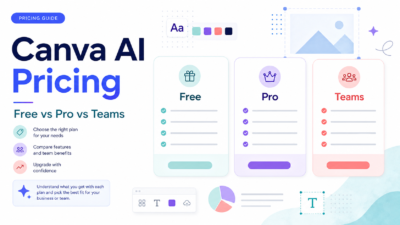
Canva AI can help small teams turn ideas into visual assets. Canva describes its AI assistant as a way to visualize ideas, generate text, and produce designs in one place.
Use Canva AI after the message direction is approved. That order matters. If you create designs before the offer and angle are clear, the team may waste time editing visuals that do not support the campaign.
Good Canva AI tasks include:
- Drafting social graphics from a campaign theme
- Creating variations for different platforms
- Turning a text offer into a visual layout
- Adapting an existing brand template
- Generating simple supporting visuals for blog or email assets
Keep a human review step for brand consistency, legal claims, offer details, spelling, and accessibility.
5. Build The Email Flow In Mailchimp
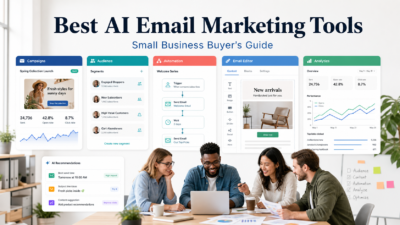
Mailchimp's Intuit AI flow templates can help teams start marketing automation flows with designed, on-brand emails. Mailchimp describes these templates as using pre-selected triggers, steps, and branches for specific marketing goals.
For a small business, email automation should stay simple at first:
1. Welcome email 2. Offer or education email 3. Proof or objection-handling email 4. Reminder email 5. Follow-up based on click or signup behavior
Do not create ten-email sequences just because AI can draft them quickly. More messages are not automatically better. The workflow should match the buying cycle and the audience's tolerance for follow-up.
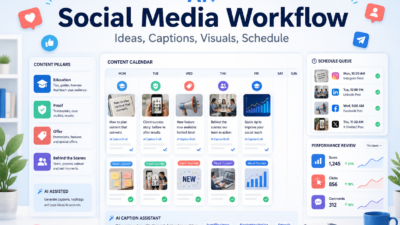
6. Repurpose The Campaign With Buffer
Buffer AI Assistant helps brainstorm ideas, rewrite content, and create platform-specific posts. Buffer's official page positions it as a social media sidekick for content creation and refinement.
Use Buffer after the main offer and email flow are clear. The social content should support the same campaign, not introduce a separate message.
A practical repurposing flow:
- Turn the campaign goal into one announcement post.
- Turn the customer problem into one educational post.
- Turn the proof point into one trust-building post.
- Turn the offer into one deadline or call-to-action post.
- Turn a common objection into one FAQ-style post.
Review every post for platform fit. LinkedIn, Instagram, X, Facebook, and TikTok do not need identical wording.
7. Add Automation Only After The Workflow Works Manually
Automation is useful after the manual workflow is clear. If your team is still changing the process every week, automating it too early can create confusion.
Use automation when the handoff is repetitive:
- Website form to CRM
- CRM lead to email segment
- Webinar signup to reminder sequence
- Published post to social queue
- Customer support tag to follow-up campaign
- New lead to sales notification
For automation platform choice, see our Zapier vs Make comparison. Zapier is often easier for straightforward app-to-app workflows, while Make can suit more visual, multi-step operations.
8. Create A Human Review Gate
Every AI marketing workflow needs a human review gate. This is where the team checks:
- The offer is accurate
- The copy matches the brand
- The claims are supported
- The design is readable
- The email links work
- The call to action is clear
- The content does not sound generic
- The audience data is handled properly
This review step protects quality. AI can help produce more options, but the business is still responsible for what gets published.
Common Mistakes To Avoid
The first mistake is publishing AI output too quickly. Fast content that weakens trust is not a win.
The second mistake is using too many tools before the workflow is stable. A small business does not need a complex stack to create useful campaigns.
The third mistake is letting every channel say something different. Email, social, website, and CRM follow-up should point toward the same offer and customer action.
The fourth mistake is forgetting measurement. If you do not review opens, clicks, replies, bookings, signups, or sales conversations, the next AI campaign will not be smarter than the last one.
AI Marketing Workflow Template
Use this template for a simple campaign:
1. Write the campaign goal. 2. List the target audience and offer. 3. Collect customer objections and proof points. 4. Ask ChatGPT for 3 campaign angles. 5. Choose one angle and revise it manually. 6. Create email copy and social post drafts. 7. Build visuals in Canva AI. 8. Build the email journey in Mailchimp. 9. Schedule social posts in Buffer. 10. Review everything before publishing. 11. Track results. 12. Save lessons for the next campaign.
The workflow becomes stronger each time because the team improves prompts, templates, and review criteria.
Final Recommendation
Use AI to speed up campaign planning, drafting, design, and repurposing, but keep strategy and approval human. Start with ChatGPT for planning, Canva AI for visuals, Mailchimp for email automation, Buffer for social scheduling, and Zapier or Make only when the handoff is clear enough to automate.
The best AI marketing workflow is not the one with the most tools. It is the one that helps a small team publish clearer campaigns, follow up consistently, and learn from each launch.
FAQs
What is an AI marketing workflow?
An AI marketing workflow is a repeatable process for using AI tools to plan campaigns, draft copy, create visuals, build email flows, schedule social posts, review content, and measure results.
Which AI tool is best for small business marketing?
There is no single best tool for every task. ChatGPT is useful for planning and drafts, Canva AI for visual assets, Mailchimp for email campaigns, Buffer for social content, and Zapier or Make for automation.
Can AI replace a marketing team?
No. AI can speed up planning, writing, design, and repurposing, but humans still need to set strategy, approve claims, understand customers, and judge what should be published.
Should small businesses use AI for email marketing?
Yes, when there is a clear offer, audience, and review process. AI can help draft emails and automation flows, but the business should check accuracy, tone, links, and compliance before sending.
How do I avoid generic AI marketing content?
Use specific customer context, real objections, approved proof points, brand examples, and clear campaign goals. Then edit the output manually instead of publishing the first draft.
Which tasks should not be fully automated?
Do not fully automate legal claims, pricing promises, customer-sensitive messages, crisis communication, or final approval. These need human judgment.
How many AI marketing tools should I use?
Start with two or three tools. Add more only when there is a clear workflow gap. Too many tools can slow a small team down.
Can AI help with social media?
Yes. AI can help brainstorm ideas, rewrite posts, adapt content for different platforms, and create variations. A human should still review tone, accuracy, and timing.
What should I measure in an AI marketing workflow?
Measure the result tied to the campaign goal: signups, bookings, replies, clicks, purchases, demo requests, or qualified leads. Do not measure only content output volume.
What is the biggest mistake with AI marketing?
The biggest mistake is treating AI as a publishing shortcut instead of a workflow assistant. AI should help the team think, draft, design, and review faster, not remove quality control.