Quick Answer
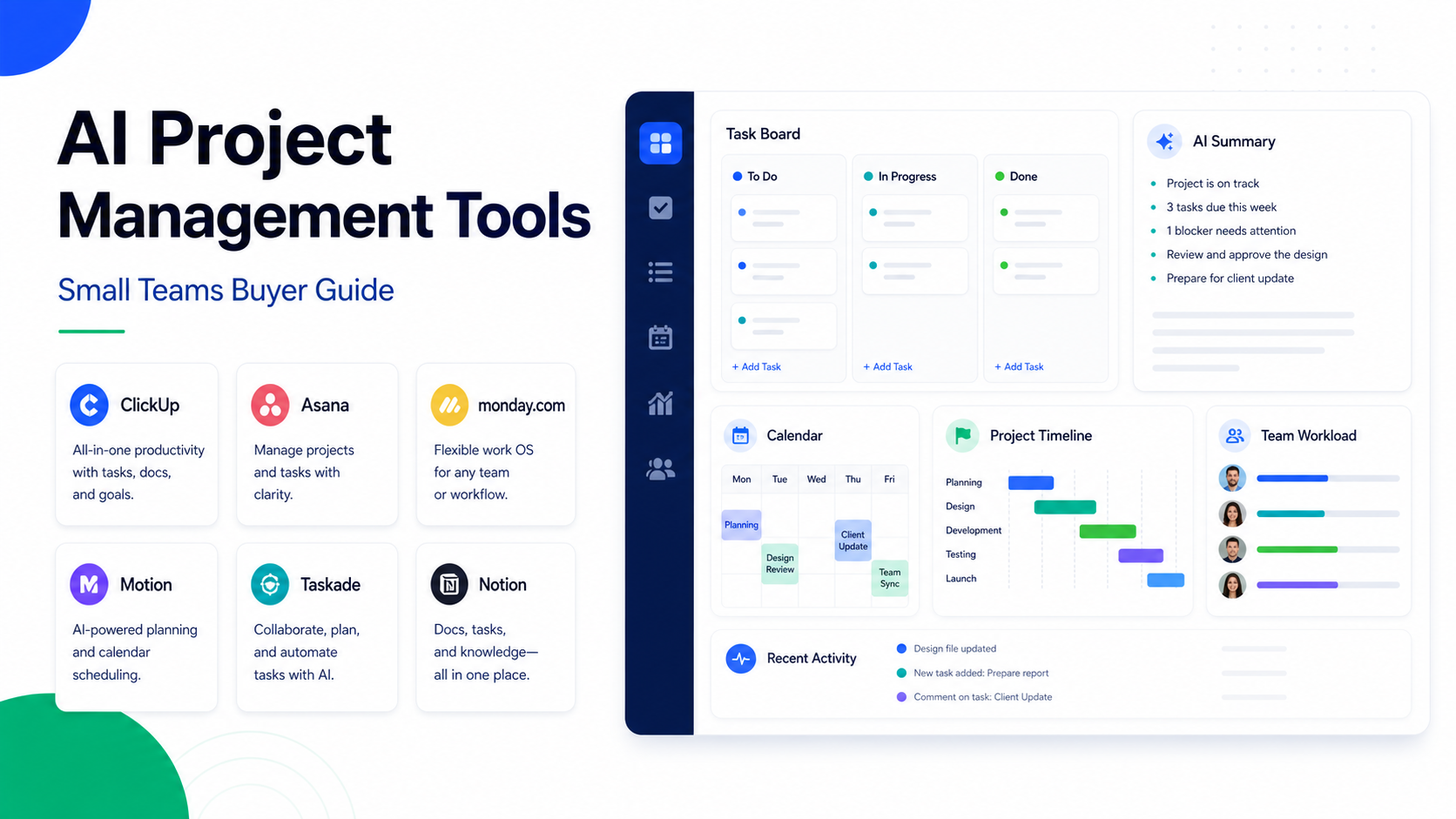
The best AI project management tools for small teams are the tools that help teams plan work, summarize updates, find blockers, draft tasks, and keep project knowledge visible without creating extra admin. ClickUp is strong for broad project operations, Asana is strong for structured work management, monday.com is strong for visual operations, Motion is strong for AI scheduling around tasks, Taskade is strong for lightweight AI workspaces, and Notion is useful when projects and knowledge need to live together.
For small teams, the right choice depends on where the pain is. If work is scattered, choose a structured work-management platform. If schedules are overloaded, choose an AI scheduling tool. If knowledge is fragmented, choose a workspace that connects docs and tasks.
Related Dailytimespro guides include ClickUp Brain Review, Best AI Knowledge Management Tools, and Best AI Calendar Apps for Small Business.
Best For
| Tool | Best for | Main strength | Limitation to consider |
|---|---|---|---|
| ClickUp | Teams that want one operations workspace | Tasks, docs, goals, and AI assistant features | Can require setup discipline |
| Asana | Structured project and portfolio work | Clear work management and team coordination | AI value depends on plan and workflow |
| monday.com | Visual operations and cross-team workflows | Boards, automations, dashboards | Can become broad if not governed |
| Motion | AI scheduling and task planning | Calendar-aware task scheduling | Less of a full knowledge workspace |
| Taskade | Lightweight AI project workspace | Fast docs, tasks, mind maps, and AI workflows | Better for simple teams than complex operations |
| Notion | Projects plus knowledge | Flexible docs, databases, and AI support | Needs structure to avoid workspace sprawl |
Not Best For
AI project management tools are not the right answer if the team has no shared process. Software can help manage tasks, but it cannot replace clear owners, deadlines, scope, and decision rules.
Our Evaluation Criteria
We evaluated these tools by project visibility, AI assistance, task management, documentation, scheduling, automation, integrations, reporting, pricing clarity, and ease of adoption for small teams.
1. ClickUp
ClickUp is a strong option when a small team wants tasks, docs, dashboards, goals, and AI assistance in one workspace. It can fit agencies, operations teams, marketing teams, software teams, and service businesses.
In a typical workflow, a team could use ClickUp for project tasks, meeting notes, SOPs, sprint planning, client work, and internal requests. AI assistance can help summarize updates, draft tasks, or turn notes into action items, but the team still needs consistent project structure.
Choose ClickUp if your team wants one flexible operating workspace. Avoid it if you want the simplest possible task list with minimal setup.
2. Asana
Asana is strong for structured project management and work tracking. It is useful when teams need clear ownership, status updates, milestones, dependencies, and cross-functional coordination.
A small marketing team could use Asana to manage campaigns, content calendars, launch plans, and approval steps. AI features can support summaries and workflow assistance, but the core value is still structured work management.
Choose Asana if clarity and execution tracking matter. Avoid it if your team mainly wants a flexible docs-first workspace.
3. monday.com
monday.com is useful for visual operations and cross-team workflows. Boards, views, dashboards, and automations make it practical for teams that need to track repeatable work.
A service business could use monday.com for client onboarding, delivery pipelines, content production, support requests, or internal approvals. AI features should be evaluated based on the team's plan and actual workflow needs.
Choose monday.com if you want visual boards and operational tracking. Avoid it if you need a lightweight personal productivity tool.
4. Motion
Motion is strongest when the project problem is scheduling. It is built around task planning and calendar-aware scheduling, which can help teams that struggle with overloaded days and shifting priorities.
Motion is useful for founders, managers, consultants, and small teams that need tasks to become actual calendar time. It is less useful when the team needs deep documentation, complex portfolio management, or broad reporting.
Choose Motion if calendar execution is the bottleneck. Avoid it if you need a full project knowledge base.
5. Taskade
Taskade is a lightweight AI workspace for tasks, notes, outlines, and collaboration. It can be useful for small teams that want fast planning without a heavy project management setup.
Taskade can fit brainstorming, content planning, meeting notes, lightweight task tracking, and simple team collaboration. It is best for teams that value speed and flexibility over formal process controls.
Choose Taskade if you want a fast AI-assisted workspace. Avoid it if you need complex governance, enterprise reporting, or deep portfolio management.
6. Notion
Notion is useful when projects and knowledge need to live together. Teams can manage docs, databases, project pages, meeting notes, and lightweight task systems in one workspace.
Notion is strong for teams that want flexibility, but that flexibility requires structure. Without naming conventions, templates, owners, and database rules, the workspace can become messy.
Choose Notion if documentation and project context matter. Avoid it if you want strict out-of-the-box project management.
Pricing Notes
Pricing last checked on July 11, 2026. Pricing may vary by region, billing cycle, usage, seats, add-ons, or sales agreement when the vendor lists custom pricing. Each vendor publishes official plan information. Compare user seats, AI add-ons, workspace limits, automations, storage, integrations, reporting, permissions, and admin controls. Do not compare only the cheapest listed plan.
Best Tool by Use Case
| Use case | Best fit |
|---|---|
| Broad team operations | ClickUp |
| Structured project execution | Asana |
| Visual operational workflows | monday.com |
| Calendar-based task planning | Motion |
| Lightweight AI planning | Taskade |
| Projects plus knowledge base | Notion |
Common Mistakes
The first mistake is buying AI features before fixing project basics. Every task needs an owner, due date, priority, and definition of done.
The second mistake is using too many tools. If work lives across five systems, AI summaries will not solve the source of confusion.
The third mistake is turning every idea into a task. Small teams need prioritization, not just more task generation.
The fourth mistake is ignoring adoption. A powerful tool that nobody updates is worse than a simple tool used consistently.
Final Recommendation
Choose ClickUp for an all-in-one operating workspace, Asana for structured project execution, monday.com for visual operations, Motion for calendar-based planning, Taskade for lightweight AI collaboration, and Notion for projects plus knowledge. The best AI project management tool is the one that reduces coordination work without adding a new layer of admin.
FAQs
What is an AI project management tool?
An AI project management tool helps teams plan, summarize, organize, prioritize, or automate project work using AI features inside a task or work management platform.
Which AI project management tool is best for small teams?
ClickUp, Asana, monday.com, Motion, Taskade, and Notion are all strong options depending on whether the team needs operations, structured execution, visual boards, scheduling, lightweight planning, or knowledge management.
Can AI manage projects automatically?
No. AI can draft tasks, summarize updates, and suggest plans, but humans still need to define priorities, approve scope, and make tradeoff decisions.
Which tool is best for calendar scheduling?
Motion is the strongest fit when the main problem is turning tasks into calendar time.
Which tool is best for documentation?
Notion and ClickUp are strong choices when project documentation and task management need to stay connected.
What should teams check before choosing?
Check workflow fit, user seats, AI feature availability, integrations, reporting, permissions, mobile apps, and whether the team will actually update the system.
How to Choose by Team Problem
Do not start with the AI feature list. Start with the project problem. If tasks are missing owners, choose a tool with strong task structure. If updates are scattered, choose a tool with summaries and reporting. If calendars are overloaded, choose a scheduling-first tool. If project knowledge is missing, choose a docs-first workspace.
Small teams usually need fewer tools, not more. A project management tool should become the shared operating system for work. If the team still manages priorities in private notes, chat messages, and personal calendars, AI will not have enough reliable context.
Implementation Checklist
| Step | Decision |
|---|---|
| Define project types | Client delivery, marketing, product, operations, support, admin |
| Standardize task fields | Owner, due date, priority, status, project, source |
| Create templates | Launch plan, client onboarding, content workflow, sprint, meeting follow-up |
| Set update rhythm | Daily, weekly, or milestone-based updates |
| Decide AI review rules | Human review for customer-facing or strategic outputs |
| Clean monthly | Archive old projects and update templates |
Where AI Adds Value
AI is useful for summarizing project updates, turning meeting notes into tasks, drafting project briefs, identifying blockers, generating checklist drafts, and preparing status updates. It is less useful when the team has unclear ownership or constantly changing priorities.
For example, a small marketing team could use AI to summarize campaign status from tasks and comments, but the team still needs a human owner to decide whether deadlines move. A software team could use AI to draft bug triage notes, but product decisions still need prioritization.
Limitations
AI project management tools can create more noise if teams generate too many tasks. They can also produce weak summaries when project data is incomplete. Privacy and permissions matter because project tools often contain customer names, contracts, internal plans, and employee data.
Final Buying Guidance
Pick the tool your team will actually update. ClickUp and monday.com are stronger for operations-heavy teams. Asana is strong when clarity and structured execution matter. Motion is best when calendar time is the bottleneck. Taskade is best for lightweight AI planning. Notion is best when knowledge and projects must stay connected.
Practical Decision Questions
Before choosing a tool or workflow, answer these questions in writing. Who owns the process? What information must be captured? Which step currently creates delay? Which fields or records must stay accurate? Which integrations are required on day one? Which outputs need human review before they reach a customer, vendor, or employee? These questions prevent the team from buying software for a vague problem.
Small teams should also decide what they will not automate. The highest-risk parts of the process should keep human review: legal terms, payment decisions, customer promises, pricing changes, security-sensitive data, and anything that could create financial or reputation risk. AI should reduce repetitive work, not remove accountability.
Rollout Plan for a Small Team
Start with one workflow, one owner, and one success measure. A practical rollout can be as simple as this:
| Week | Focus | Output |
|---|---|---|
| Week 1 | Map the current process | List steps, owners, tools, and failure points |
| Week 2 | Configure the first workflow | Build the smallest useful version |
| Week 3 | Run with real work | Compare results with the old process |
| Week 4 | Fix gaps | Adjust templates, permissions, fields, and handoffs |
| Month 2 | Expand carefully | Add one more use case only after the first works |
This slower rollout is usually better than a broad launch. It gives the team enough evidence to know whether the tool improves work or simply adds another place to update.
What to Review After 30 Days
After the first month, review adoption, time saved, quality of outputs, errors, exceptions, and whether employees trust the workflow. If people bypass the tool, find out why. The problem may be missing integrations, too many required fields, unclear ownership, or weak training.
Also review cost. AI and automation tools often look affordable at the first seat or starter plan, then become expensive when usage, add-ons, seats, or higher-tier features are required. The right question is not only monthly price. The right question is whether the workflow removes enough manual effort, rework, and missed follow-up to justify the operational cost.
Governance Notes
Every AI-assisted business workflow needs basic governance. Define who can change templates, who can approve outputs, who can invite users, who can export data, and who reviews sensitive information. This matters even for small teams because AI tools often touch customer records, internal tasks, meeting notes, invoices, contracts, or sales information.
Keep a simple review cadence. Once a month, check whether the workflow still reflects the way the team works. Remove unused automations, update stale templates, archive old projects, and review permission levels. A lightweight governance habit prevents the tool from becoming a confusing collection of old experiments.
Bottom Line for Small Businesses
The best tool is not always the tool with the most AI features. The best tool is the one that makes a specific workflow clearer, faster, and easier to review. If a feature does not improve ownership, quality, speed, or decision-making, treat it as optional. Start narrow, prove value, and expand only after the first workflow is reliable.
Leave a Reply