Quick Answer
Zapier AI pricing should be evaluated through Zapier plans, task usage, premium app needs, team seats, automation complexity, and whether AI-assisted workflow building reduces enough manual work to justify the upgrade. This article is written for small business teams that need a practical decision, not a broad AI overview. The safest way to evaluate this category is to define the workflow, compare a small shortlist, verify official pricing, and keep a human review step for anything customer-facing, revenue-sensitive, or technically risky.
Best For
Small businesses, agencies, sales teams, marketing teams, and operations teams that use Zapier to connect apps, automate handoffs, and reduce repetitive work.
Not Best For
Teams that only need one simple automation, teams with unpredictable high-volume usage, or teams that need custom backend workflows better handled by engineering.
Our Evaluation Criteria
| Criteria | What it means for this article |
|---|---|
| Workflow fit | Whether the tool solves the job readers actually need done. |
| Ease of setup | Whether a small team can start without a long implementation project. |
| AI quality | Whether AI output is useful after normal review, editing, and approval. |
| Pricing clarity | Whether official pricing pages give enough information for a sensible budget estimate. |
| Integrations | Whether the tool can fit common SaaS, support, marketing, coding, or SEO workflows. |
| Controls | Whether teams can review, approve, correct, and hand off work safely. |
| Value for money | Whether the tool saves enough time or reduces enough friction to justify the plan. |
Quick Comparison Table
| Tool | Best For | Main Strength | Limitation |
|---|---|---|---|
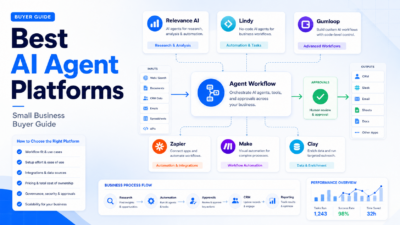
| Zapier | No-code app automation | Large app ecosystem and workflow automation | Costs can depend on task volume and plan needs |
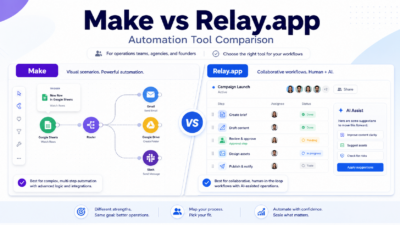
| Make | Visual automation scenarios | Flexible scenario builder | Can require more setup skill |
| n8n | Technical automation teams | Flexible workflow control | More technical than simple no-code tools |
| HubSpot Operations Hub | CRM-centered automation | Strong fit for HubSpot users | Less general-purpose than Zapier |
| Pabbly Connect | Budget-conscious automation | Alternative pricing model | App depth and enterprise fit should be reviewed |
Official Sources Used
The article uses official product, pricing, or documentation pages for tool facts and pricing references:
How to Think About This Category
Automation pricing depends on volume and workflow complexity. AI can help draft or refine Zaps, but the business value comes from reliable automations that reduce manual handoffs.
A common mistake is choosing the tool with the longest feature list. A better method is to start with one workflow, write down the expected input, define the output a reviewer would accept, and compare tools against that scenario. This keeps the decision tied to real work instead of demo impressions.
For small teams, review capacity matters as much as AI quality. If the tool produces good drafts but the team has no one responsible for approval, the workflow can still create risk. The strongest setup assigns ownership: one person prepares the prompt or source material, one person checks the result, and one person decides whether the process is ready to repeat.
Key Features to Compare
The most useful features are not always the most visible. Look for features that remove friction from the specific job: source inputs, templates, workflow routing, team permissions, output editing, integrations, reporting, and escalation. AI assistance is valuable when it reduces blank-page work, catches gaps, or speeds up repeated decisions.
For Zapier AI pricing, buyers should focus on five practical questions. First, does the tool support the work your team already does? Second, does it make review easier or harder? Third, is pricing clear enough for expected usage? Fourth, can the tool fit your existing stack? Fifth, what happens when the AI output is incomplete or wrong?
Tool-by-Tool Notes
Zapier
Zapier is included because it fits one important part of the AI automation software decision. Its strongest fit is no-code app automation. In a typical small business workflow, this matters because teams need a tool that helps real work move forward without making the review process harder.
Useful strengths include large app ecosystem and workflow automation, practical team adoption, and enough structure for managers to compare output quality across repeated tasks. The limitation to watch is costs can depend on task volume and plan needs. That does not make the tool weak, but it does mean buyers should map it to one clear workflow before making it the default platform.
Make
Make is included because it fits one important part of the AI automation software decision. Its strongest fit is visual automation scenarios. In a typical small business workflow, this matters because teams need a tool that helps real work move forward without making the review process harder.
Useful strengths include flexible scenario builder, practical team adoption, and enough structure for managers to compare output quality across repeated tasks. The limitation to watch is can require more setup skill. That does not make the tool weak, but it does mean buyers should map it to one clear workflow before making it the default platform.
n8n
n8n is included because it fits one important part of the AI automation software decision. Its strongest fit is technical automation teams. In a typical small business workflow, this matters because teams need a tool that helps real work move forward without making the review process harder.
Useful strengths include flexible workflow control, practical team adoption, and enough structure for managers to compare output quality across repeated tasks. The limitation to watch is more technical than simple no-code tools. That does not make the tool weak, but it does mean buyers should map it to one clear workflow before making it the default platform.
HubSpot Operations Hub
HubSpot Operations Hub is included because it fits one important part of the AI automation software decision. Its strongest fit is crm-centered automation. In a typical small business workflow, this matters because teams need a tool that helps real work move forward without making the review process harder.
Useful strengths include strong fit for hubspot users, practical team adoption, and enough structure for managers to compare output quality across repeated tasks. The limitation to watch is less general-purpose than zapier. That does not make the tool weak, but it does mean buyers should map it to one clear workflow before making it the default platform.
Pabbly Connect
Pabbly Connect is included because it fits one important part of the AI automation software decision. Its strongest fit is budget-conscious automation. In a typical small business workflow, this matters because teams need a tool that helps real work move forward without making the review process harder.
Useful strengths include alternative pricing model, practical team adoption, and enough structure for managers to compare output quality across repeated tasks. The limitation to watch is app depth and enterprise fit should be reviewed. That does not make the tool weak, but it does mean buyers should map it to one clear workflow before making it the default platform.
Practical Use Cases
A small business could use Zapier for lead capture, CRM updates, invoice alerts, Slack notifications, email follow-ups, reporting workflows, form routing, and support handoffs. AI assistance can help describe workflows and draft automation logic faster.
In a typical small business workflow, the best use case starts narrow. A SaaS team might use the tool to improve onboarding, support, content refreshes, coding prototypes, or automation planning. An agency might use it to draft faster, compare options for clients, or prepare a repeatable checklist. A founder might use it to reduce manual work while keeping final decisions under human control.
The important point is that AI should support the workflow rather than own it. Use AI for drafts, summaries, first-pass classification, comparison tables, and suggestions. Keep humans in charge of policy, technical review, published claims, customer commitments, pricing interpretation, and final approval.
Pricing
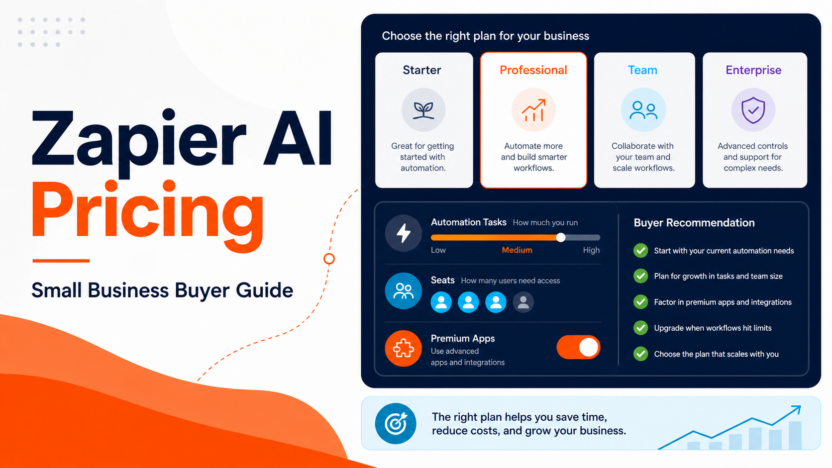
Pricing last checked on July 24, 2026. Zapier publishes official pricing and plan information on its pricing page. Compare tasks, premium apps, multi-step Zaps, users, interfaces, tables, and support needs against the workflows you expect to run.
When comparing plans, estimate the workflow you will actually run. Count users, projects, automation volume, support conversations, content volume, app-building attempts, or seats where relevant. A low entry price is less useful if the plan does not include the capability your team needs every week.
Pros
- Helps teams move from blank-page work to reviewed drafts faster.
- Makes repetitive decisions easier to structure.
- Can improve consistency when the team uses clear source material.
- Gives managers a better way to compare options by workflow fit.
- Works well when paired with a documented human review process.
Cons
- AI output still needs review before it reaches customers or production.
- Pricing may depend on usage, seats, projects, credits, or advanced features.
- Some tools are better for one workflow than for broad company-wide use.
- Teams can overvalue a polished demo and undervalue implementation effort.
- Integrations and governance needs may matter more than headline AI features.
Common Mistakes to Avoid
Do not evaluate tools with different sample tasks. Use the same scenario for every option, otherwise the comparison becomes unfair. Do not buy the broadest plan before the workflow is proven. Do not allow AI-generated support answers, product claims, pricing statements, or code changes to go live without review.
Another mistake is ignoring maintenance. AI workflows need updated source material, revised prompts, quality checks, and ownership. If nobody owns those pieces, the system becomes less reliable over time. A good tool should make maintenance visible, not hide it.
Implementation Checklist
1. Define the workflow in one sentence. 2. List the inputs the tool needs. 3. Decide who reviews the output. 4. Identify the official pricing plan that matches likely usage. 5. Run two or three realistic examples. 6. Record what had to be corrected. 7. Compare alternatives using the same criteria. 8. Choose the tool only if the reviewed output saves real time.
Which One Should You Choose?
Use a free or entry plan for simple proof-of-concept automations. Upgrade when recurring workflows need higher task volume, premium apps, multi-step logic, shared access, or operational reliability.
If two tools look close, choose the one that your team can maintain. A slightly less powerful tool with cleaner setup, clearer pricing, and easier review can be a better business choice than a larger product that nobody uses consistently.
Alternatives
Useful alternatives depend on the job. For support workflows, compare help desk, knowledge base, and customer messaging tools. For coding, compare browser IDEs, AI code editors, and prototyping platforms. For SEO, compare audit platforms, optimization tools, and general AI assistants. For automation, compare task-based automation platforms with workflow builders that match your stack.
For related Dailytimespro context, see our AI customer support tools guide, Tidio AI review, AI workflow automation tools, Bolt.new review, Cursor pricing guide, and AI content optimization tools.
Final Recommendation
Zapier AI is easiest to justify when automation volume is predictable and tied to a repeated business process. Avoid upgrading just for experimentation if the team has not proven a real workflow.
The practical buying rule is simple: start with the narrowest valuable workflow, use official pricing to estimate cost, and keep review responsibility explicit. If the tool saves time after review, it is worth deeper adoption. If it only looks impressive in a demo, keep it out of critical workflows until the team can prove repeatable value.
FAQs
What should small businesses compare first?
Start with workflow fit. A tool that solves one weekly task reliably is usually more valuable than a broader platform that creates more setup work than it removes.
Should AI output be used without review?
No. AI output should be reviewed before it affects customers, public content, production code, billing, legal language, or business-critical decisions.
How should pricing be evaluated?
Use official pricing pages and estimate real usage, including seats, credits, tasks, projects, conversations, or add-ons where those factors apply.
How many tools should a team test?
Two or three serious options are usually enough. Testing too many tools at once makes it harder to compare results cleanly.
What is the safest rollout plan?
Start with assisted drafting or internal recommendations, review every output, document corrections, and expand only after quality is consistent.
When should a team avoid this category?
Avoid it when the workflow is unclear, source data is poor, review ownership is missing, pricing is not understood, or the output would create customer trust or technical risk.
What matters more than AI features?
Review controls, integration fit, pricing clarity, repeatability, and human ownership usually matter more than a long list of AI features.
How often should the decision be revisited?
Review the tool after 30 days of real use. Keep it if it saves time after review and downgrade or replace it if usage is low or cleanup remains heavy.