
Quick Verdict
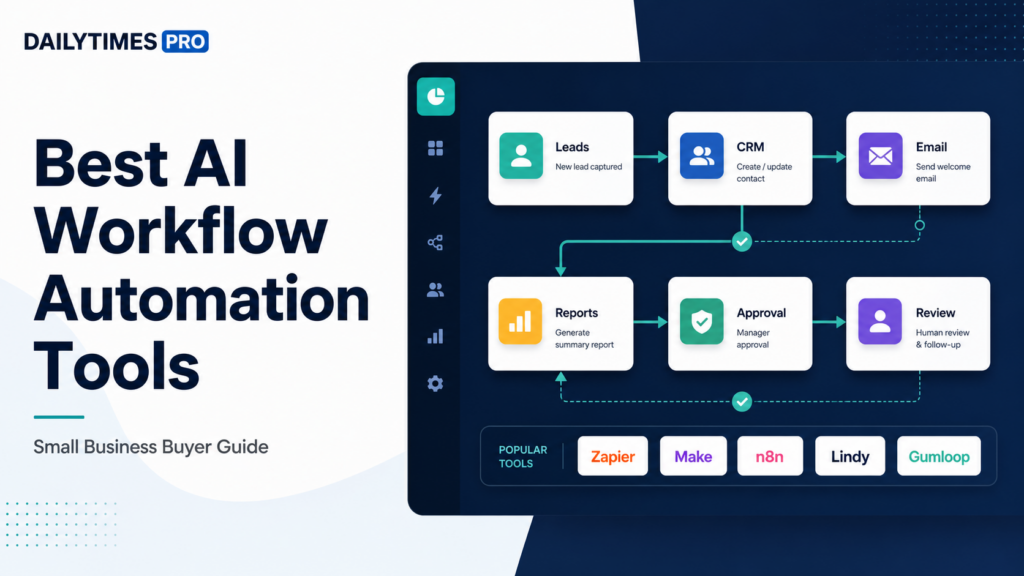
Zapier is the safest all-rounder for app coverage, Make is the best visual automation builder for teams that want transparent workflows, n8n is strongest for technical control and self-hosting, Lindy is useful for assistant-style agent workflows, and Gumloop is compelling for teams that want a multiplayer AI agent builder.
Official product sources reviewed include Zapier, Make, n8n, Lindy, Gumloop. Official pricing sources reviewed include Zapier pricing, Make pricing, n8n pricing, Lindy pricing, Gumloop pricing. Pricing last checked on July 17, 2026. Plan details differ by billing term, usage volume, workspace size, and add-ons, so treat the pricing section as a buying snapshot rather than a contract.
Related Dailytimespro reading:
Best For
- small businesses connecting sales, marketing, support, and operations apps.
- teams that need repeatable lead capture, CRM updates, alerts, reporting, and approvals.
- operators who want AI to assist workflows while keeping review steps visible.
Not Best For
- teams that have not defined the repeated workflow they want to automate.
- businesses that need heavy engineering-grade integration governance from day one.
- buyers who only need one simple calendar or form automation.
Our Evaluation Criteria
We evaluated this topic by workflow fit, setup effort, pricing clarity, AI usefulness, integrations, permissions, review controls, reporting, support for real business use cases, and value for money. The strongest choice is the one that improves the repeated job your team already understands. A polished demo is less important than whether the tool can handle the actual inputs, approvals, exceptions, and handoffs your team sees every week.
For small businesses, the practical test is simple: can the tool reduce repeated work without hiding risk? A good AI tool should make the process easier to inspect, not harder. It should clarify the next action, expose enough context for review, and leave a responsible person in control of customer-facing, financial, legal, or sensitive decisions.
Key Features and Product Fit
Zapier
Zapier is relevant because it focuses on broad app coverage and task-based automation pricing. For buyers, the important question is not whether the product has AI language on the website. The question is whether the tool improves a repeated workflow with less manual cleanup, clearer handoff, and better review.
Make
Make is relevant because it focuses on visual workflow building, AI agents, and credit-based plans. For buyers, the important question is not whether the product has AI language on the website. The question is whether the tool improves a repeated workflow with less manual cleanup, clearer handoff, and better review.
n8n
n8n is relevant because it focuses on flexible workflow automation, AI workflows, and self-hosting options. For buyers, the important question is not whether the product has AI language on the website. The question is whether the tool improves a repeated workflow with less manual cleanup, clearer handoff, and better review.
Lindy
Lindy is relevant because it focuses on AI assistant workflows for inbox, calendar, meetings, and follow-ups. For buyers, the important question is not whether the product has AI language on the website. The question is whether the tool improves a repeated workflow with less manual cleanup, clearer handoff, and better review.
Pricing
Zapier publishes Free, Professional, Team, and Enterprise options with task-based usage. Make publishes a Free plan, paid Make/Core-style automation plans, and Teams/Enterprise options tied to credits. n8n publishes Starter and Pro cloud plans in euros, plus self-hosted and enterprise routes. Lindy publishes Plus, Pro, Max, and Enterprise-style options. Gumloop publishes Free and Pro plans with credit-based usage, plus higher-volume paths.
| Tool or plan | Official pricing note | Best-fit buying context |
|---|---|---|
| Zapier | Free plus paid plans; pricing scales by task tier and plan features | Broad app automation and AI orchestration |
| Make | Free includes 1,000 credits/month; paid plans start with higher credit packs | Visual scenario building and AI agents |
| n8n | Starter and Pro cloud plans publish execution allowances; self-hosting is available | Technical control, workflow logic, and extensibility |
| Lindy | Plus, Pro, Max, and Enterprise options shown on official pricing | Assistant-style AI agents for everyday operations |
| Gumloop | Free includes monthly credits; Pro starts at a published monthly price | Team-friendly AI agent building |
Pricing should be compared against the workflow, not only the monthly subscription line. Review seats, usage, credits, task limits, storage, execution limits, collaboration controls, security requirements, and support needs. A cheaper plan can become expensive when it lacks one required approval or integration feature. A higher plan can be wasteful when the team only needs one narrow workflow.
Practical Use Cases
Lead Capture From Forms Into Crm
In a typical small business workflow, this use case works best when source data is clear, ownership is assigned, and a human reviews the final customer-facing output. AI can draft, summarize, route, or prepare the next step, but the team should still approve names, numbers, commitments, and sensitive wording before the output is used.
New Customer Onboarding Task Creation
In a typical small business workflow, this use case works best when source data is clear, ownership is assigned, and a human reviews the final customer-facing output. AI can draft, summarize, route, or prepare the next step, but the team should still approve names, numbers, commitments, and sensitive wording before the output is used.
Support-Ticket Triage And Escalation
In a typical small business workflow, this use case works best when source data is clear, ownership is assigned, and a human reviews the final customer-facing output. AI can draft, summarize, route, or prepare the next step, but the team should still approve names, numbers, commitments, and sensitive wording before the output is used.
Weekly Report Drafting From Trusted Source Data
In a typical small business workflow, this use case works best when source data is clear, ownership is assigned, and a human reviews the final customer-facing output. AI can draft, summarize, route, or prepare the next step, but the team should still approve names, numbers, commitments, and sensitive wording before the output is used.
Invoice Or Contract Approval Reminders
In a typical small business workflow, this use case works best when source data is clear, ownership is assigned, and a human reviews the final customer-facing output. AI can draft, summarize, route, or prepare the next step, but the team should still approve names, numbers, commitments, and sensitive wording before the output is used.
Comparison Table
| Decision point | Strong fit | Watch out for |
|---|---|---|
| Workflow ownership | One person owns the process and review step | Everyone assumes the AI output is someone else's responsibility |
| Source quality | Inputs come from trusted records, docs, tickets, calendars, or dashboards | The tool is asked to fill gaps from vague prompts |
| Integration depth | The tool connects to the apps where the work already happens | The team creates another isolated workspace |
| Review controls | Drafts, approvals, logs, permissions, or handoff steps are visible | AI output reaches customers without a review habit |
| Pricing fit | Usage and seats match real volume | Credit, task, or execution limits are ignored |
| Adoption | The team starts with one high-frequency workflow | The rollout begins with too many experiments |
Alternatives
| Alternative | Best for | When to consider it |
|---|---|---|
| Microsoft Power Automate | Microsoft 365-heavy organizations | Use it when microsoft 365-heavy organizations matters more than the main article choice. |
| Airtable Automations | database-centered workflows | Use it when database-centered workflows matters more than the main article choice. |
| HubSpot Workflows | CRM and marketing automation inside HubSpot | Use it when crm and marketing automation inside hubspot matters more than the main article choice. |
Pros
- Helps reduce repeated drafting, routing, summarizing, planning, or reporting work.
- Can improve consistency when prompts, templates, and source data are maintained.
- Works best when connected to a real workflow instead of used as a novelty layer.
- Gives small teams a way to create more structured handoffs without hiring for every administrative task.
- Can support better reporting, faster follow-up, cleaner communication, and more reliable review.
Cons and Limitations
- AI output can be incomplete, overconfident, or too generic when the source material is weak.
- Teams still need approval rules for customer-facing and sensitive work.
- Plan limits, credits, executions, seats, and add-ons can change the real cost.
- Some tools require meaningful setup before they become useful.
- Overlapping subscriptions can create confusion if each team buys a different tool for the same job.
Implementation Checklist
| Step | What to decide |
|---|---|
| Define the workflow | Name the repeated task, source input, owner, review step, and final output |
| Choose the first use case | Pick one high-frequency process before expanding |
| Prepare source data | Use real records, documents, tickets, dashboards, or messages |
| Set review rules | Decide what AI can draft and what a human must approve |
| Check integrations | Confirm the tool fits the apps where work already happens |
| Measure value | Track cleanup time, accuracy, adoption, and handoff quality |
How to Run a Responsible Pilot
Start with one team and one repeated workflow. Document how the process works today: where the request starts, what information is required, who reviews the output, what system is updated, and what a successful result looks like. This baseline matters because AI can make a weak process look more polished without making it more reliable.
Use real work during the pilot. Include routine cases, incomplete inputs, edge cases, and one situation that should be escalated. Measure how long it takes to reach an approved result, not how quickly the AI produces a draft. The most useful metric is cleanup time: if the draft is fast but review takes longer than before, the workflow is not ready.
Limit access during the pilot. Connect only the systems required for the workflow. Confirm who can view prompts, outputs, logs, and connected records. If the tool touches customer data, employee data, legal documents, candidate information, financial records, or private messages, keep permissions narrow and document the review rule clearly.
At the end of the pilot, choose one of three outcomes. Adopt if the workflow is easier and review remains clear. Revise if the tool helps but ownership, prompts, source data, or permissions need work. Stop if cleanup cancels the time saved or the team avoids the process.
Buying Decision Guide
Before choosing a plan, write down the exact job the tool will do in the first 30 days. The best first use case usually has clear inputs, a known owner, a visible review step, and a result the team already produces manually. If the first workflow cannot be described in one paragraph, the team may need process cleanup before it needs more software.
Next, compare the tool against the environment where work already happens. A small business using Gmail, Sheets, Slack, a CRM, and recurring client reports should value connectors, permissions, and handoff quality more than a long list of experimental AI features. The question is whether the tool can sit inside the current workflow without forcing every teammate to change habits at once.
Finally, decide what will prove value. Useful measures include drafts approved per week, time saved after review, fewer missed follow-ups, cleaner reporting handoffs, faster onboarding steps, or fewer manual status checks. Avoid measuring only generated output volume. More AI output is not automatically better if people spend more time editing, correcting, or explaining it.
Final Recommendation
Zapier is the safest all-rounder for app coverage, Make is the best visual automation builder for teams that want transparent workflows, n8n is strongest for technical control and self-hosting, Lindy is useful for assistant-style agent workflows, and Gumloop is compelling for teams that want a multiplayer AI agent builder.
For most small businesses, the right decision is not the tool with the longest feature list. It is the tool that improves one repeated workflow, fits existing systems, gives the team a clear review path, and scales without creating unnecessary subscription overlap.
FAQs
Is Best AI Workflow Automation Tools for Small Business a good fit for small business?
Yes, when the business has a repeated workflow and a clear owner. It is most useful when AI assists drafting, summarizing, routing, reporting, or follow-up while a responsible person reviews the final output.
What should buyers compare first?
Compare workflow fit, source data quality, integrations, review controls, plan limits, and cleanup time. AI features matter, but they should be judged by whether they improve the real process.
How should pricing be evaluated?
Compare seats, usage, credits, task volume, execution limits, billing term, storage, support, and security needs. A plan that looks affordable can become limiting when the workflow grows.
Can AI replace human review?
No. AI can prepare drafts, summaries, workflows, and recommendations. Human review is still needed for customer-facing, legal, financial, HR, sales, or sensitive output.
What is the safest rollout plan?
Start with one use case, one owner, one review rule, and one success measure. Expand after the first workflow produces reliable approved results.
What mistake should teams avoid?
Avoid buying software because the demo looks impressive. Test it against the actual work your team repeats, including messy inputs and exceptions.
How many internal links should an article like this include?
For Dailytimespro readers, three to five relevant internal links are usually enough. Links should help the reader choose a related tool, comparison, or workflow, not interrupt the article.
What is the final recommendation?
Zapier is the safest all-rounder for app coverage, Make is the best visual automation builder for teams that want transparent workflows, n8n is strongest for technical control and self-hosting, Lindy is useful for assistant-style agent workflows, and Gumloop is compelling for teams that want a multiplayer AI agent builder.
Bottom Line
The best AI software decision is practical. Pick the tool that improves a real workflow, keeps review visible, and helps the team reach an accurate approved result faster. Start narrow, document what works, and expand only after the first use case proves useful.




4 responses to “Best AI Workflow Automation Tools for Small Business”
[…] related Dailytimespro context, see our AI customer support tools guide, Tidio AI review, AI workflow automation tools, Bolt.new review, Cursor pricing guide, and AI content optimization […]
[…] broader automation planning, compare this guide with our articles on AI invoice approval, best AI workflow automation tools, Make vs n8n, and n8n vs […]
[…] Best AI Workflow Automation Tools […]
[…] Best AI Workflow Automation Tools […]