Quick Verdict
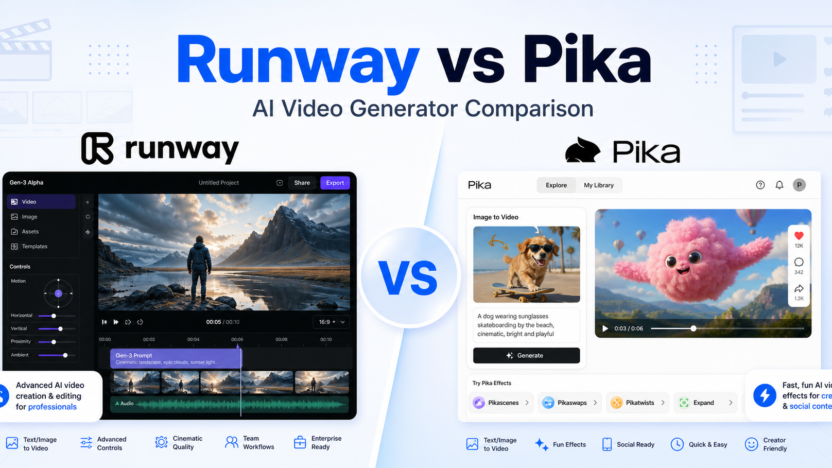
Runway is the better choice if you want a serious AI video production platform with advanced models, image-to-video, text-to-video, video editing, workflows, asset storage, third-party model access, team controls, and enterprise options. It is built for creators, filmmakers, marketers, agencies, and teams that want more control over professional AI video production.
Pika is the better choice if you want fast, playful AI video creation with clear credit allowances, social-friendly effects, image-to-video, video-to-video, Pikascenes, Pikadditions, Pikaswaps, Pikatwists, Pikaffects, and simple creator plans. It is built for creators who want to experiment quickly, generate short clips, and make visually interesting videos without a heavy production workflow.
For advanced creative teams, Runway is the stronger platform. For casual creators, social teams, and people who want a lower-friction AI video playground, Pika is easier to start with.
Quick Comparison
| Comparison Point | Runway | Pika |
|---|---|---|
| Main purpose | Advanced AI video generation, editing, workflows, and production tools | Fast AI video generation, effects, transformations, and social-ready clips |
| Best for | Filmmakers, creative teams, marketers, agencies, production teams | Creators, social teams, short-form video makers, AI experimenters |
| Core workflow | Generate, edit, upscale, manage assets, run workflows, and use multiple models | Create short clips with Pika models, effects, scenes, swaps, twists, and templates |
| Product depth | Broader creative production platform | Simpler creator-focused AI video tool |
| Free access | Free plan with one-time credits | Free/Basic plan with monthly video credits |
| Paid starting point | Standard at $12 per user/month billed annually | Standard at $8/month billed yearly |
| Credit model | Credits translate into seconds or images depending on model | Video credits are spent by feature, model, quality, and clip type |
| Advanced models | Gen-4.5, Gen-4, Gen-4 Turbo, Aleph, Act-Two, Veo options, and third-party models on paid plans | Pika 2.5, Pikaframes, Pikascenes, Pikadditions, Pikaswaps, Pikatwists, and Pikaffects |
| Editing depth | Stronger for video editing and workflow controls | Stronger for quick transformations and effects |
| Team support | Workspace user caps and enterprise organization controls | Plan-based creator access with commercial use on listed plans |
| Storage | Free includes 5GB; Standard 100GB; Pro 500GB | Pricing page focuses more on credits, access, speed, downloads, and commercial use |
| Watermark removal | Paid plans include removing watermarks across video models | Listed plans include downloading videos with no watermark |
| Best value angle | More control and model depth for production work | More credits and playful AI effects for short creative clips |
| Main limitation | More complex and credit-heavy for casual users | Less suited to advanced production teams that need workflows and enterprise controls |
| Choose it if | You need advanced AI video generation and production infrastructure | You need fast AI video creation, effects, and short-form experimentation |
Pricing Comparison
Runway and Pika both use credit-based pricing, but they package value differently. Runway ties credits to advanced video models, image generation, workflows, storage, user limits, watermark removal, and enterprise controls. Pika ties credits to monthly video creation, model type, resolution, effects, commercial use, and generation speed.
| Pricing Point | Runway | Pika |
|---|---|---|
| Free plan | Free at $0 per editor/month | Free/Basic at $0 billed yearly |
| Entry paid plan | Standard at $12 per user/month billed annually as $144 | Standard at $8/month billed yearly |
| Mid paid plan | Pro at $28 per user/month billed annually as $336 | Pro at $28/month billed yearly |
| Highest self-serve plan | Max at $76 per user/month billed annually as $912 | Fancy at $76/month billed yearly |
| Enterprise option | Enterprise with custom pricing | Pika pricing page presents four subscription plans; no separate enterprise plan is shown in the visible pricing table |
| Annual discount | Yearly billing shows 20% off | Yearly billing shows 20% off |
| Free credits | 125 one-time credits | 80 monthly video credits |
| Entry paid credits | Standard includes 625 credits monthly | Standard includes 700 monthly video credits |
| Mid paid credits | Pro includes 2,250 credits monthly | Pro includes 2,300 monthly video credits |
| Highest self-serve credits | Max includes 9,500 credits monthly | Fancy includes 6,000 monthly video credits |
| User limits | Standard max 5 users per workspace; Pro and Max max 10 users per workspace | Pika pricing focuses on plan access and credits rather than workspace user caps |
| Storage | Free 5GB, Standard 100GB, Pro 500GB | Storage is not a primary visible pricing-table point |
| Watermarks | Standard and higher remove watermarks across video models | Plans list download videos with no watermark |
| Commercial use | Production usage depends on plan and terms | Commercial use is listed on visible plans |
| Official pricing page | Runway pricing page | Pika pricing page |
| Tool | Plan | Monthly Price | Annual Price | Credits | Best For | Key Limits Or Notes |
|---|---|---|---|---|---|---|
| Runway | Free | $0 per editor/month | $0 | 125 one-time credits | Trying Runway tools | 3 video editor projects, 5GB asset storage, no Gen-4 Video |
| Runway | Standard | $12 per user/month billed annually | $144/year | 625 monthly credits | Individuals and small teams | Max 5 users per workspace, 100GB storage, watermark removal, unlimited video editor projects |
| Runway | Pro | $28 per user/month billed annually | $336/year | 2,250 monthly credits | Teams adding Runway into regular workflows | Max 10 users per workspace, custom voices, 500GB storage |
| Runway | Max | $76 per user/month billed annually | $912/year | 9,500 monthly credits | Heavy usage and experimentation | Max 10 users per workspace, unused credits roll over 1 month, first access to newest models |
| Runway | Enterprise | Custom | Custom | Custom credit amounts | Large organizations | SSO, organization controls, advanced security, onboarding, priority support |
| Pika | Free/Basic | $0 | $0 | 80 monthly video credits | Trying Pika | Pika 2.5 at 480p only, image-to-video only, no-watermark downloads, commercial use |
| Pika | Standard | $8/month billed yearly | $96/year | 700 monthly video credits | Creators needing more videos and editing features | All resolutions, Pikaframes, core Pika tools, fast generations |
| Pika | Pro | $28/month billed yearly | $336/year | 2,300 monthly video credits | Higher-volume creators | Faster generations, Pika 2.5 all resolutions, core tools, no-watermark downloads |
| Pika | Fancy | $76/month billed yearly | $912/year | 6,000 monthly video credits | Heavy creative usage | Fastest generations, Pika tools, no-watermark downloads, commercial use |
Pricing sources checked: June 13, 2026. Sources: Runway official pricing page and Pika official pricing page.
What Is Runway?
Runway is an AI creative platform focused on generative video, image generation, AI editing, workflows, and production tools. Its official pricing page lists access to models and tools such as Gen-4 Turbo, Gen-4, Gen-4.5, Aleph video editing, Act-Two performance capture, third-party video models, third-party image models, upscaling, workflow capabilities, video editor projects, asset storage, and enterprise controls.
Runway feels like a production platform rather than a simple effect generator. It is useful when a creator or team needs a repeatable AI video workflow: generate clips, edit video, manage assets, upscale outputs, use different models, remove watermarks on paid plans, and organize work inside a workspace.
The tradeoff is complexity. Runway gives more control, but that also means users need to understand credits, model choices, video seconds, storage, projects, and plan limits.
What Is Pika?
Pika is an AI video creation tool built around quick generation, transformations, effects, and creator-friendly experimentation. Its official pricing page lists Pika 2.5, Pikaframes, Pikascenes, Pikadditions, Pikaswaps, Pikatwists, Pikaffects, image-to-video, video-to-video, monthly video credits, no-watermark downloads, and commercial use on visible plans.
Pika feels lighter than Runway. It is easier to understand if your goal is to create short clips, stylized videos, scene changes, swaps, twists, and social-ready visual experiments. The credit table is still important, but the product direction is more playful and immediate.
That makes Pika a strong fit for social creators, content marketers, meme-style video makers, educators experimenting with AI clips, and teams that want fast visual variations without building a full production system.
Runway vs Pika for AI Video Quality
Runway is better suited to creators who care about production control, model choice, and workflow depth. Its pricing page connects paid plans with Gen-4.5, Gen-4, Gen-4 Turbo, Aleph, Act-Two, video apps, third-party video models, third-party image models, upscaling, and watermark removal. That variety gives advanced users more room to shape a final output.
Pika is better suited to creators who care about speed and creative effects. Its named tools, including Pikascenes, Pikadditions, Pikaswaps, Pikatwists, and Pikaffects, make the workflow feel more like choosing a creative move and generating a clip around it.
If your work needs controlled shots, production planning, model selection, and team output, Runway has the stronger ceiling. If your work needs quick, punchy, surprising video variations, Pika is easier to enjoy.
Runway vs Pika for Ease of Use
Pika is easier for casual creators. The plans are framed around credits and access to specific creative modes. A user can pick an effect or scene workflow, spend credits, and produce a short clip without thinking too much about production infrastructure.
Runway is easier for serious creators once they understand the system. A production team can benefit from workflows, storage, projects, workspace controls, custom voices on Pro, and advanced enterprise controls. That makes Runway less casual, but more capable for teams that use AI video repeatedly.
The practical answer is simple: Pika is easier to start, Runway is easier to scale.
Runway vs Pika for Social Content
Pika is the stronger fit for fast social content. Its product language is built around visually memorable effects and short video creation. If your goal is to make TikTok-style experiments, creative transformations, quick product clips, or surprising image-to-video outputs, Pika makes that workflow feel direct.
Runway can also create social content, but it is often more than a social creator needs. It makes more sense when social content is part of a broader production process, such as ads, campaign videos, brand storytelling, product demos, or video experiments that need multiple models and asset control.
Choose Pika when speed and novelty matter most. Choose Runway when consistency, control, and production depth matter more.
Runway vs Pika for Teams and Agencies
Runway is stronger for teams and agencies. Standard supports up to 5 users per workspace, while Pro and Max support up to 10 users per workspace. Enterprise adds organization controls, custom credit amounts, SSO, security and compliance support, onboarding, success programs, and priority support.
Pika can still be useful for teams that need quick creative output, but its visible pricing table is more creator-plan oriented. It focuses on monthly video credits, access to creative tools, generation speed, no-watermark downloads, and commercial use.
Agencies that need repeatable workflows, storage, advanced models, and team management should start with Runway. Social teams that mostly want a fast idea engine may prefer Pika.
Pros and Cons of Runway
Runway Pros
- Broader AI video production platform with advanced models and workflows
- Free plan for exploring the platform
- Paid plans include monthly credits, watermark removal, and more export options
- Standard, Pro, and Max plans support workspace user limits
- Stronger asset storage and team-oriented plan structure
- Enterprise option for large teams with security and organization needs
Runway Cons
- Credit usage can be harder to understand for casual users
- Annual plan pricing is prominent on the official pricing page
- Advanced workflow depth may be more than social-first creators need
- Heavy use can require higher credit plans
Pros and Cons of Pika
Pika Pros
- Easy to understand for fast AI video experiments
- Free/Basic plan includes monthly video credits
- Standard starts at a lower listed annual-billing monthly price than Runway Standard
- Strong creative effects workflow with Pika-specific modes
- No-watermark downloads and commercial use are listed in visible plan details
- Good fit for social content, short clips, and fast idea generation
Pika Cons
- Less positioned around professional production infrastructure than Runway
- Visible pricing focuses more on credits and creative modes than team administration
- Heavy users may need Pro or Fancy to get enough monthly credits
- Advanced teams may outgrow the simple creator-plan structure
Which Tool Should Different Users Choose?
| User Type | Better Choice | Why |
|---|---|---|
| Casual AI video experimenter | Pika | Easier effects and monthly credits for playful clips |
| Filmmaker or advanced creator | Runway | More model depth, editing tools, workflows, and control |
| Social media creator | Pika | Better fit for fast, visual, short-form experiments |
| Marketing team | Runway | Stronger for campaign workflows, asset management, and production depth |
| Agency | Runway | Better team and enterprise path |
| Solo creator on a lower paid plan | Pika | Standard annual-billing price is lower and credits are generous for short clips |
| Heavy AI video user | Depends | Runway Max offers 9,500 credits; Pika Fancy offers 6,000 monthly video credits with fast effects |
| Enterprise buyer | Runway | Runway has a visible enterprise plan with security and organization controls |
For avatar-led AI video, our Synthesia vs HeyGen comparison guide is the closest companion; if you plan to edit generated clips afterward, also compare Descript vs Kapwing comparison.
Final Recommendation
Choose Runway if you are building a serious AI video workflow. It is the better option for production teams, marketers, agencies, filmmakers, and advanced creators who want more model access, video editing depth, workflows, storage, team controls, and enterprise options.
Choose Pika if you want fast AI video creation with less friction. It is the better option for short-form creators, social teams, and people who want to quickly turn images, ideas, swaps, scenes, twists, and effects into videos.
If you are unsure, start with the type of output you need. For polished production and repeatable creative systems, Runway is stronger. For quick visual experiments and social-ready clips, Pika is more approachable.
FAQs
Is Runway better than Pika?
Runway is better than Pika for advanced AI video production, team workflows, model access, asset storage, video editing, upscaling, and enterprise needs. It is the stronger choice when AI video is part of a serious creative production process.
Is Pika better than Runway?
Pika is better than Runway for fast experimentation, playful effects, short clips, and social-ready AI video creation. It is easier to start with if you want a simple creator workflow instead of a deeper production platform.
Does Runway have a free plan?
Yes. Runway has a Free plan at $0 per editor/month. The official pricing page lists 125 one-time credits, 3 video editor projects, 5GB asset storage, and access to selected creative tools.
Does Pika have a free plan?
Yes. Pika has a Free/Basic plan at $0 billed yearly. The official pricing page lists 80 monthly video credits, access to Pika 2.5 at 480p only, image-to-video only, no-watermark downloads, and commercial use.
Which is cheaper, Runway or Pika?
Pika has the lower listed entry paid plan based on annual billing: Standard at $8/month billed yearly. Runway Standard is listed at $12 per user/month billed annually. The better value depends on whether you need Pika-style effects or Runway-style production depth.
Which gives more credits, Runway or Pika?
At the entry paid tier, Pika Standard lists 700 monthly video credits while Runway Standard lists 625 credits monthly. At the highest self-serve tier, Runway Max lists 9,500 monthly credits while Pika Fancy lists 6,000 monthly video credits.
Which is better for social media videos?
Pika is usually better for fast social media videos because it focuses on quick effects, transformations, and short creative clips. Runway is better when social content is part of a larger production campaign.
Which is better for professional video teams?
Runway is usually better for professional video teams because it offers broader production tooling, workspace limits, storage, advanced models, workflows, and enterprise controls. Pika is more creator-focused.
Can Runway remove watermarks?
Runway’s official pricing page lists watermark removal on paid plans such as Standard and higher. The Free plan does not include the same paid-plan export and watermark benefits.
Can Pika download videos without a watermark?
Pika’s official pricing page lists downloading videos with no watermark in the visible plan details. It also lists commercial use on the plans shown in the pricing table.
Which is better for beginners?
Pika is usually better for beginners because it feels more direct and effect-driven. Runway is beginner-accessible through its Free plan, but its deeper model and workflow options make it more useful once the user wants more control.
Should creators use both Runway and Pika?
Some creators may use both. Pika can be a fast idea and effects tool, while Runway can handle more advanced generation, editing, and production workflows. If budget is limited, choose based on whether you need speed or control first.