
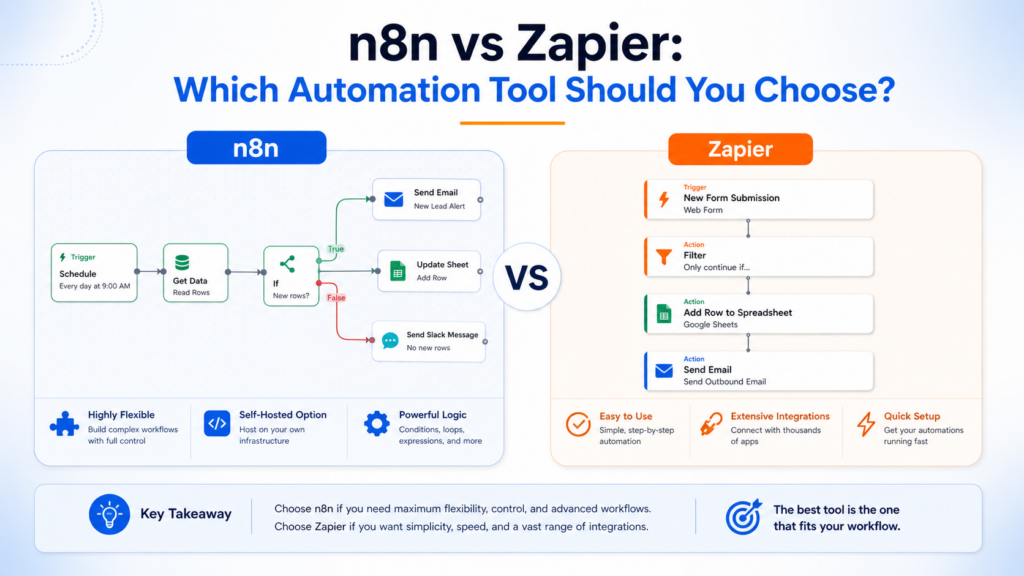
Choose n8n when your team wants to own the workflow’s logic and, if needed, the infrastructure running it. Choose Zapier when its hosted platform and supported app actions let the people maintaining the automation complete the job without managing a server. Both offer visual building and AI capabilities; the useful comparison is the exact integration, billing unit, handoff, and maintenance requirement.
This n8n versus Zapier comparison uses official pricing and documentation checked on October 12, 2026. It is a source-based assessment, not a claimed speed, usability, or reliability benchmark. The existing featured image illustrates sample workflows rather than verified current product screens.
Start with the operation your apps must perform
| Requirement | What to verify before choosing |
|---|---|
| Create or update a CRM record | The exact object, field mappings, duplicate handling, and permissions in each integration. |
| Process a batch of records | How each product handles items, failed records, retries, and its billable unit. |
| Call an internal service | Network access, authentication, API support, and who maintains the connection. |
| Let AI draft a customer response | The selected model, accessible data, approval mechanism, and usage charges. |
| Share maintenance across a team | Workflow and credential access, review responsibilities, and plan restrictions. |
A logo in an integration directory does not establish that the required action exists. For a CRM migration, check whether you can update the specific custom fields and distinguish an existing contact from a new lead. That is more useful than comparing app-directory totals.
n8n executions and Zapier tasks measure different work
n8n’s execution-pricing explanation describes charging for a workflow run rather than each internal step. A workflow with multiple transformations can therefore use one execution. This does not remove the infrastructure or external service costs associated with running it.
Zapier’s task-accounting guide says ordinary successful action steps count as tasks. Trigger checks do not. Replaying a whole run can count previously successful actions again. Filters, Paths, and several built-in tools have exceptions.
For a hypothetical lead workflow with one event trigger, one CRM write, and one notification, 100 completed leads could mean 100 n8n executions or 200 ordinary Zapier action tasks. This assumes one workflow run per lead, two successful billable actions, and no retries, AI, sub-workflows, or additional branches. It is illustrative arithmetic, not a measured result or a universal conversion.
Zapier’s public rates page describes standard steps more broadly than its help article, including triggers. For forecasting trigger charges, use the explicit help explanation and verify your account’s task history. Where documentation differs, a simplistic count of every visible step can mislead.
Compare current plan prices with the selected usage tier
The n8n pricing page lists these EUR starting rates with annual billing. They are monthly equivalents paid annually.
| n8n plan | Annual monthly equivalent | Execution tier | Hosting |
|---|---|---|---|
| Starter | €20 | 2,500 monthly | n8n Cloud |
| Pro | €50 | 10,000 monthly | n8n Cloud |
| Business | €667 | 40,000 monthly | Self-hosted |
| Enterprise | Quoted | Custom | Cloud or self-hosted |
Starter includes one shared project and five concurrent executions. Pro lists three projects and up to 50 concurrent executions, depending on tier. Unlimited users and workflows do not mean unlimited executions or resources. Business requires your own hosting; its subscription does not buy a managed Cloud deployment.
With USD selected, the rendered Zapier pricing page showed these starting rates. A larger task tier increases the quote.
| Zapier plan | Monthly billing | Annual monthly equivalent | Plan distinction |
|---|---|---|---|
| Free | $0 | $0 | 100 tasks monthly, two-step Zaps |
| Professional | From $29.99 | From $19.99 | Multi-step Zaps, premium apps, webhooks |
| Team | From $103.50 | From $69 | 25 users, shared connections and Zaps, SAML SSO |
| Enterprise | Quoted | Quoted | Organization requirements |
These currencies and units differ. Price your actual workload in each selector and confirm tax, renewal terms, and any model-provider charges. Do not compare a starter execution allocation directly with an unspecified “from” task price.
AI steps are not all billed as one task
Zapier’s current task rates distinguish AI by Zapier model tiers: Standard uses one task per AI step, Advanced three, and Premium five. Advanced and Premium tool calls are billed separately at their tier’s rate. Bringing your own model uses one task for the AI step and one per tool call, while you pay the provider directly.
MCP tool calls use two tasks. Code steps use one task within the included runtime; extended runtime adds one per 30 seconds beyond the plan allowance. Unmigrated standalone Agents use an activity quota. Migrated agents use AI by Zapier task billing; neither allowance establishes unlimited AI work.
Compare workflow construction assistance with runtime AI. A builder that suggests steps does not determine the cost, data access, or correctness of a model used during every execution. Record the model and tool permissions separately from the workflow editor you use to create the automation.
Zapier’s October 1, 2026 migration guide says standalone Agents are moving into AI by Zapier. Migrated agents use platform tasks, without a separate Agents subscription. Zapier has not announced a standalone Agents shutdown date. Existing activity-based plans remain relevant to unmigrated agents; do not apply their quotas or add-on charges to a migrated Zap.
Self-hosting changes who handles operations
n8n’s hosting documentation describes running the software on your own infrastructure. Without a paid license key, it runs as Community edition. Docker Compose is among the documented deployment routes.
Under the edition comparison, Community does not include projects, workflow and credential sharing, SSO, environments, or Git version control. Free registration unlocks specific additions such as folders and editor debugging; it does not turn Community into a paid team edition.
Budget for the server, database, backups, upgrades, monitoring, and the person responding to failed jobs. Self-hosting may let you choose the location of your instance, but an external API or AI model can still receive data sent by the workflow. Draw the complete data path before treating hosting location as a privacy guarantee.
Sharing a workflow can also allow credential use
n8n’s current sharing guide lists sharing on all Cloud plans and self-hosted Business and Enterprise. Editors can use credentials already present in the shared workflow even when those credentials were not shared separately. Without separate credential sharing, they cannot edit the nodes using those unshared credentials, but can still run the workflow.
For either product, determine whether a colleague needs to view a run, edit logic, operate it, or manage the connected account. Those are different responsibilities. Test the intended role with a sample workflow before sharing a production connection.
Design approval and recovery around the actual action
n8n’s Gmail node documentation includes sending a message and waiting for approval, and describes human review for AI tool calls. Configure the relevant approval path rather than assuming every agent action pauses automatically.
For a proposed support workflow, create a draft response and show the reviewer the recipient, source ticket, and exact text. Bind approval to that draft version. If the text changes, require another review. Keep a record identifier so a retry does not send the same customer message twice.
Rehearse a missing email address, an expired connection, duplicate input, a rejected draft, and a partial failure after the CRM update. These are suggested checks, not tests performed for this article. The valuable result is a workflow the next maintainer can diagnose and recover.
Choose using one complete workload
If visual scenario mapping is another option, see our Make pricing guide for credit accounting. Do not start a new Pipedream Workflows subscription: its official notice says signups are closed and Workflows and String shut down March 31, 2027. Connect is unaffected.
Choose n8n when its execution model, workflow control, and deployment options suit the job and your team can maintain the chosen setup. Choose Zapier when its supported actions and hosted workflow management fit the operator and the task budget. Confirm the integration, review path, permissions, and failure recovery before paying annually or moving existing automations.




One response to “n8n vs Zapier: Which Automation Tool Should You Choose?”
[…] fixed app actions, our n8n versus Zapier comparison explains execution and task billing, hosting, and shared credentials. Our Make pricing guide […]