Small businesses handle more PDF documents than they realize: contracts, vendor proposals, invoices, client reports, policy documents, research papers, product manuals, onboarding files, and sales decks. AI PDF summarizer tools can help teams find answers faster, but they also create risk if people treat summaries as final truth.
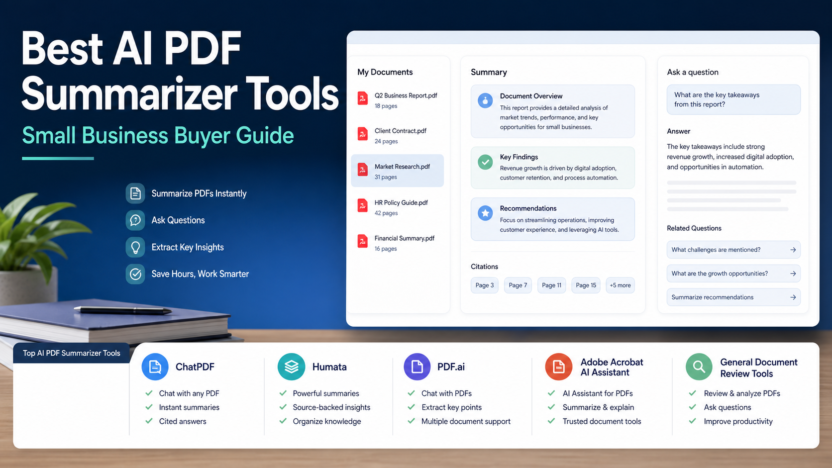
This guide compares practical AI PDF summarizer tools for small business workflows: ChatPDF, Humata, PDF.ai, Adobe Acrobat AI Assistant, and NotebookLM. The goal is not to crown a magic document reader. The goal is to help you choose the right tool for the kind of PDF work your team actually does.
Quick Answer
Choose ChatPDF if you want a simple way to ask questions about a PDF. Choose Humata if your workflow needs source-backed document analysis and research-style answers. Choose PDF.ai if you want a lightweight PDF chat product with a simple user experience. Choose Adobe Acrobat AI Assistant if your team already works inside Acrobat. Choose NotebookLM if your research includes multiple files, notes, and source material rather than one-off PDF chats.
For sensitive business documents, the best tool is the one your team can govern. That means clear source references, cautious data handling, human review, and a workflow that does not let AI summaries replace the original document.
Comparison Table
| Tool | Best For | Main Strength | Limitation To Consider |
|---|---|---|---|
| ChatPDF | Fast PDF Q&A | Simple document chat workflow | Better for quick answers than deep document operations |
| Humata | Source-backed document research | Research-style answers across documents | Team and enterprise needs should be reviewed carefully |
| PDF.ai | Lightweight PDF chat | Easy summaries and questions | May be too simple for governed enterprise workflows |
| Adobe Acrobat AI Assistant | Acrobat users | Built into a familiar PDF environment | Best value if your team already uses Acrobat |
| NotebookLM | Multi-source research | Source-grounded notebooks and summaries | Not a pure PDF-only business document system |
Pricing last checked on June 22, 2026. Official pricing and product pages are linked in the article.
Our Evaluation Criteria
We evaluated these tools by practical small-business fit: ease of use, document Q&A quality, source traceability, pricing clarity, team workflow support, privacy considerations, export options, and whether a non-technical team can adopt the tool without creating a risky shortcut.
It uses official product and pricing sources, then turns those facts into buying guidance for common small-business workflows.
1. ChatPDF
ChatPDF is the simplest fit when someone wants to upload a PDF and ask questions. A consultant could use it to understand a report, a founder could summarize a vendor proposal, and a marketer could pull key points from a long research PDF.
ChatPDF is best when speed and simplicity matter more than enterprise governance. It is not the strongest choice when a company needs strict approval workflows, complex document repositories, or formal compliance review.
ChatPDF Pricing
ChatPDF publishes plan and upgrade information on its official pricing and product surfaces. Use the official page linked below for the current plan details and limits.
2. Humata
Humata is a better fit for research-heavy document analysis. It is positioned around asking questions across documents and getting answers from source material. That makes it useful for teams reading lengthy policies, legal support documents, research reports, technical papers, or client files.
A SaaS team could use Humata to summarize customer research PDFs, extract repeated objections, and create internal notes. A professional services firm could use it to speed up first-pass review before a human specialist validates the output.
3. PDF.ai
PDF.ai is a lightweight PDF chat option for people who want a simple experience. It can fit freelancers, students, small agencies, and operations teams that need quick document summaries without adopting a broad knowledge management platform.
Its limitation is the same as its strength: simplicity. If you need sophisticated user permissions, workflow governance, or enterprise document operations, review the official plan details before making it the team standard.
4. Adobe Acrobat AI Assistant
Adobe Acrobat AI Assistant is useful when PDF work already lives in Acrobat. Instead of moving files into another standalone AI PDF product, teams can add AI assistance to a familiar PDF environment.
This is especially relevant for companies that review contracts, proposals, and policy files in Acrobat every day. The buying decision is less about whether Acrobat can summarize documents and more about whether keeping the workflow inside Acrobat reduces friction.
5. NotebookLM
NotebookLM is not only a PDF summarizer. It is better described as a source-grounded research workspace. It can be useful when your work includes PDFs, notes, documents, and research sources together.
If your team is building a research process, NotebookLM may be a better fit than a one-PDF chat tool. If you only want to ask one PDF a few questions, ChatPDF or PDF.ai may feel faster.
Real Small-Business Use Cases
Contract First-Pass Review
A small business could upload a vendor contract and ask for renewal dates, termination clauses, payment terms, unusual obligations, and unclear sections. The AI output should become a review checklist, not a final legal decision.
Client Report Summaries
Agencies can use PDF summarizers to extract findings, action items, and open questions from client reports. This helps account managers prepare faster while still opening the original source before sending client advice.
Internal Policy Search
HR and operations teams can use AI PDF tools to locate rules inside policy documents. This is useful for onboarding, benefits questions, travel policies, and equipment procedures.
Research And Content Briefs
Marketing teams can summarize research PDFs before creating briefs. Pair this with the AI SEO content brief workflowand best AI SEO tools for small businesswhen turning research into content.
Meeting And Sales Documents
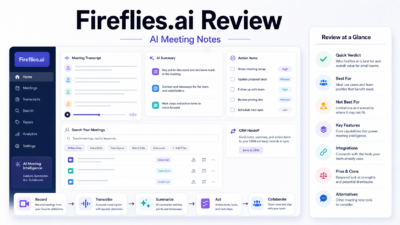
Sales teams can summarize proposals, RFPs, and account documents before calls. If meetings are also part of the workflow, see the Fireflies.ai reviewonce it is published and our AI competitor analysis workflow.
Pricing Notes
| Tool | Official Pricing Source | Pricing Guidance |
|---|---|---|
| ChatPDF | Official pricing/product page | Use the current plan page for upload and question limits |
| Humata | Official pricing page | Review document limits, seats, and business features |
| PDF.ai | Official pricing page | Review individual and team plan limits |
| Adobe Acrobat AI Assistant | Official Adobe pricing/product page | Best reviewed alongside existing Acrobat subscription needs |
| NotebookLM | Official Google product/help pages | Review current availability and workspace fit |
Pros And Cons
Pros
- Faster first-pass review of long documents.
- Helpful for extracting questions, obligations, and summaries.
- Useful for teams that handle repetitive PDF reading.
- Can support research workflows when source references are available.
- Reduces the blank-page problem when preparing briefs or notes.
Cons
- Summaries can miss context or nuance.
- Sensitive documents require vendor and plan review.
- AI answers should not replace legal, financial, or compliance review.
- Some tools are simple PDF chat products, not full document management systems.
- Poor source traceability makes important decisions riskier.
Final Recommendation
Start with the document type. If your team mostly asks quick questions about individual PDFs, ChatPDF or PDF.ai may be enough. If your work is research-heavy, Humata or NotebookLM may fit better. If your business already lives in Acrobat, Adobe Acrobat AI Assistant is the most natural option to evaluate.
The best AI PDF summarizer is not the flashiest one. It is the one that gives your team faster answers while keeping source review, privacy, and human judgment intact.
FAQs
What is the best AI PDF summarizer for small business?
The best choice depends on the document type. ChatPDF is easy for quick PDF questions, Humata is useful for source-backed document analysis, PDF.ai is simple for chat-style summaries, Adobe Acrobat AI Assistant fits teams already using Acrobat, and NotebookLM is useful when your research includes multiple sources.
Can AI PDF tools summarize contracts?
They can summarize contract language, but a business should not treat the output as legal advice. Use them to speed up review, then ask a qualified human to verify important obligations, risks, and deadlines.
Do these tools replace reading the original PDF?
No. They help identify likely answers, summaries, and source sections, but important decisions still require reading the original source pages.
Which tool is best for research reports?
NotebookLM and Humata are strong options for source-heavy research workflows. ChatPDF and PDF.ai can also work for quick document Q&A.
Which tool is best if my team already uses Adobe Acrobat?
Adobe Acrobat AI Assistant is the most natural option if the team already works inside Acrobat and wants AI help without adding another standalone document tool.
Are AI PDF summarizers safe for confidential files?
That depends on the vendor, plan, and data policy. Review the official privacy and enterprise information before uploading private contracts, customer records, or financial documents.
Do PDF summarizers keep citations?
Some tools provide source references or page-linked answers, while others focus on summaries. Choose a tool with citation support if source traceability matters.
Can I use these tools for invoices?
Yes, for extracting and summarizing invoice details, but accounting data should still be checked against the original file before payment or reporting.
Should agencies use one tool or several?
Most agencies should start with one tool and standardize review steps. Add a second only when a client workflow requires it.
What should I test before paying?
Test one contract, one report, and one policy document. Check answer accuracy, source references, export options, team controls, and whether the tool saves time without hiding important details.
How To Evaluate An AI PDF Summarizer
Do not evaluate an AI PDF tool only by how impressive the first summary looks. A useful small-business tool should handle real documents with messy formatting, tables, long sections, footnotes, and repeated language. It should also make it easy to trace an answer back to the original document.
The most important test is source reliability. If a tool gives a confident answer but does not help you find the source section, it can create more risk than value. This matters for contracts, policies, client reports, compliance documents, product manuals, and invoices.
The second test is workflow fit. A solo consultant may only need one-file Q&A. A support team may need searchable policy answers. An agency may need project folders and exports. A finance team may need stricter access controls and review steps.
Use these criteria before paying:
| Criterion | What To Look For |
|---|---|
| Source references | Can users trace answers back to pages or document sections? |
| Document limits | Does the plan support your file sizes and document volume? |
| Team controls | Can the business manage users and access? |
| Export options | Can summaries become notes, briefs, or tasks? |
| Privacy fit | Is the vendor acceptable for your document sensitivity? |
| Accuracy workflow | Does the tool encourage review rather than blind trust? |
Practical Rollout Plan
Start with a small document set. Choose one vendor proposal, one policy PDF, one client report, and one long research document. Ask the same questions in each tool: What are the main points? What decisions are required? What risks or open questions appear? Which source pages support the answer?
Then compare the output against the original PDFs. You are not looking for a perfect paragraph. You are looking for reliable navigation, useful summaries, and fewer missed details.
After that, create a team rule: AI summaries are drafts, not approvals. Anyone using the summary for money, legal, customer, or policy decisions must open the original file.
Common Limitations
AI PDF summarizers can struggle with scanned documents, poor OCR, tables, charts, handwritten notes, legal nuance, and documents where the answer depends on context across several sections. They may also miss attachments, appendices, or small-print conditions.
This does not make them useless. It means the safest workflow uses AI for first-pass understanding and humans for final judgment.