Choosing AI customer support software is easier when you stop comparing feature pages and start checking readiness. The best tool for a small business is not always the one with the loudest AI claims. It is the one that fits your channels, support volume, help content, human handoff needs, reporting, and budget risk.
Use this checklist before buying or switching support software. It works whether you are comparing Zendesk, Intercom Fin, Help Scout, Freshdesk, Tidio Lyro, Zoho Desk, HubSpot Service Hub, or another customer support platform.
If you want a shortlist first, see our best AI customer support tools guide. If you are replacing Intercom, the best Intercom alternatives guide is more specific.
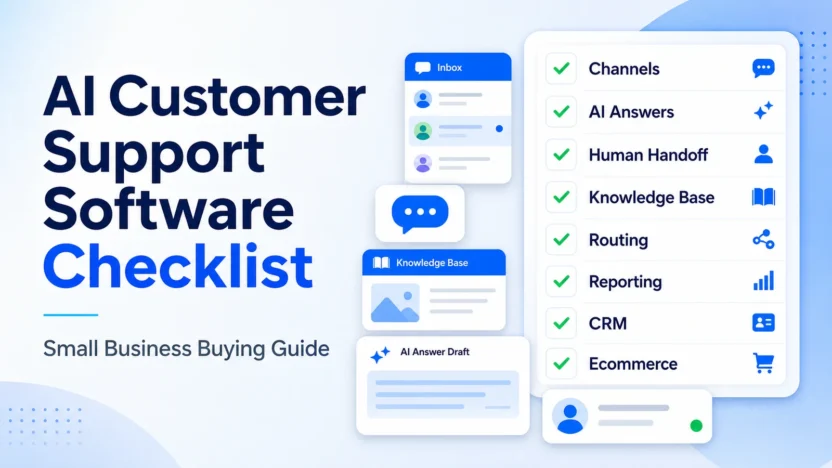
Quick Checklist
| Area | What To Check | Why It Matters |
|---|---|---|
| Channels | Email, chat, social, help center, phone, ecommerce | The tool must match where customers actually ask for help |
| AI answers | Source content, confidence, escalation, answer review | AI support depends on good knowledge and oversight |
| Human handoff | Clear escalation rules and agent ownership | Customers should not get trapped in automation |
| Knowledge base | Accuracy, freshness, article ownership | AI quality improves when support content is maintained |
| Routing | Assignment, priority, SLAs, queues | Growing teams need structure |
| Reporting | Volume, response time, unresolved questions | Managers need to know whether support is improving |
| CRM context | Customer history, plan, account status | Agents need context to answer well |
| Ecommerce fit | Orders, returns, shipping, product questions | Stores need fast answers around purchase intent |
1. Start With Support Channels
Before choosing software, list the channels customers use today. A business that receives mostly email questions needs different software than a store with constant website chat. A SaaS company with in-app messages needs different priorities than a service business using a shared support inbox.
Ask:
- Do customers mostly contact us by email, chat, social, or form?
- Do we need a public help center?
- Do we need in-app messaging?
- Do ecommerce questions need order context?
- Do agents need one inbox or several queues?
If the software does not fit your main channel, the AI features will not save it. Channel fit comes first.
2. Check Knowledge Base Readiness
AI support tools need source content. That can include help center articles, internal docs, product documentation, policy pages, or saved replies. If those sources are thin or outdated, the AI agent will have less reliable material to use.
Before buying, review your top 20 support questions. For each question, ask whether the answer exists in a clear, approved article. If not, fix that before expecting AI to resolve tickets.
A small business should assign ownership for help content. Someone needs to update policies, product limits, refund rules, onboarding steps, and troubleshooting instructions. Without ownership, the knowledge base decays.
3. Test Human Handoff
Human handoff is one of the most important parts of AI customer support software. Customers should know when the AI cannot help and when a real person will respond.
Check whether the tool supports:
- handoff from AI to human agents
- clear assignment to the right inbox or team
- priority rules for urgent questions
- visibility into unresolved conversations
- agent context from the AI conversation
The best support setup uses AI for repeatable questions and humans for judgment. Billing disputes, account access, cancellations, angry customers, and technical bugs often need human review.
4. Review AI Answer Controls
Do not only ask whether the tool has AI. Ask how much control your team has over AI answers.
Important checks include:
- which knowledge sources the AI can use
- whether answers can be reviewed or monitored
- whether the AI cites or traces source content internally
- how the tool handles low-confidence questions
- whether certain topics can be excluded from automation
A useful AI support tool should reduce repetitive work without creating brand, policy, or trust problems.
5. Look At Routing And Ownership
As support grows, routing matters. A small team can sometimes share one inbox, but that gets messy when questions need different owners.
Check whether the software can route by:
- topic or category
- customer type
- urgency
- channel
- language or region
- plan or account tier
You may not need complex routing today, but choosing a tool with no path to better ownership can create another migration later.
6. Check Reporting That Helps Decisions
Reporting should answer practical questions, not just show dashboard decoration.
A small business should track:
- conversation volume
- first response time
- resolution time
- unresolved questions
- repeated topics
- AI answer success
- escalation rate
- customer satisfaction when available
If the software cannot show what customers ask most often, your team will struggle to improve the knowledge base, product experience, and support staffing.
7. Compare CRM And Customer Context
Support quality improves when agents know who the customer is. A good support tool should show relevant context such as account status, plan, order history, previous conversations, or CRM notes when available.
This is where ecosystem tools can matter. HubSpot Service Hub may fit teams already using HubSpot CRM. Zoho Desk may fit teams already using Zoho. Zendesk and Freshdesk can fit teams that need more independent help desk operations.
The question is not which ecosystem sounds best. The question is where your customer data already lives.
8. Evaluate Ecommerce Fit Separately
Ecommerce support has its own needs. Customers often ask about shipping, returns, sizing, discount codes, payment issues, and order status. A store may need fast chat answers more than complex ticket workflows.
If ecommerce is your main business model, check whether the tool supports:
- website chat
- order-related context
- common product questions
- returns and shipping policies
- handoff from pre-sale chat to human support
- integrations with the store stack
Tidio Lyro can be a focused fit for ecommerce chat, while broader help desks may make sense when ticket operations are more important.
9. Model Pricing Risk Carefully
Pricing for AI support software can include seats, plans, AI resolutions, conversations, automation limits, add-ons, or usage tiers. Do not compare only the starting price.
Build a simple model:
- number of agents
- monthly conversation volume
- expected AI-handled conversations
- channels needed
- help center or knowledge base needs
- reporting and routing requirements
- integrations that may require higher plans
This avoids choosing a tool that looks affordable at signup but becomes expensive when the real support workflow is added.
10. Plan A Small Rollout
Do not roll out AI support to every customer on day one. Start with a limited set of common questions, monitor outcomes, and expand only when the answers are reliable.
A safe rollout looks like this:
1. choose the top support topics 2. clean the help articles for those topics 3. set handoff rules 4. test internally 5. launch to a small customer segment or channel 6. review unresolved questions 7. improve content 8. expand gradually
This is not a workflow article. It is a buying safeguard: the software is only ready when the business has the content, people, and monitoring to support it.
Final Recommendation
Buy AI customer support software only after checking channels, knowledge base readiness, human handoff, AI answer control, routing, reporting, customer context, ecommerce fit, pricing risk, and rollout readiness.
If you need a powerful help desk, shortlist Zendesk or Freshdesk. If you want AI-agent-first support, evaluate Intercom Fin. If you want a simple shared inbox, consider Help Scout. If ecommerce chat is the priority, look at Tidio Lyro. If CRM ecosystem fit matters, compare Zoho Desk and HubSpot Service Hub.
The best software is the one your team can operate well, not the one with the most AI claims.
FAQs
What should I check before buying AI customer support software?
Check your support channels, knowledge base quality, human handoff rules, AI answer controls, routing needs, reporting, CRM context, ecommerce fit, pricing model, and rollout plan. These factors matter more than generic AI feature claims.
Do small businesses need AI customer support software?
Small businesses need AI support software only when they have repeatable questions and enough volume for automation to help. If support volume is low or every issue needs judgment, a simpler inbox may be better.
What makes AI customer support software work well?
The strongest factor is accurate source content. AI support performs better when help articles, policies, product docs, and saved replies are clear, updated, and owned by someone on the team.
Should AI support answer every customer question?
No. AI should answer common and low-risk questions. Sensitive issues, billing disputes, account access, angry customers, and complex technical problems should have a clear human handoff path.
What is the biggest buying mistake?
The biggest mistake is buying based on AI features before fixing support content. If the knowledge base is weak, even a strong AI support tool will have limited value.
Which tool is best for ecommerce support?
Tidio Lyro is a focused option for ecommerce chat. Zendesk, Freshdesk, and Zoho Desk can also work when ecommerce support needs more structured ticketing and reporting.
Which support tool is simplest for small teams?
Help Scout is one of the simpler options for teams that want a clean shared inbox and customer-friendly support. Tidio can be simple for chat-first ecommerce teams.
How should a business roll out AI support?
Start with a small set of common questions, clean the source content, define handoff rules, test internally, launch to a limited channel, review unresolved questions, and expand gradually.