
Make’s cost depends on the plan features you need, the credit tier you select, and how your scenarios process data. Start with Free for a small trial. Consider Core when its capacity and scheduling meet the job, Pro when its execution and troubleshooting features matter, and Teams when you need defined team access. Buying a higher plan does not make a poorly designed automation reliable.
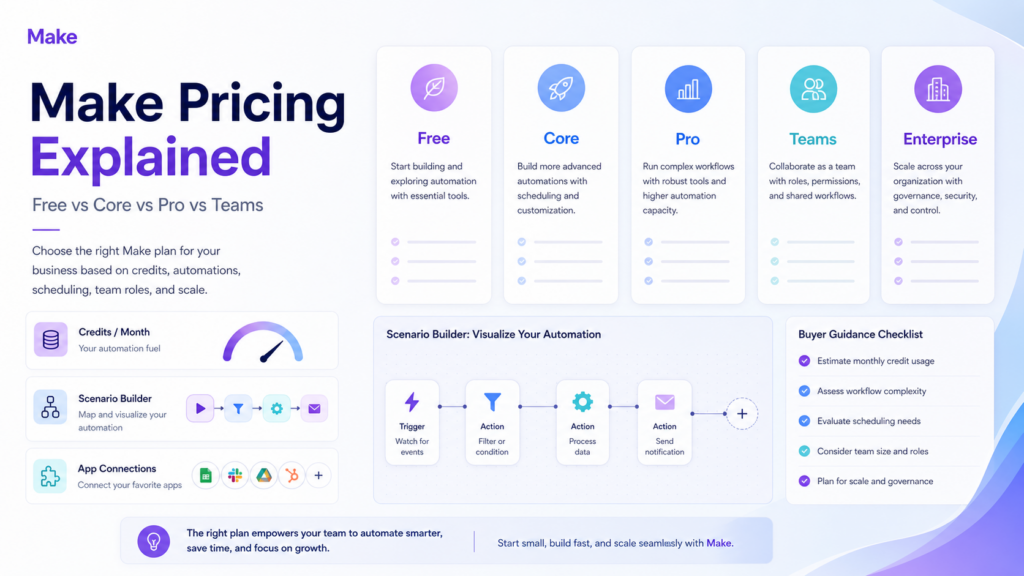
This Make pricing guide uses official billing and support documentation checked on October 12, 2026, including both billing selections in the live pricing page. It does not claim measured time savings or a hands-on benchmark. The existing featured image is a conceptual plan illustration, not a current billing screenshot.
Current Make prices at the starting paid credit tier
With 10,000 credits selected, the official pricing page displayed these USD amounts. Annual rates are monthly equivalents; the yearly subscription is paid upfront. Confirm your currency, credit selection, tax, and final charge before purchasing.
| Plan | Monthly billing | Annual monthly equivalent | Main distinction |
|---|---|---|---|
| Free | $0 | $0 | 1,000 credits monthly, two active scenarios |
| Core | $10.59 | $9 | Unlimited active scenarios, one-minute scheduling, API access |
| Pro | $18.82 | $16 | Priority execution, custom variables, full-text log search |
| Teams | $34.12 | $29 | Team roles and shared scenario templates |
| Enterprise | Quoted | Quoted | Enterprise requirements and support |
Free’s minimum scheduled interval is 15 minutes. Maximum file size is 5MB on Free, 100MB on Core, 250MB on Pro, and 500MB on Teams. Detailed execution logs are retained for seven days on Free and 30 days on these paid plans.
The credit selector is as important as the plan name. A quoted price for the starting tier does not cover every possible volume. Record the selected tier alongside each quote so a colleague can reproduce the comparison.
A credit is not a completed business task
Make’s operations guide defines an operation as a module run that processes or checks data. Trigger modules run once per check even when they return several bundles. Subsequent action modules can run once for each bundle. That distinction explains why a scenario with only a few visible modules may consume much more than a few credits.
For a hypothetical workflow, suppose one trigger check returns ten leads. If each lead then needs a CRM write and a notification, those two action modules run ten times each. With ordinary one-credit operations, the total is 1 + 10 + 10 = 21 credits. This excludes other checks, branches, retries, and AI charges; it is an illustrative calculation rather than a recorded test.
For a monthly forecast, separate the recurring trigger checks from the per-record work. Estimate normal input volume, then add a case with larger batches and repeated attempts. Compare that estimate with the scenario’s actual credit display before committing to a subscription.
AI can introduce a separate provider bill
Under Make’s credit rules, most non-AI operations cost one credit. AI usage can instead depend on tokens, file size, page count, processing time, and connection type. A count of operations alone may therefore understate spending.
When you connect your own AI provider to the relevant modules, Make charges for operations and the provider charges separately for tokens. With Make’s AI Provider, credits account for operations and tokens. Automatic provider connections have their own usage rules. Read the module’s credit indicator rather than assuming all AI steps share one fixed rate.
Make’s plan adjustments made custom provider connections available on all paid plans. Core supports credit tiers up to 300,000 monthly and Pro up to eight million. Moving to Pro solely because you believe a personal provider connection requires it would be an outdated decision.
For an invoice-extraction scenario, the software budget might include Make usage, document processing, and model tokens. Record those separately. Otherwise, a low automation subscription can hide a growing model-provider bill.
Annual credits work differently on Core and Pro
The monthly and annual subscription guide says Core allocates credits monthly even when you pay annually. Pro and Teams annual subscriptions provide the year’s package upfront, allowing usage across that term.
At a tier equivalent to 10,000 monthly credits, annual Pro provides 120,000 for the year. Annual Core still releases 10,000 each month. This can affect a seasonal operation: an annual payment alone does not let Core borrow unused future monthly allocations for a busy launch.
Forecast both average and peak demand. If usage varies heavily across the year, compare a flexible annual package with a monthly subscription and the cost of occasional extras. If the workflow is unproven, a lower annual equivalent may not justify paying for a whole year.
Extra credits cost more and can expire quickly
Make’s extra-credit guide states that manual and automatic purchases both carry a 25% additional cost relative to your plan’s credit rate. Manual purchases use 1,000-credit increments; automatic purchases use 10,000-credit blocks. Exhausting data transfer can also trigger an automatic purchase.
Extras expire at the current billing term’s end. On annually billed Core, they expire at the monthly reset; Pro and Teams annual extras last until the billing year’s end. Buying near renewal therefore does not necessarily give you a fresh month or year to use the credits.
Use this estimate: extra-credit cost = required extra credits × your plan’s per-credit rate × 1.25. Compare the result with a larger tier instead of relying on repeated emergency purchases. Treat the checkout amount as authoritative for your account.
Auto-purchasing is a spending decision, not simply a reliability setting. Decide who can enable it, monitor why demand rises, and keep a recovery procedure for exhausted allowances. This article does not enable purchases or change your account.
Team access should reflect who maintains the automation
According to Make’s team documentation, plans below Teams allow one team without managing its team roles. Team membership controls access to team-owned scenarios, connections, webhooks, and data. An operator can manage scenario activation and scheduling, while a monitoring role can inspect relevant information without editing or operating resources.
For an agency, list which clients, credentials, and scenarios each person should access before choosing the plan. A reviewer who only needs execution evidence should not automatically receive the same access as the person changing connected accounts.
Check subscription changes before renewal
Make’s subscription-change guide says plan or tier changes start a new billing cycle and charge the payment method, with separate terms for downgrading to Free. Make has a no-cash-refund policy. Upgrades convert unused credits into a discount, while downgrades transfer them subject to the new billing period.
Do not assume that selecting a lower tier merely changes next month’s bill. Review the payment preview, transferred-credit validity, and every feature your existing scenarios use before changing a subscription.
Compare alternatives using the same workload
For a task-based automation comparison, see our Zapier versus Make guide. For other options, the Zapier alternatives guide distinguishes execution-based, action-based, and task-based billing. Do not equate 10,000 Make credits with 10,000 units in another service.
Pipedream Workflows is no longer an option for a new subscription: its official shutdown notice says signups are closed and Workflows and String close on March 31, 2027. Pipedream Connect is unaffected. Existing workflow users need a migration plan rather than a recommendation to start building there.
Choose the lowest plan that meets the required feature and capacity constraints, then validate one complete scenario. Count trigger checks and per-record work, separate model-provider charges, inspect file limits, and test recovery from missing or duplicate input. Upgrade when a specific constraint requires it, rather than because a generic feature list sounds more capable.




2 responses to “Make Pricing Explained: Free vs Core vs Pro vs Teams”
[…] visual scenario mapping is another option, see our Make pricing guide for credit accounting. Do not start a new Pipedream Workflows subscription: its official notice […]
[…] general approval marketing. Check that entitlement, or evaluate a separate review integration. Our Make pricing guide covers allocation and overage […]